A fill-in-the-blank maker that accepts colour and color.
Write the whole sentence, then pick the words to turn into blanks. Students type straight into the sentence, and every blank can accept more than one answer.
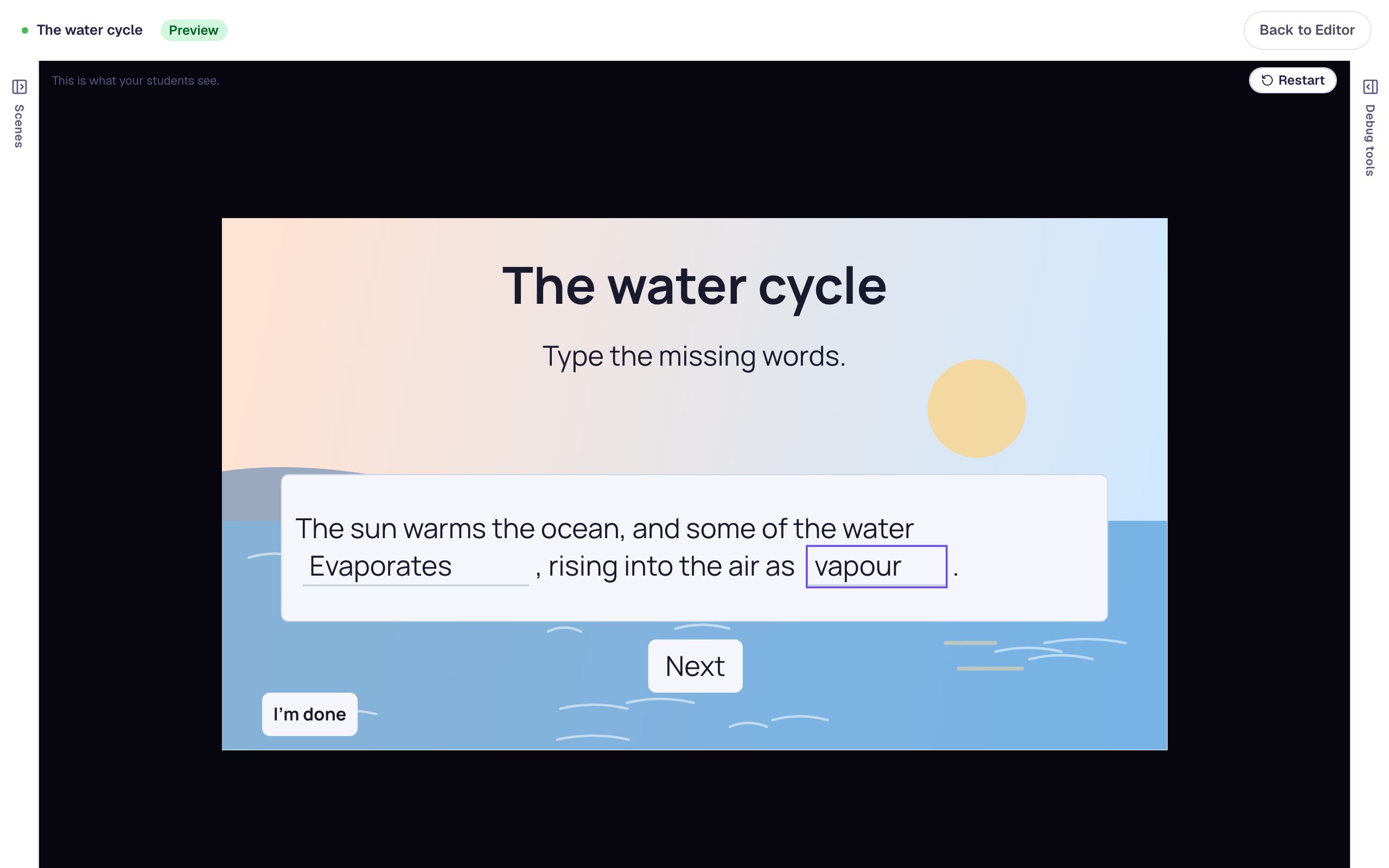
Practice that happens inside the sentence.
Vocabulary in context
“The sun warms the ocean, and some of the water ___.” Students type the missing word right where it belongs.
Spelling and grammar
Blank out the verb in each sentence, and accept both “dived” and “dove” where either is right.
Reading checks
Take the key words out of a summary of the passage to see whether students remember what they read.
Three steps to a fill-in-the-blank question.
Write the sentence
Type the full, correct sentence, the way you'd write it on the board.
Mark the blanks
Select a word and choose Mark as blank. Add any other answers you'll accept and a short hint for the empty blank.
Set the points
The sentence is scored as one answer and earns its points when every blank is right.
The settings that keep it fair.
Other accepted answers
Accept “colour” and “color”, or “Mt.” and “Mount”, in any blank.
Case sensitivity
Turn it on when capitals matter, as with names, or leave it off when they don't.
Hints in the blank
Show a few words inside an empty blank, like “a verb” or “starts with E”.
Forgiving spacing
Extra spaces, including the one a tablet keyboard adds after a word, are ignored.
Every setting is explained in the help center: Fill blank widget.
Build one with us, a screenshot for every step.
Common questions
Make your first fill-in-the-blank question today.
Build and preview for free, with no credit card. When you assign it, students play in the browser on a Chromebook, tablet or phone.