An all-in-one studio for interactive lessons.
Start from a template, customize every activity with drag-and-drop tools, and share lessons students complete right in the browser. No design or technical skills required.
Three building blocks. Learn them and you're ready to build.
Once you have these, the rest makes sense: activities fill each scene, the lesson remembers what each student did, and you decide what happens next.
Lesson
One interactive experience, from its opening scene to its ending.
Scene
One screen inside a lesson, where the widgets live. Scenes can be an intro, a question, a hint, feedback, a celebration, or a retry.
Template
A ready-made lesson to start from. Pick one when you create a lesson and you get your own copy to change: your words, your pictures, your scenes.
Draw the paths. See every one.
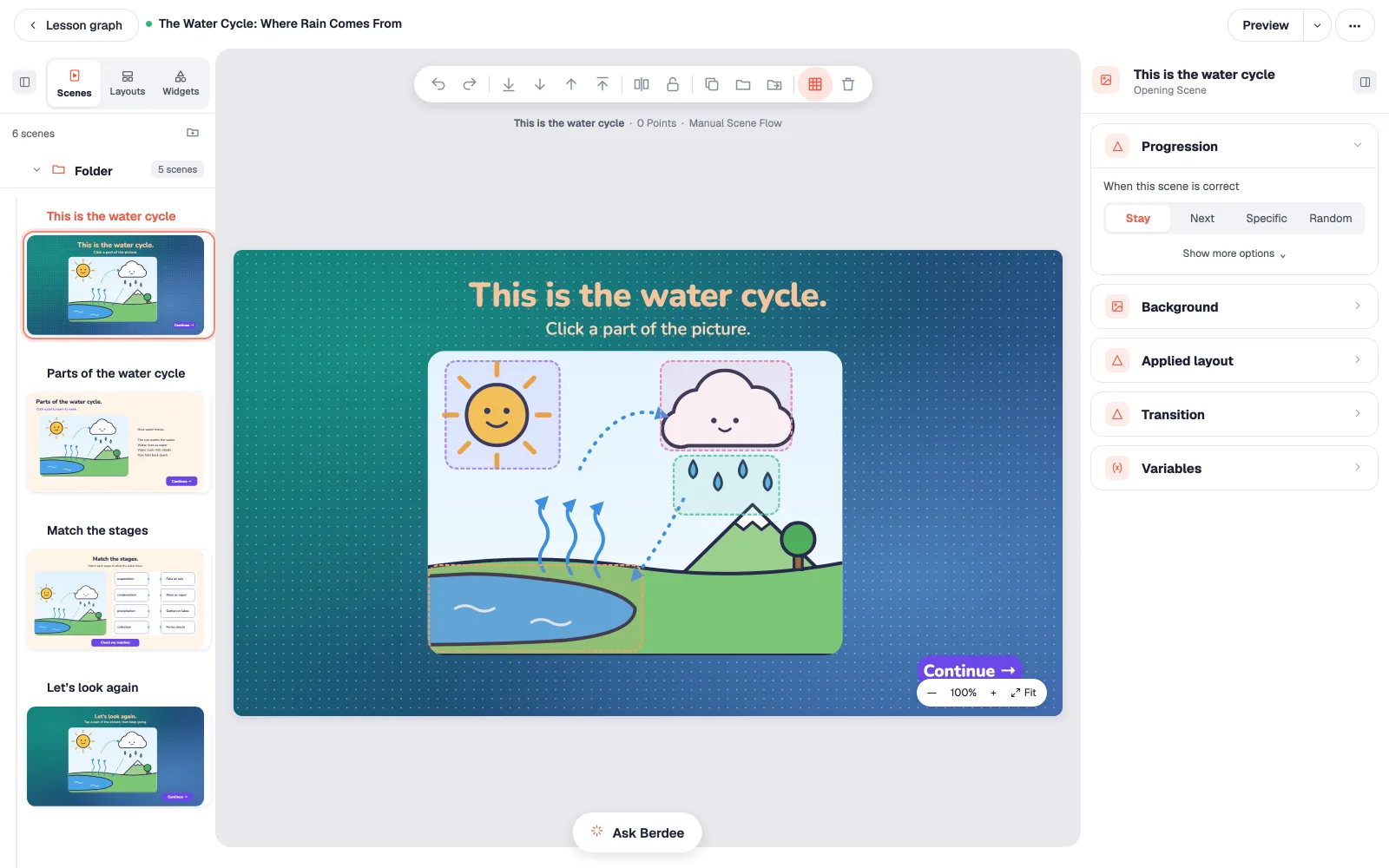
The Lesson Graph lays your lesson out as a map: every scene, and every path a student can take between them. Send anyone who hasn't passed back to review, and see at a glance that nobody gets stuck.
Every scene at a glance
Each scene as a thumbnail, in order, from the opening scene to the ending.
Paths that branch
Didn't pass the matching scene? Back to review. Everyone else moves on.
No dead ends
Berdee flags any scene a student can't reach, before your class finds it.
You’re not building it alone.
Stuck on a layout, or out of ideas for question five? Ask Berdee. It works inside the studio on the lesson you have open: answer a question, make an edit, add three more scenes. It shows its work, and it asks before it guesses.
It shows what it changed.
Every edit applies as one step, with a note of exactly what changed and an Undo button right in the chat.
It won't make things up.
Answers come from the help center and say where they came from. If the docs don't cover it, Berdee says so.
You see every new scene first.
Scenes it adds go in right after the scene you're on, and the last one leads on to what comes next. Students only get them the next time you assign the lesson or update your students to it.
Berdee works on your lesson, never on your students’ data. Read the Ask Berdee guide →
38 widgets. Mix them on any scene.
Questions, games, media, and scoring, in any combination. A timer next to a matching game, a hotspot beside a video, a score that counts it all.
Basics
- Button
- Submit Button
- Text
- Container
- Shape
Questions & games
- Text Input
- Number Input
- Multi Choice
- Checkbox
- Dropdown
- Fill Blank
- Hotspot
- Find in Picture
- Matching
- Sorting List
- Drop Bucket
- Highlighter
- Flashcard
- Rain Game
- Conveyor Belt
- Ten Frame
- Fingers
- Connecting Cubes
- Pattern Blocks
- Word Search
- Counting Collection
- Quick Look
- Dot Paper
- Equal Shares
- Number Sentence
- Number Tracing
Media
- Image
- Audio
- Text To Speech
- Video
Display
- Timer
- Score
- Spin Wheel
Start with the activity you need.
Each page shows one kind of activity: what it looks like, the settings that matter, and a tutorial that builds one step by step.
- Quiz maker Multiple choice, dropdown, number and short-answer questions, scored your way.
- Matching game maker Pair words, pictures and definitions, with feedback on every wrong pair.
- Fill-in-the-blank maker Sentences with blanks students type into, with more than one accepted answer.
- Sorting activities Drag pictures or words into groups, or put events in order.
- Word search maker Turn a vocabulary list into a puzzle students solve in the browser.
- Branching lessons Send each student down their own path by score or by choice.
- Find in picture Students tap every thing you ask for in a picture, and you see what they found and what they mixed up.
- Ten frame Students build numbers with two-color counters, and you see exactly what they built.
- Counting collection Children count a collection and say how many, and you see how they counted, not just the answer.
Sell your lessons. Keep 85%+.
The lessons you build can earn for you. With Studio Pro, list them on the marketplace and keep the large majority of every sale, with the rest covering payments and hosting.
Each kind of educator has a page that says exactly how it fits.
One product, five ways of working. Pick yours.
Start free. Your first lesson is on us.
Free to start. No credit card. No training required.