Drag-and-drop sorting activities for any subject.
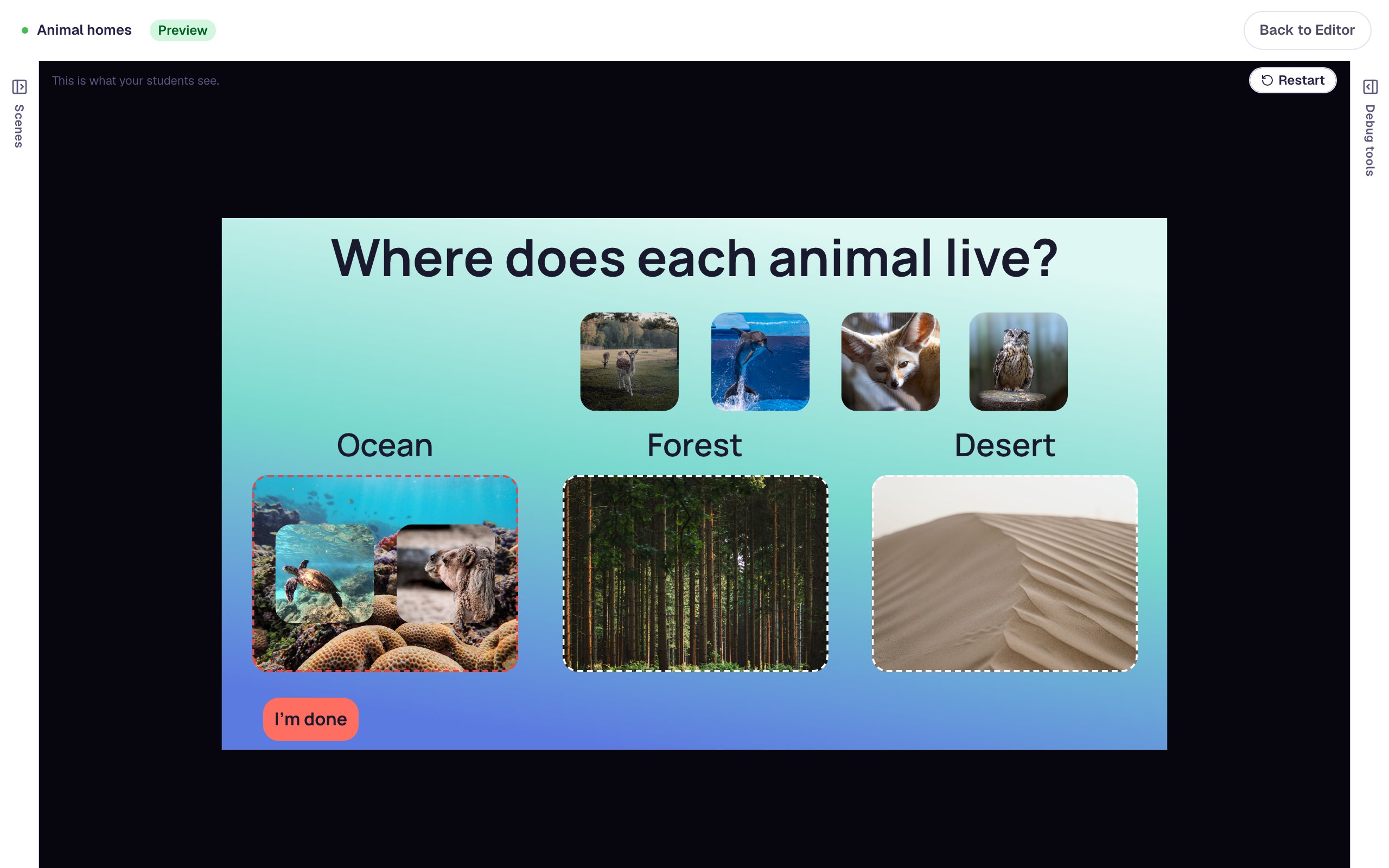
Students drag cards into the right group, like animals into their habitats, or put a list in order, like the stages of a life cycle. Cards can be words or pictures.
Sorting works in every subject.
Sort into groups
Living and non-living things, odd and even numbers, or animals into ocean, forest and desert.
Put things in order
Events in a story, steps in an experiment, or numbers from smallest to largest. The list starts shuffled.
Picture sorts for early readers
Use photos instead of words, so students who are still learning to read can sort on their own.
Three steps to a sorting activity.
Add the groups
Place a drop bucket for each group, or add a sorting list when the task is putting things in order.
Add the cards
Make words or pictures draggable and connect each one to the group it belongs in.
Choose the feedback
Show whether a card is right as soon as it lands, or wait until the student checks their work.
The settings that shape the sort.
When feedback appears
Immediate feedback marks each drop as it happens. On trigger waits until the student presses a button to check.
What counts as right
A group can need every right card, at least one, or exactly one.
Words or pictures
Text, images, buttons and shapes can all be dragged.
Mouse, touch or keyboard
A sorting list works with a mouse, a finger or the keyboard, and a screen reader announces each move.
Every setting is explained in the help center: Drop bucket widget.
Build one with us, a screenshot for every step.
 Beginner · 20 min · 8 steps · Updated
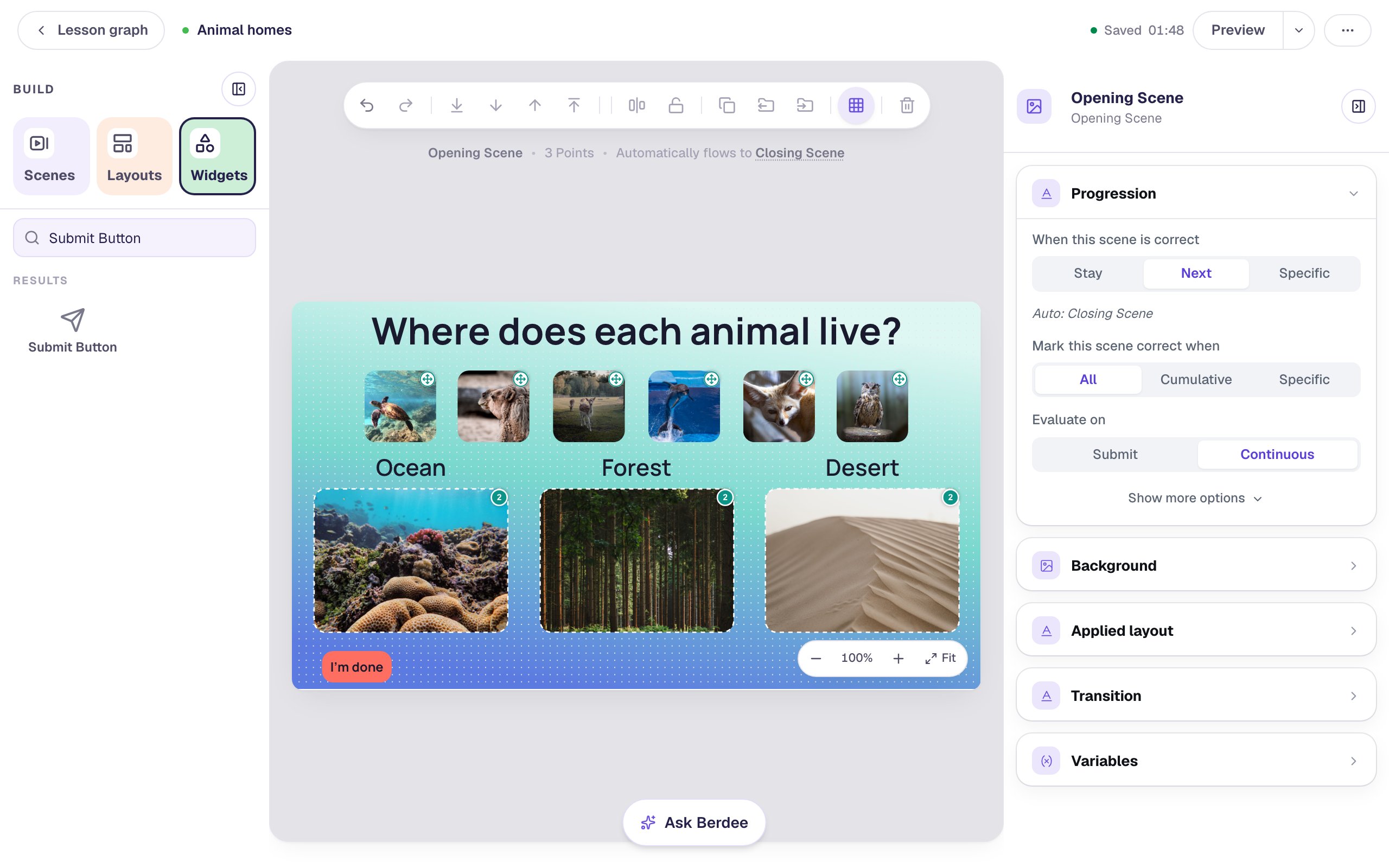
Sort animal pictures into their habitats
Lay see-through Drop Buckets over three habitat photos and turn six animal photos into draggable cards, so students drag each animal to the place it lives.
Ready-made lesson to add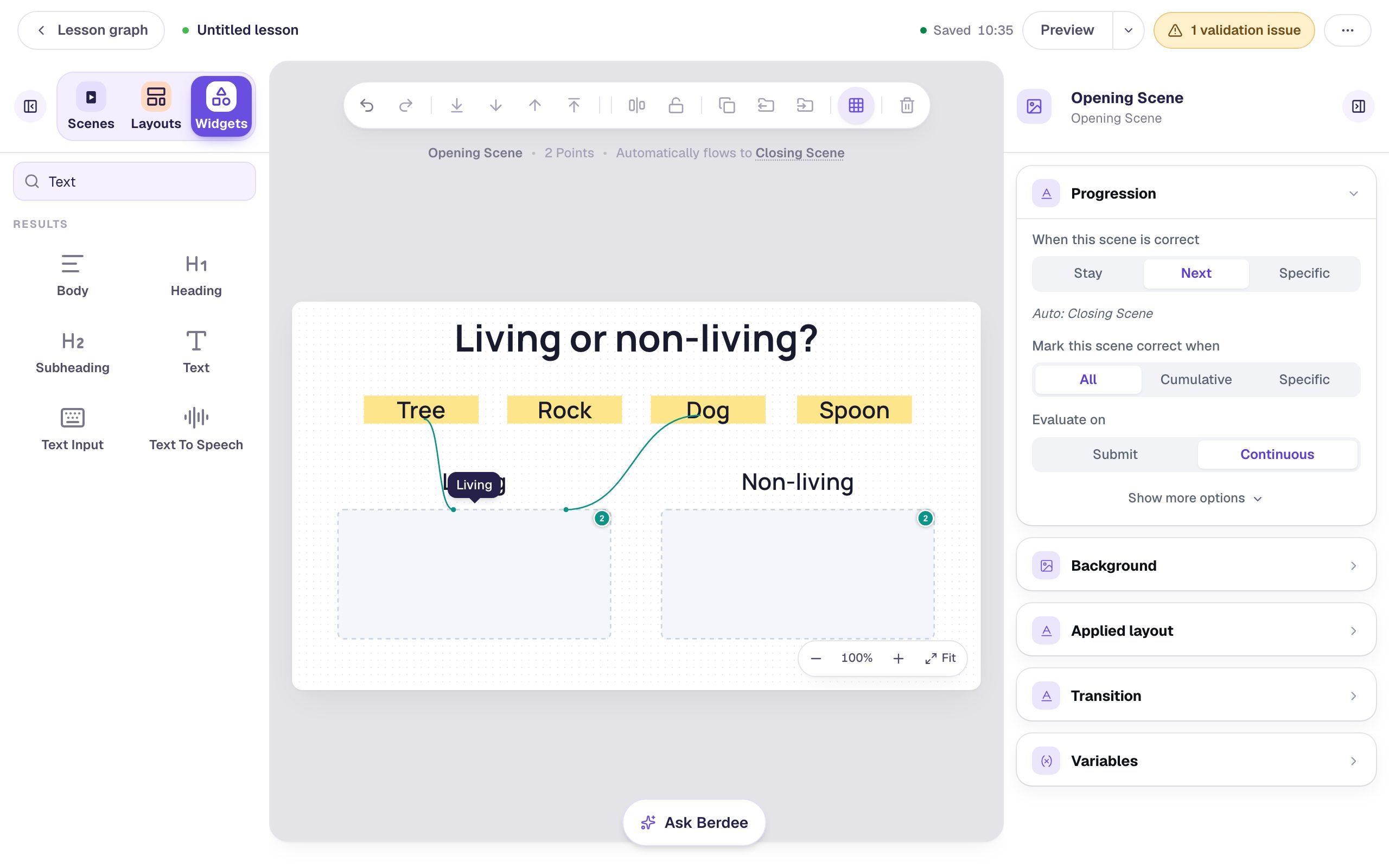 Beginner · 15 min · 8 steps · Updated
Build a drag-and-drop sorting activity
Combine Text cards and Drop Buckets into a sorting activity that shows students when a card is in the wrong group and moves on once everything is sorted.
Ready-made lesson to add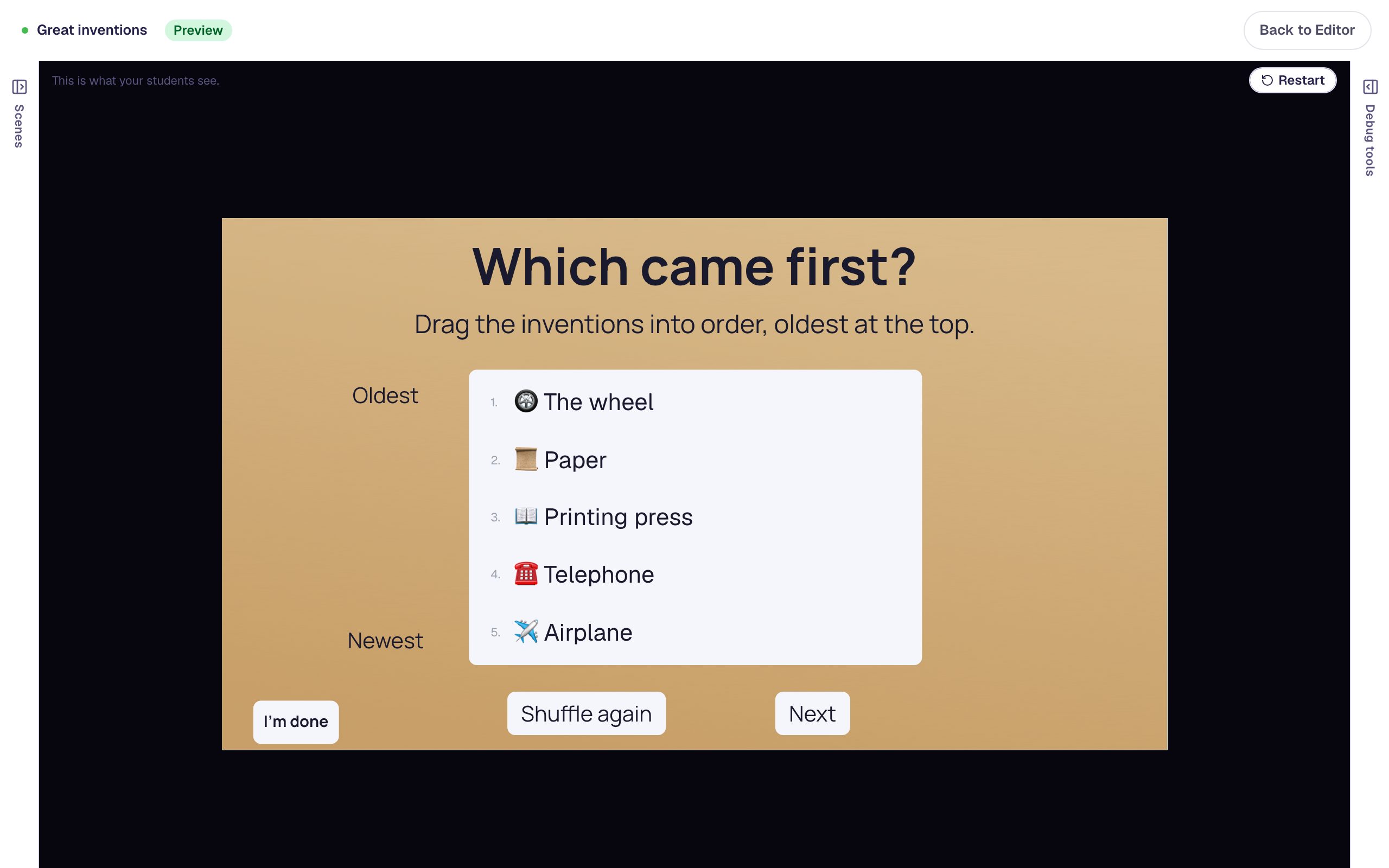 Beginner · 10 min · 9 steps · Updated
Put events in order with a sorting list
Build a "Which came first?" activity where students drag five inventions into time order. Type the cards in the right order, label the ends of the list, celebrate a correct order, and add a Shuffle again button.
Ready-made lesson to add
Common questions
Make your first sorting activity today.
Build and preview for free, with no credit card. When you assign it, students play in the browser on a Chromebook, tablet or phone.