Branching lessons that adapt to each student.
Send a student who's struggling to extra practice and one who's ready straight ahead. You draw the paths on the Lesson Graph, a map of every scene and where it leads.
One lesson, more than one way through it.
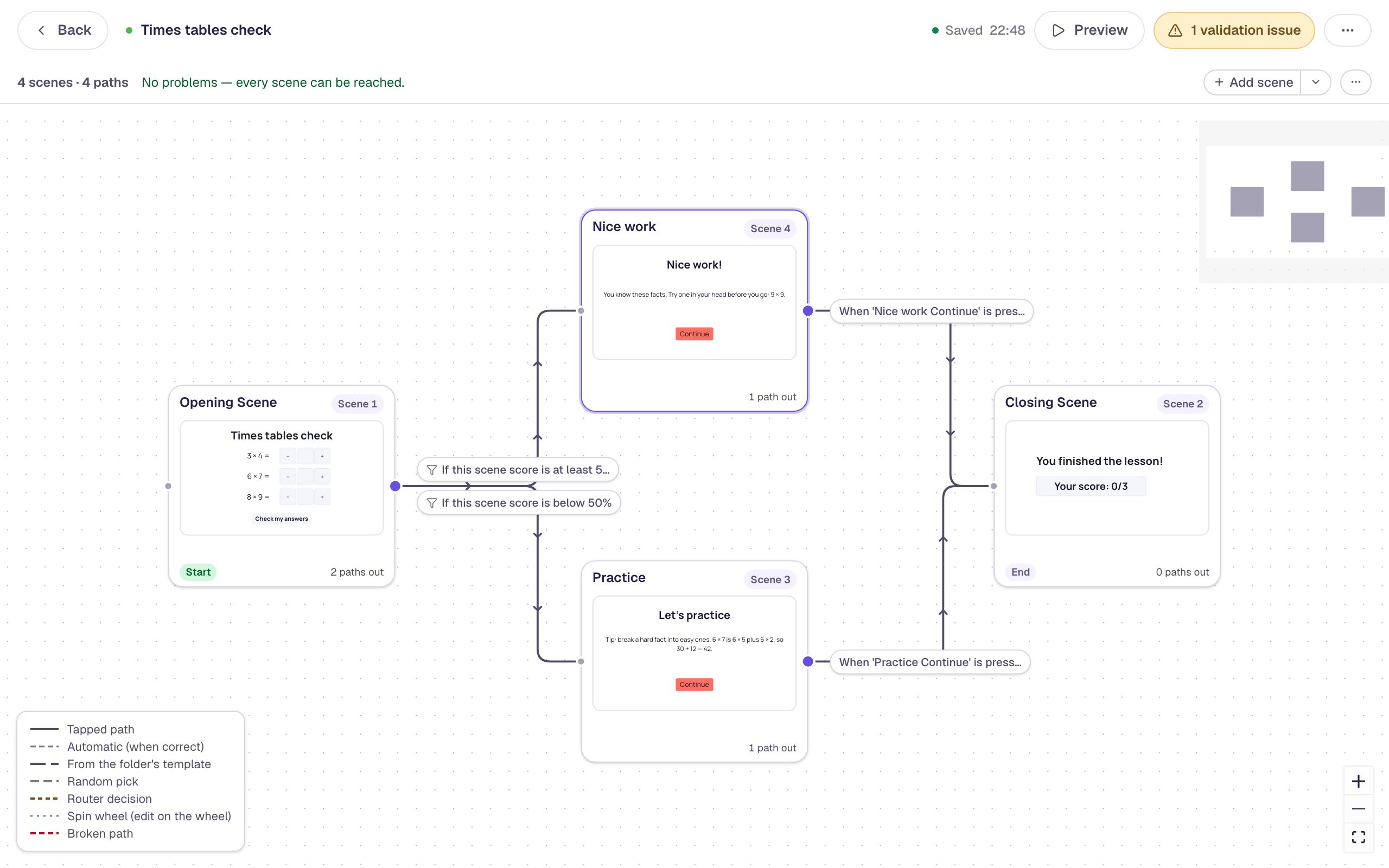
Practice after a low score
Students who score below 50% on a check go to a practice scene. Everyone else goes straight to “Nice work”.
Let students choose
Ask which animal they want to learn about, and send each choice to its own scene.
Explain a wrong answer
A wrong answer opens a scene that explains the mistake, so no one moves on confused.
Three steps to a branching lesson.
Build the scenes
Make the check, the practice and the next step as separate scenes.
Draw the paths
On the Lesson Graph, add a path and choose when it's taken: they tap something, answer right, answer wrong, score above or below a number, or run out of time.
Check every scene is reachable
The graph lists problems, like a scene no path leads to, before you publish.
The tools behind the paths.
Score paths
Branch on the score for a scene, the whole lesson, or one grading group.
Routers
An invisible decision point checks your rules in order and takes the first one that matches, with an Otherwise path for everyone else.
Remembered choices
Variables keep what a student chose, so a later scene can use it or show it in the text.
Show or hide by condition
Show a widget only when a condition is true, like a hint after two wrong tries.
Every setting is explained in the help center: The Lesson Graph.
Build one with us, a screenshot for every step.
- Intermediate · 15 min · 7 steps · Updated
Send students down different paths by their score
Put three questions on one scene and use the Lesson Graph's score paths to send students who got most of them right one way and students who need practice another.
Ready-made lesson to add 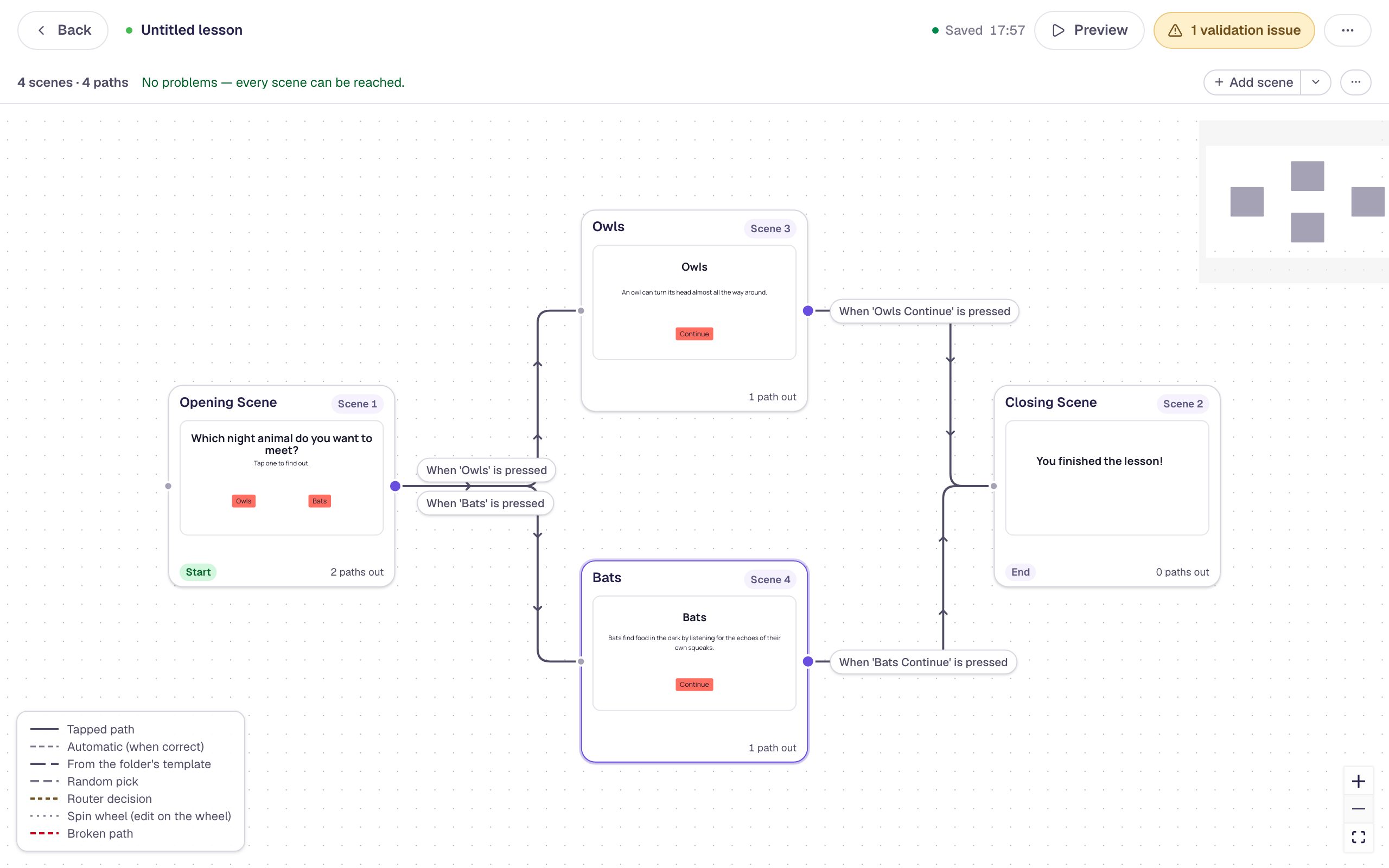 Beginner · 10 min · 7 steps · Updated
Let students choose their own path
Put two buttons on a scene and use the Lesson Graph to give each one its own scene, so students pick what they explore before both paths meet again at the ending.
Ready-made lesson to add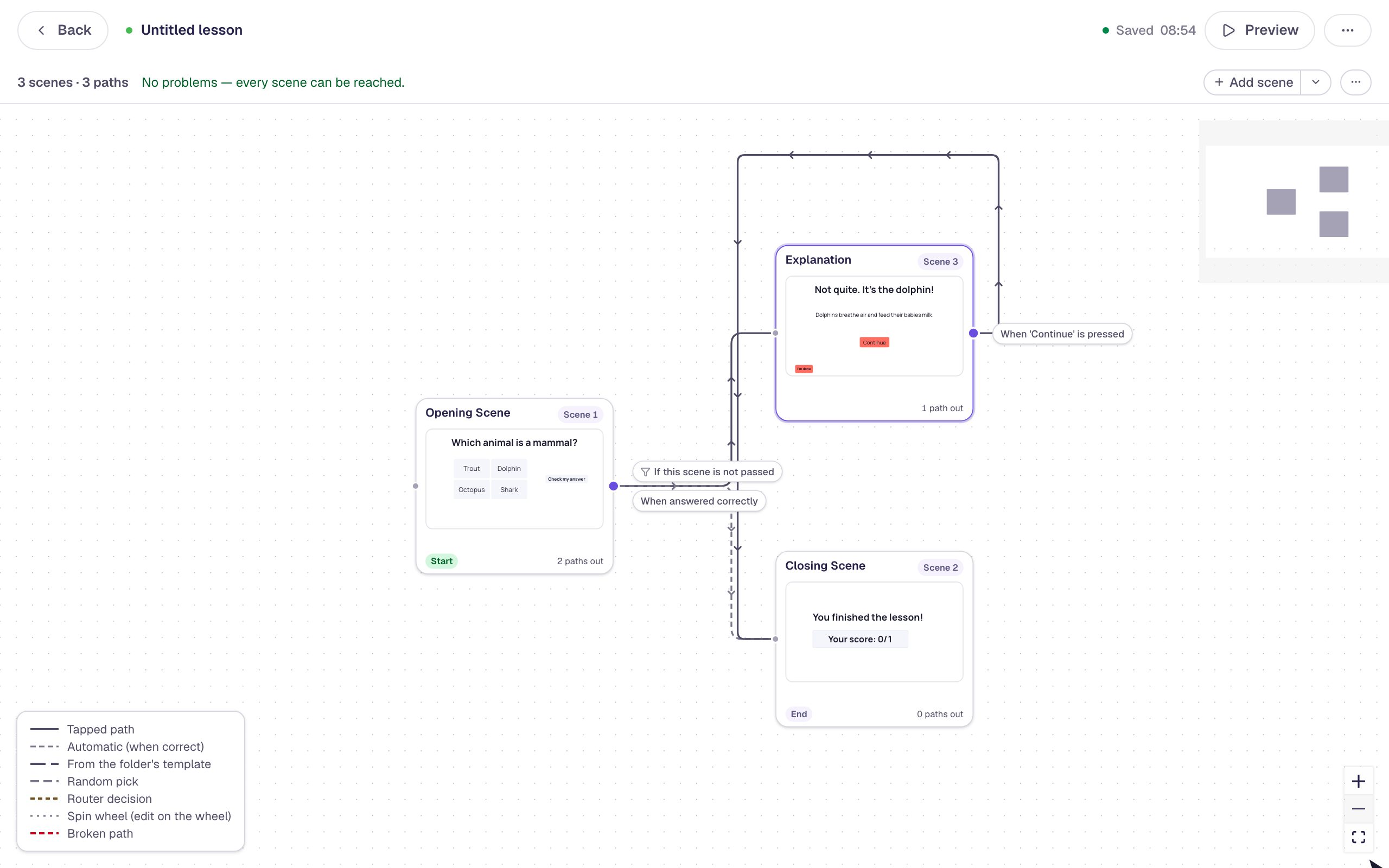 Beginner · 10 min · 7 steps · Updated
Show an explanation when a student gets it wrong
Use the Lesson Graph to send wrong answers to a short explanation scene, while right answers go straight to the ending.
Ready-made lesson to add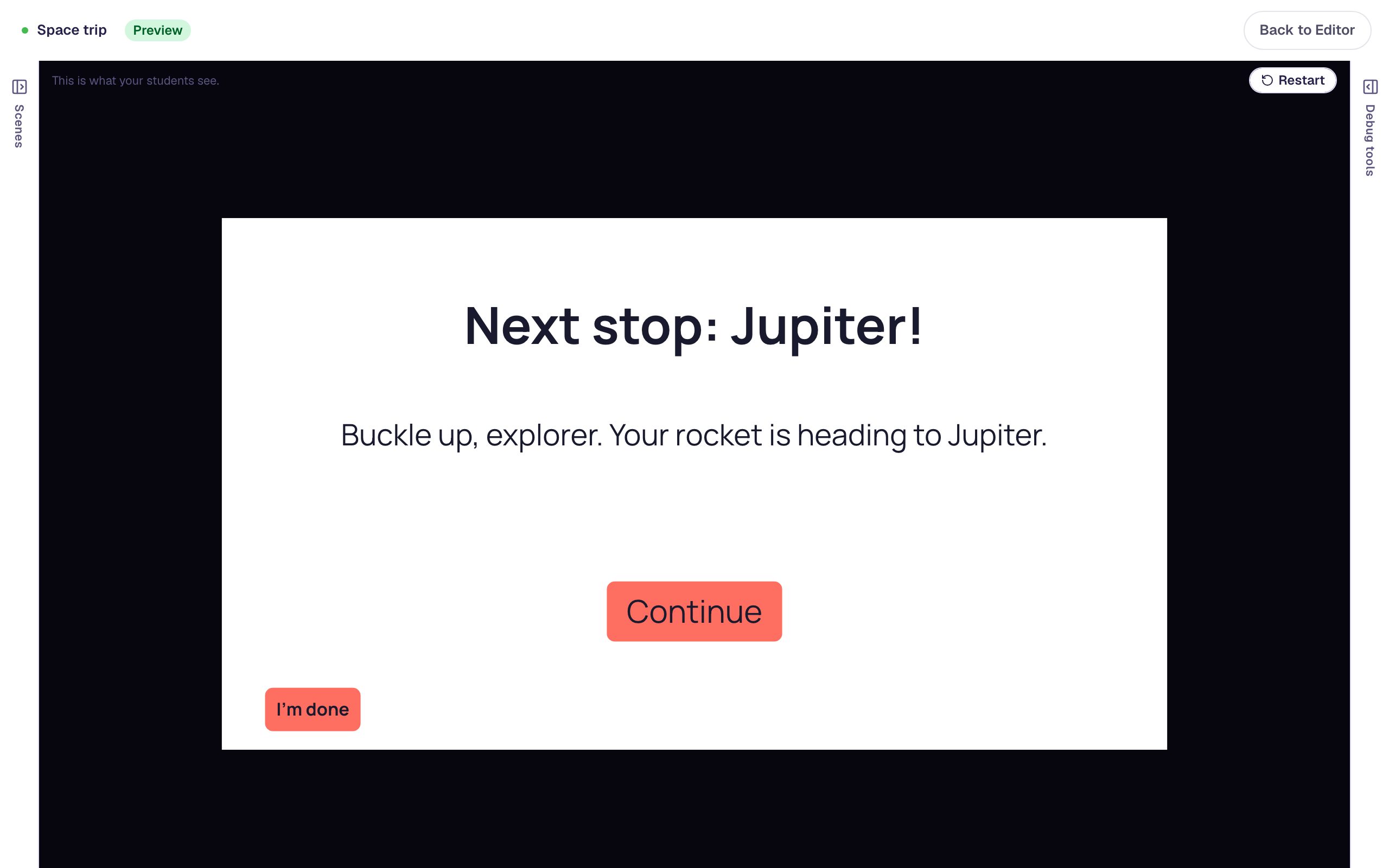 Intermediate · 15 min · 5 steps · Updated
Remember a student's choice and use it later
Save what a student picks in a variable, then show it on a later scene with a placeholder like {{ planet }}, so the lesson talks back to them.
Ready-made lesson to add
Common questions
Build your first branching lesson today.
Build and preview for free, with no credit card. When you assign it, students play in the browser on a Chromebook, tablet or phone.