Counting collections, on screen.
Choose one picture and how many. Children count each object once and answer “How many?”. Berdee notes how they counted, the way a one-on-one counting interview does, for every child, every day.
A counting collection in three steps.
Choose a picture
One shell, button or bear, and how many (1 to 20). Berdee places it exactly that many times, so the collection always has the number you asked for.
Choose how children count
Tap each one, move it across a counting mat, put it in a 10-frame, count and then hide, watch the widget count, or cross some out.
Choose what comes after
Ask “How many?” on five numeral buttons, which is graded, or just count. For an assessment, require counting every object first.
What you see in the studio, and what children see.
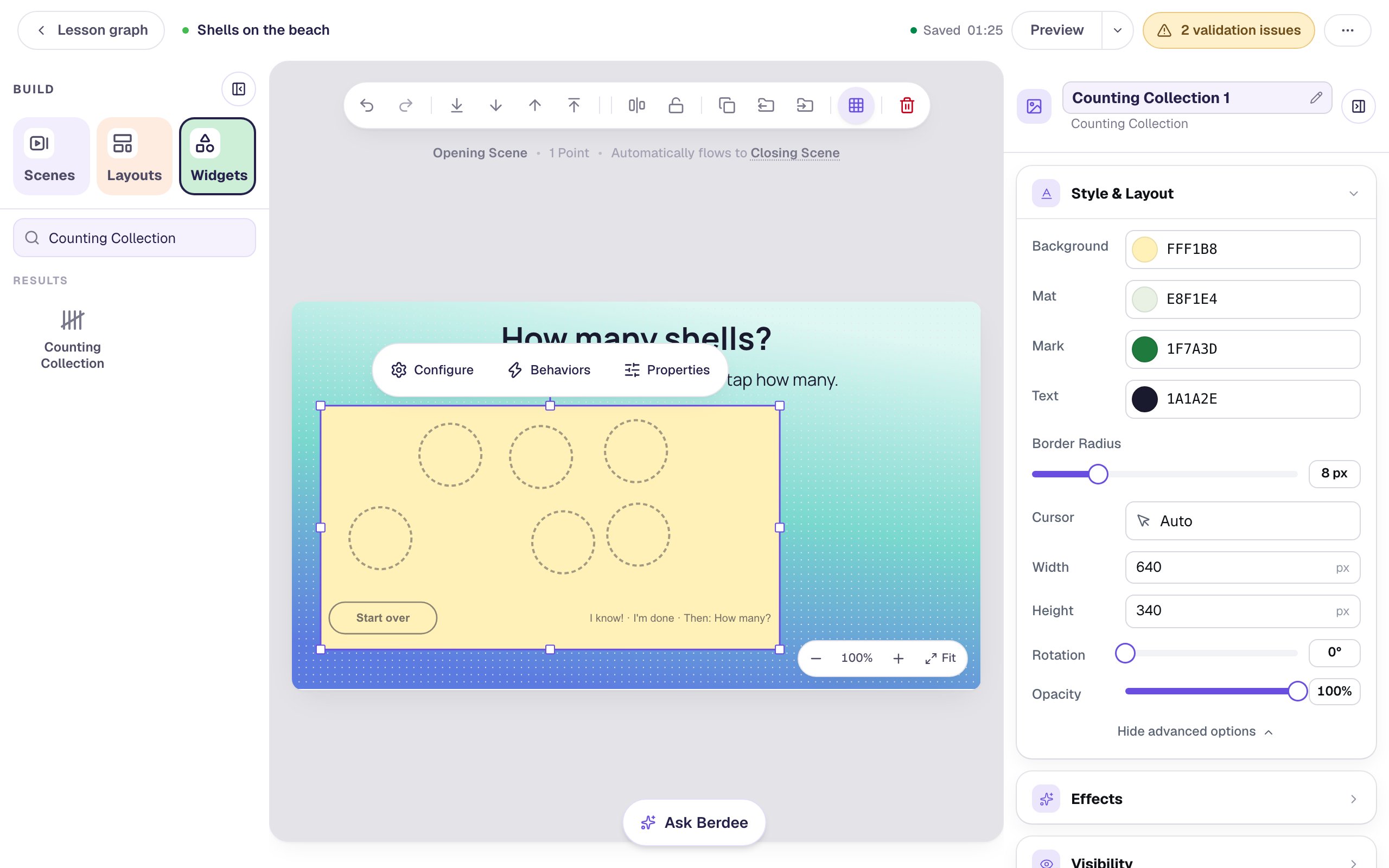
A new collection: empty places, waiting for a picture. 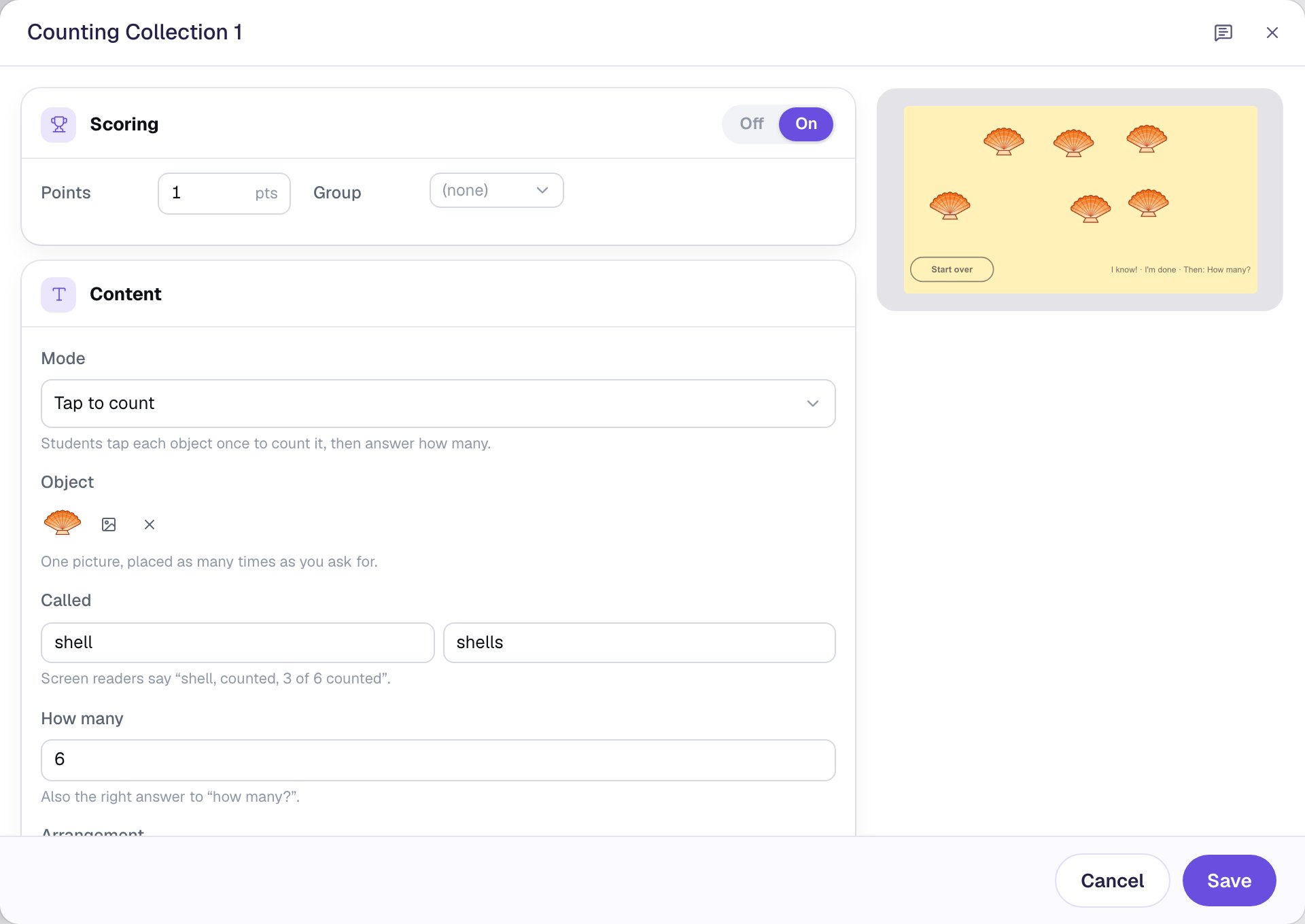
One picture, and the name screen readers say for it. 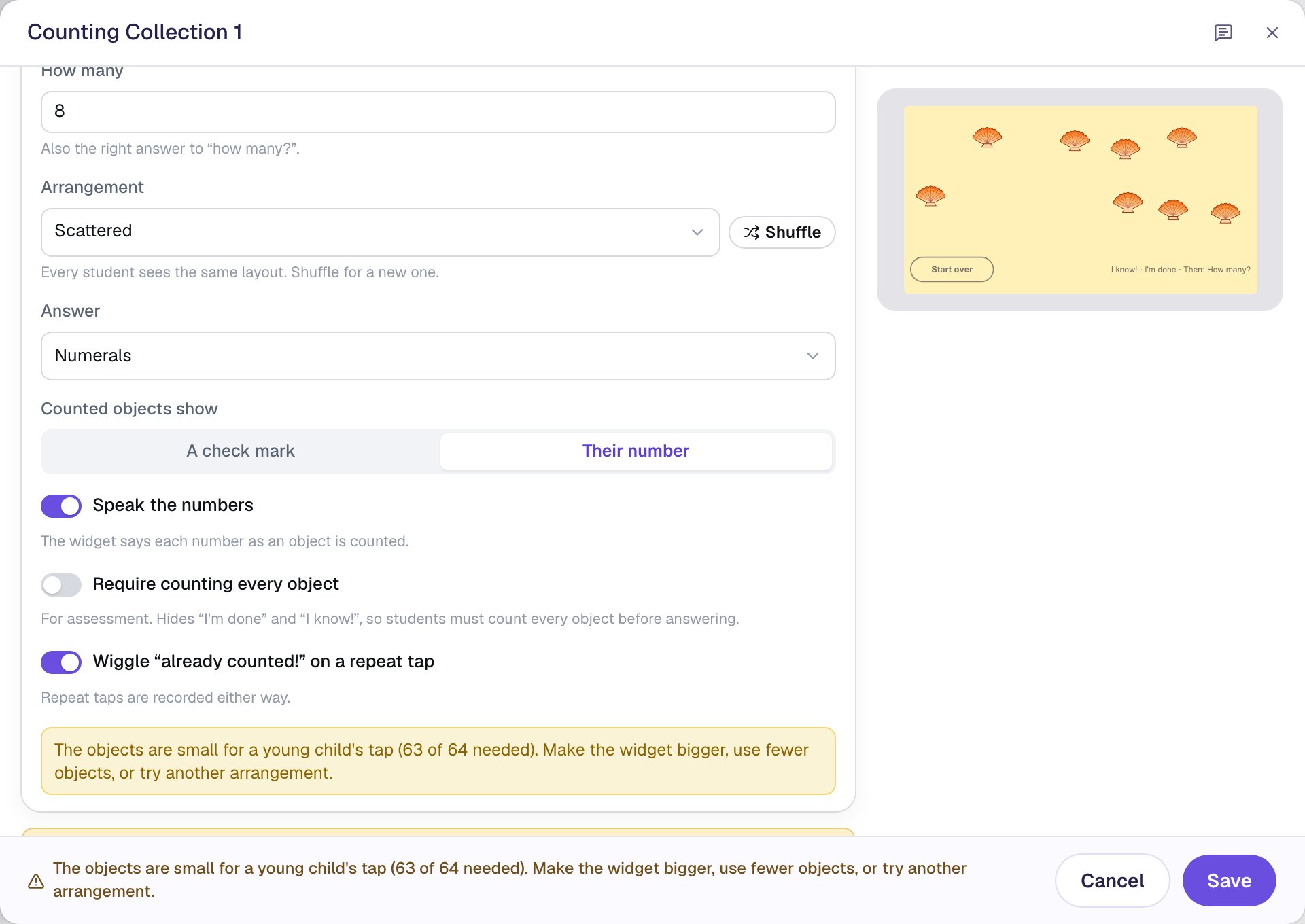
How many, how they're arranged, and what a counted object shows. 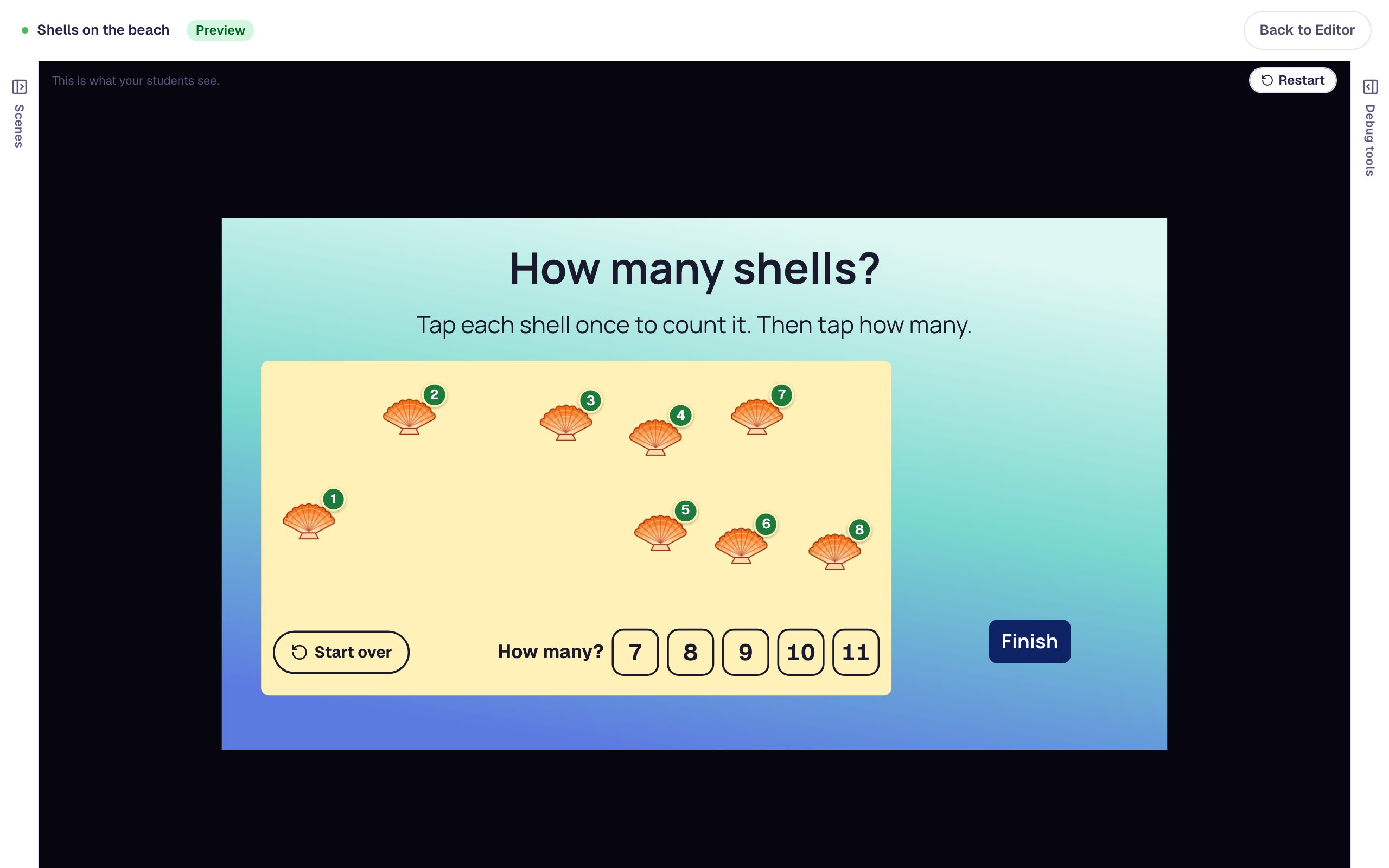
Every shell counted. Now the question, with the answer not always in the middle.
One widget, every way children count.
Each mode is a counting strategy kindergarten classrooms use. These four play the way children see them.
“How many eggs?”: a 10-frame with an egg in every box and 3 more eggs in the spots below, each with a green check, and 13 chosen in green among 10 to 14. Fill to count
Ten and some more
With 10-frame, then the rest, each egg goes into the next box of the frame, and once it's full the rest go into the spots below. 13 ends as a full ten and 3 more, and the attempt page says “Filled the 10-frame · then 3 more below”.
Thirteen eggs: a full 10-frame and 3 more below it.
“Count the apples”: a striped cover over the collection, and “How many were there?” with the numerals 4 to 8, where 5 is chosen in green. Count, then hide
The last number tells how many
Children count, then a cover goes over the collection and the question becomes “How many were there?”. With nothing left to recount, they show they know the last number they said is the answer.
Under the cover, the last number said has to be the answer.
“Did I count right?”: seven buttons with green number badges 1, 2, 3, “4, 5”, 6, 7 and 8, the words “I said there are 8. Did I count right?”, and No chosen in green. Watch and judge
Catch the counting mistake
The widget counts while children watch, and you choose its mistake: two numbers for one object, a skipped object or a wrong last number. Here it says 4 and 5 for one button, so the answer is No.
One button gets two numbers, so the child says No.
“9 ducks, 4 swim away”: nine ducks, four of them dimmed under a bold ×, and “How many ducks are left?” with the numerals 3 to 7, where 5 is chosen in green. Cross out
Take away, the way children draw it
9 ducks, 4 swim away. Children cross out the ducks that leave, tap Done crossing out, and say how many are left. The answer is graded; what they crossed out shows on the attempt page.
Crossed-out ducks dim under a bold ×.
More collections to count.
Counting mat
“Move each bear from Not counted to Counted.”
Two kinds
“Count the balls and the footballs. How many altogether?”
Egg carton
“Put each egg in its own cup of the carton.”
Find 10
“Find 10 triangles. Tap them. Then tap the rest.”
At a glance
“How many dots? Tap I know! if you can see it.”
Just count
“Count the buttons. No answer, just counting.”
Seasons
“How many leaves fell from the tree?”
Hear the numbers
“Tap a numeral to hear it. Tap again to choose it.”
Three ways to use it in class.
Daily counting practice
A scattered collection is harder to keep track of than a line, which is the point of practising it. Each counted object shows its number, and Berdee says it aloud.
A counting interview for every child
The attempt page shows how each child counted: whether they touched each object once, kept track and answered with the last number, without recounting.
A counting mat for children who lost track
Send children who tapped an object twice to a second scene in Move to count, with a behavior on On Answer and the condition Repeat taps is greater than 0.
The settings that shape the count.
Six modes
Tap to count, Move to count, Fill to count, Count, then hide, Watch and judge, and Cross out.
Picture and how many
One picture, placed 1 to 20 times, and a name for screen readers. Add a second kind of object for “How many altogether?”.
Arrangement
Scattered, in a line, two rows, rows and columns, or a circle. Every child sees the same layout.
Marks and numbers
A counted object shows a check or its number, and Speak the numbers says each one aloud. Mark a group of 10 rings the first ten.
After counting
Ask “How many?”, which is graded, or just count. Require counting every object hides I know! and I'm done.
Read the numbers aloud
Let children hear a numeral before choosing it. Hearing a number is never an answer or an attempt.
Every setting is explained in the help center: Counting Collection widget.
Build one with us, a screenshot for every step.
Common questions
More you can make
Students build numbers with two-color counters, and you see exactly what they built.
Students tap every thing you ask for in a picture, and you see what they found and what they mixed up.
Multiple choice, dropdown, number and short-answer questions, scored your way.
Build your first counting collection today.
Build and preview for free, with no credit card. When you assign it, students play in the browser on a Chromebook, tablet or phone.