An AI lesson generator that builds lessons students play.
Describe the lesson you want and Berdee builds it: scenes, questions, pictures, narration and scoring. You approve a plan before anything is built, and the draft is yours to edit, preview and assign.
Three steps from an idea to a lesson.
Describe it
Open Assistant and say what you want, like “A 4-scene lesson on the water cycle for grade 3, ending with a short quiz.” If something important is missing, Berdee asks a question or two first.
Approve the plan
Berdee posts the plan: the grade, whether it's scored, and one line per scene. Nothing is built until you approve it, and you can ask for changes first.
Open the draft
A checklist ticks off each scene as it's built. The finished lesson lands in your library as a draft. Preview it like a student, change anything, then assign it.
Lessons, not worksheets.
A short lesson with a quiz at the end
An intro scene, a few practice scenes and a check, ending on a scene that shows the student's score. Every scene is one you can open and edit in the studio.
Narrated practice for early readers
Ask for narration and it's recorded during the build, so the lesson arrives ready to play aloud. Every narrated word is also on screen.
Changes from the same chat
Say “make scene 3 harder” or “add one practice scene”. Berdee rewrites only the scenes the change touches and asks before replacing anything you edited yourself.
What it builds, and how it checks its work.
The questions it writes
Multiple choice, matching, fill in the blank, typed and number answers, put-in-order lists and flashcards, with text, pictures, buttons, narration and sound around them.
Checked before you get it
Every button leads somewhere, the scenes flow in order, the score adds up and there's a way to finish, and the lesson matches the plan you approved. A lesson that fails isn't delivered.
Pictures with alt text
Up to 12 illustrations a lesson, in one style and the lesson's colors, each with a description a screen reader reads aloud. Swap any of them in the studio.
Seasonal themes
Berdee knows the time of year and may offer a theme, like fall or a holiday, so a counting lesson counts pumpkins. Pick no theme to keep it neutral.
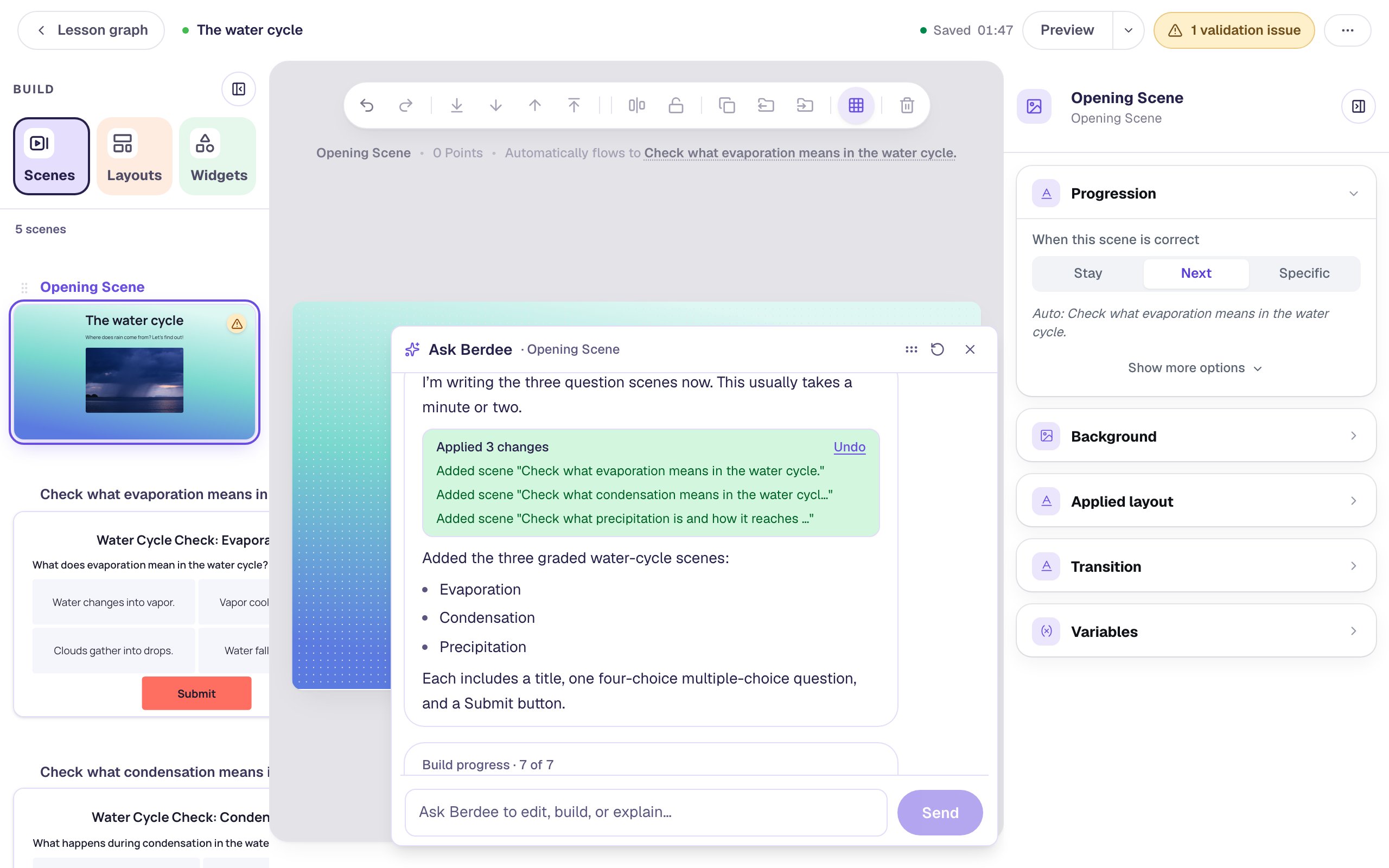
Ask Berdee in the studio
For the lesson you have open: edit a scene, re-level a question or add scenes after you confirm its plan. Every change comes with an Undo.
Yours to change
It's a draft in your library like any other lesson. Nothing is published or sent to students until you do it.
Every setting is explained in the help center: Have Berdee build a lesson.
Build one with us, a screenshot for every step.
Common questions
Build your first lesson with Berdee today.
Building lessons with Berdee is part of Plus and Studio Pro. Start with a free account to build lessons yourself, and upgrade when you want Berdee to build with you.