Fill in the missing fractions on a number line
Students write the fractions that belong under blank ticks on a number line from 0 to 2 in fourths. Berdee accepts any equal fraction, so 1/2 is right for 2/4, and a hint appears when a label belongs to the tick next door.
- Level
- Intermediate
- Time
- About 15 min
- Steps
- 8
- Updated
- Nov 21, 2026
A one-question activity where students label three water stops on a 2-mile fun run drawn as a number line in fourths, with a hint when a label is one tick off.
Get the finished activity
Skip straight to the result, or keep it open beside the steps. Add this tutorial's activity to your account and explore how it works in the studio.
Free to sign up, and you'll come straight back here. I have an account
"Fill in the missing numbers" is one of the most familiar number-line tasks in third grade: a line with a few labels, a few empty boxes under the ticks, and students work out what goes in each box. It checks two things at once. Students have to find the size of one jump, and they have to keep counting past 1, where many of them stop.
In this tutorial you'll build a one-question activity called The fun run number line:
- a 2-mile fun run, drawn as a Number Line from 0 to 2 cut into fourths,
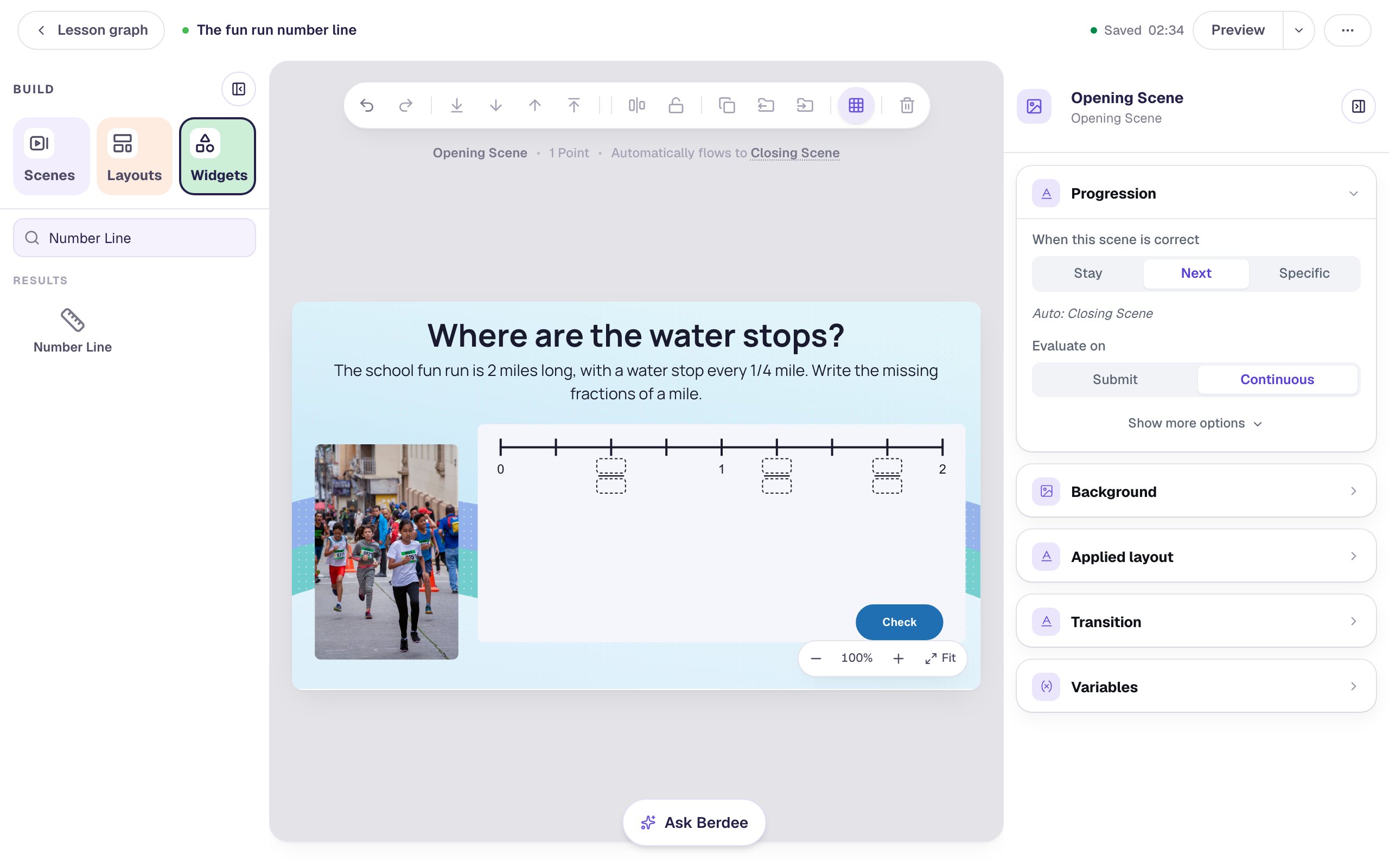
- labels only at 0, 1 and 2, and three blank boxes at the water stops,
- answers that count any equal fraction, so
1/2is right where2/4belongs, - a hint that appears only when a student writes the label of the tick next door.
Step 1: Set the scene
Start from scratch: click New activity, name it The fun run number line, then choose A blank activity and Build the first scene.
Click an empty spot on the scene, open Background, click Choose a style, and pick Layered waves from Nature. Give the Closing Scene the same background so the ending matches.
Then add what students read and see:
- A Heading at the top:
Where are the water stops?. Set its Font Size to44. - A Body under it:
The school fun run is 2 miles long, with a water stop every 1/4 mile. Write the missing fractions of a mile.Set it to Fixed width,880wide, and its Font Size to22. - An Image at the bottom left,
220wide and300tall. Click Choose image, search the stock photos forkids running race, and pick a tall photo of children running.
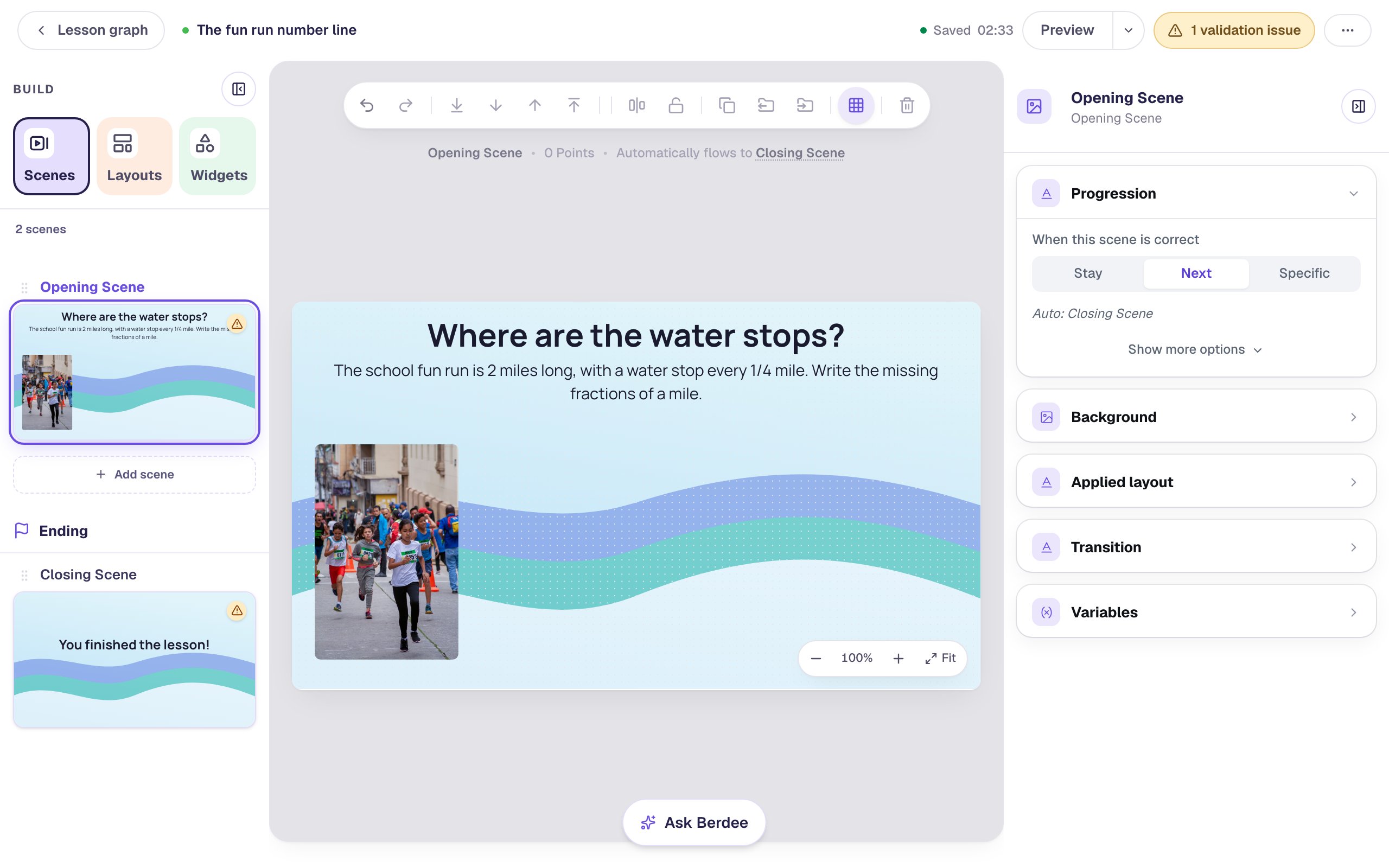
Describe the photo for students who use a screen reader. With the image selected, open Accessibility and replace the Alt Text with what the photo shows. Ours reads Children with race numbers on their shirts running down a city street. The studio fills that field with the photo's file name, which a screen reader would read out word by word.
Step 2: Add a Number Line that asks for labels
Search the Widgets tab for Number Line and click it. Rename it Fun run with the pencil at the top of the properties panel: you'll pick it by that name in Step 6. Under Style & Layout, set Width to 680 and drag it to the right of the photo.
Click the floating ⚙ Configure button. Under What students do, click Label ticks. Instead of dragging a point, students will now type a fraction under each tick you leave blank.
Berdee gives the line one blank straight away, under 3/4, so the question has something to answer. You'll choose your own blanks in Step 4.
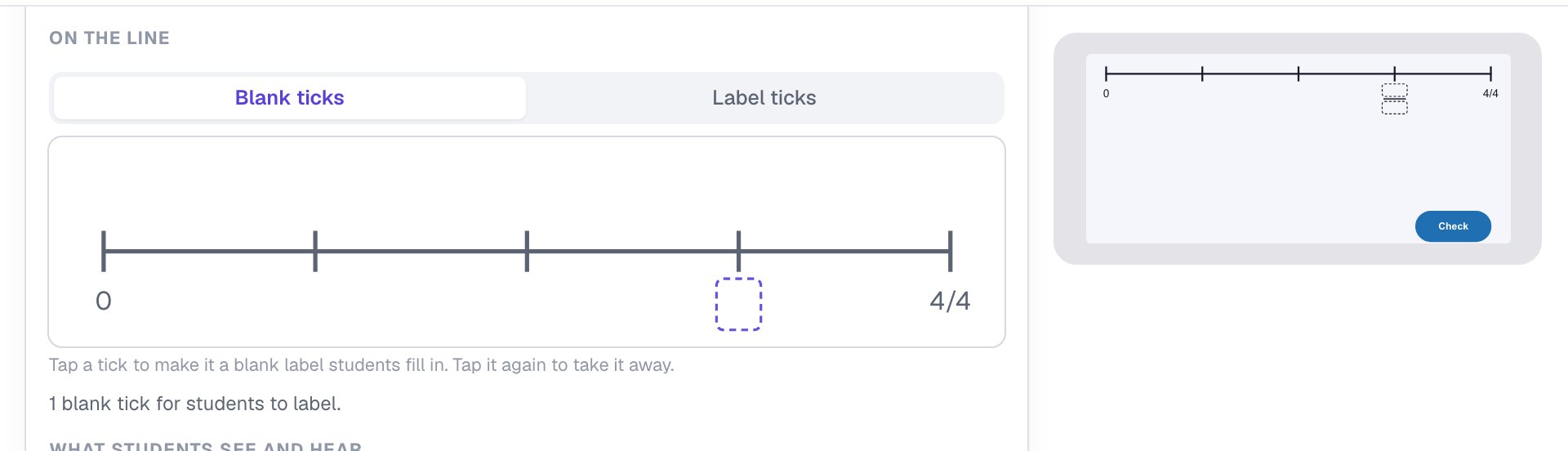
Step 3: Make the line run from 0 to 2 in fourths
Scroll up to The lines and set:
- From and to:
0to2. The run is 2 miles, so the line is too. - Equal parts:
8. It counts the spaces on the whole line, not in one whole: 2 wholes cut into fourths make 8 parts. - Labels: Chosen, so only the ticks you pick show a number.
- Write labels as: Lowest terms, so the middle of the line reads
1and the end2, not4/4and8/4.
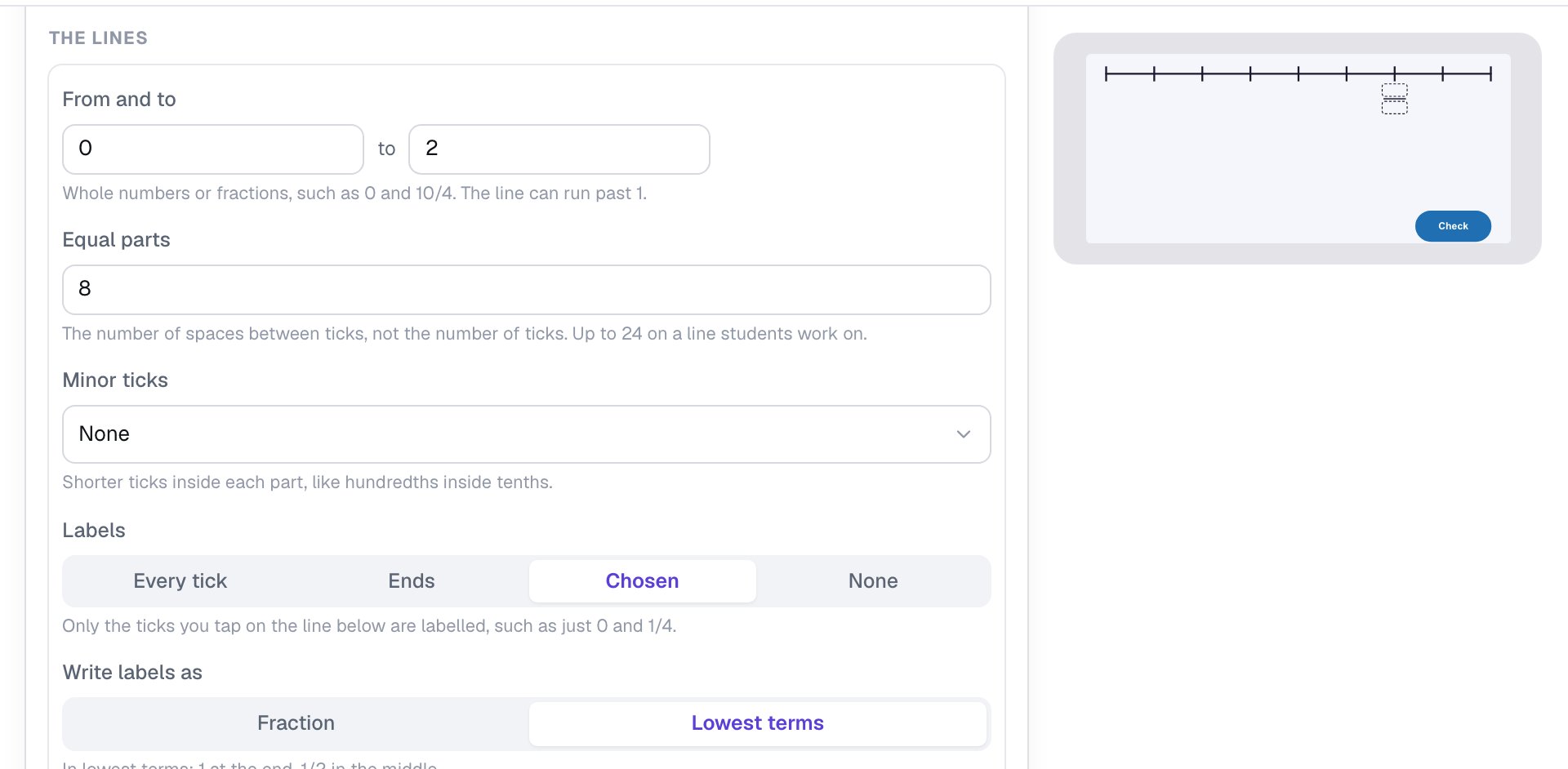
For now the line has no labels at all: Chosen starts with none picked. And the blank from Step 2 has moved along with the line, to 3/2. Both get sorted out next.
Step 4: Choose the labels and the blanks
Scroll down to On the line. Two buttons above the line decide what tapping a tick does.
- Click Label ticks, then tap the ticks at 0, 1 and 2 so they show their numbers. Those are what students count from.
- Click Blank ticks, then tap the blank at 3/2 to take it away, and tap the second tick after 0, the first tick after 1, and the third tick after 1. Each gets a dashed box: those are the water stops at 2/4, 5/4 and 7/4.
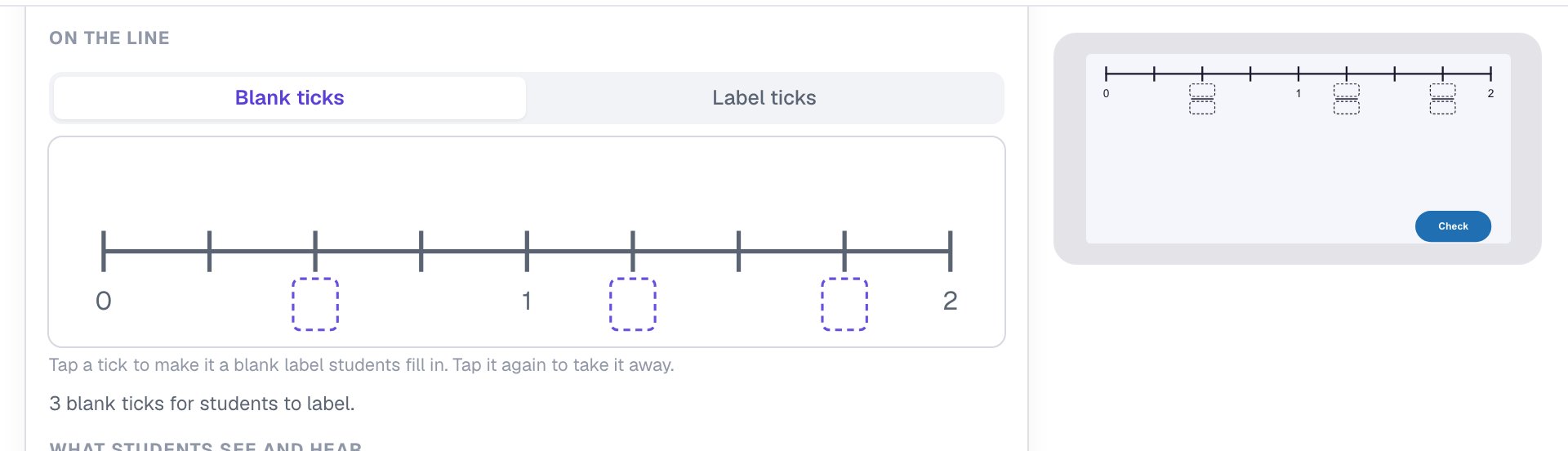
Pick blanks on both sides of 1. A student who has really found the size of one jump keeps counting past 1 (5/4, 6/4, 7/4). A student who hasn't often starts again at 1/4.
Leave a tick between any two blanks, too. Each blank becomes a fraction box under its tick, wider than the gap between two ticks, so two blanks side by side would crowd each other.
Step 5: Accept any equal fraction
Scroll down to How it's checked. Answers is on Any equal fraction: a student who writes 1/2 at the second tick is as right as one who writes 2/4. Leave it there. A third grader who sees that 2/4 is a half has understood more, not less.

To practise counting in fourths only, choose This denominator and type 4. Then 1/2 would be marked wrong.
Click Save. The number line now draws its three blanks, with 0, 1 and 2 under it.
Step 6: Show a hint for a label one tick off
When a student taps Check, Berdee looks at each wrong label and names the mistake behind it, if it's a common one, in the number line's Misconception property. For a blank, between_ticks means the student wrote the number of the tick next door, like 4/4 where 5/4 belongs.
Add a hint that shows only for that mistake:
- Add a Body with the text
That label belongs to the tick next door. Count the jumps of 1/4 from 0.Rename itHint. - Make it Fixed width,
680wide, Font Size20, bold, with a dark navy Text Color, and put it under the number line. - Open its Visibility section and set Mode to Conditional. Leave Behavior on Show.
- Set the condition to Number Line: Fun run, then Misconception, then equals, and type
between_ticksin the value box.
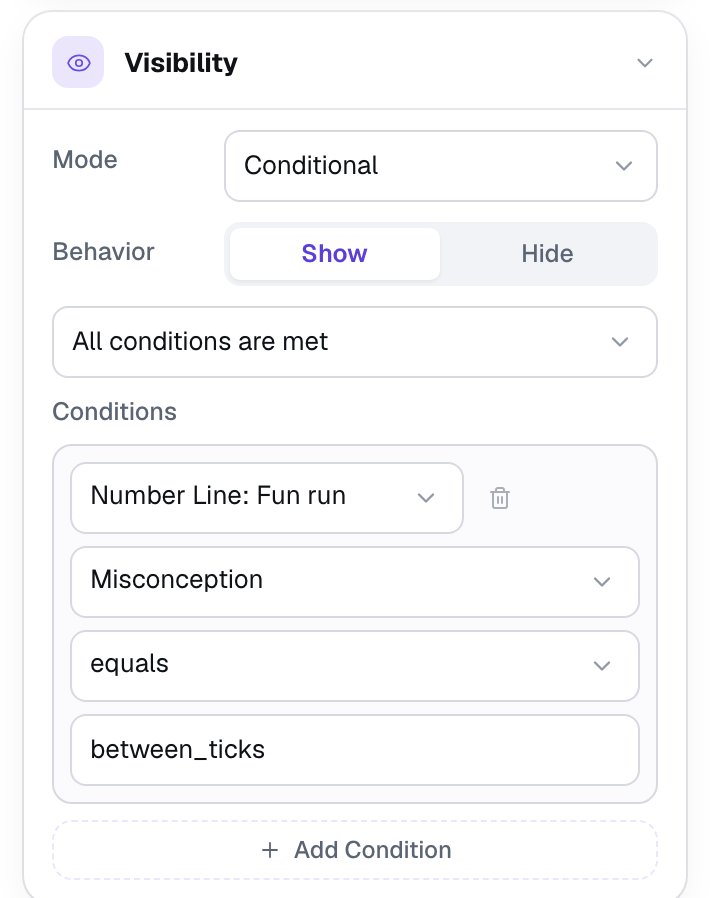
The hint says what to do, not just that the answer is wrong, and it stays hidden for any other mistake. A right answer clears Misconception, so the hint goes away again.
Step 7: Give students a moment before the ending
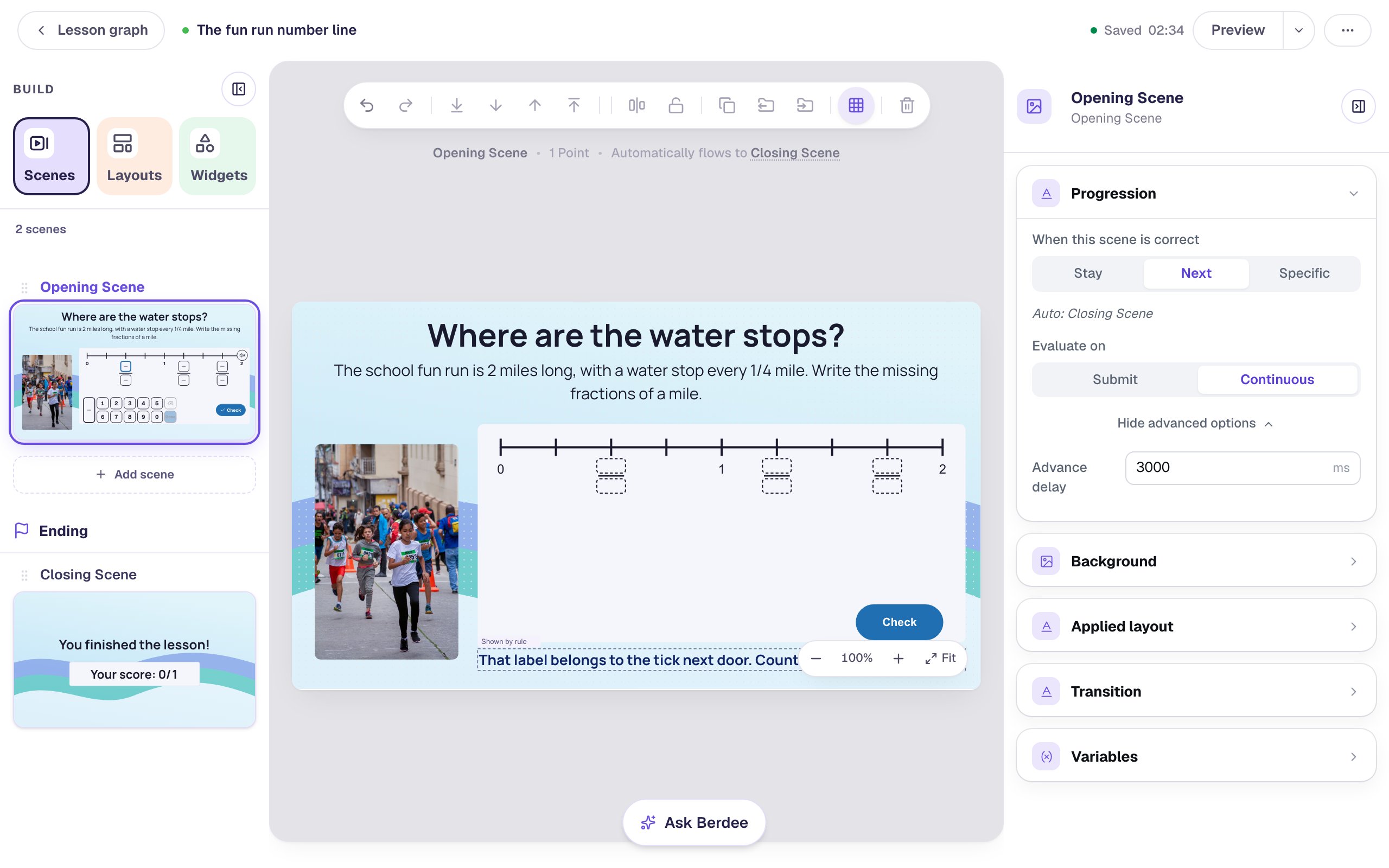
When every blank is right, the scene moves on by itself. Click an empty spot on the scene, and in Progression click Show more options and set Advance delay to 3000 ms, so students have time to see their ✓s.
On the canvas the hint is always shown, so you can place it, and the studio's zoom controls may cover its end. Students see the whole line, and only after the mistake.
Step 8: Try it as a student
Click Preview. Tap the top of the first box, tap 1 on the keypad, tap the bottom, tap 2. Do the same with 4/4 in the second box (the mistake) and 7/4 in the third, then tap Check.
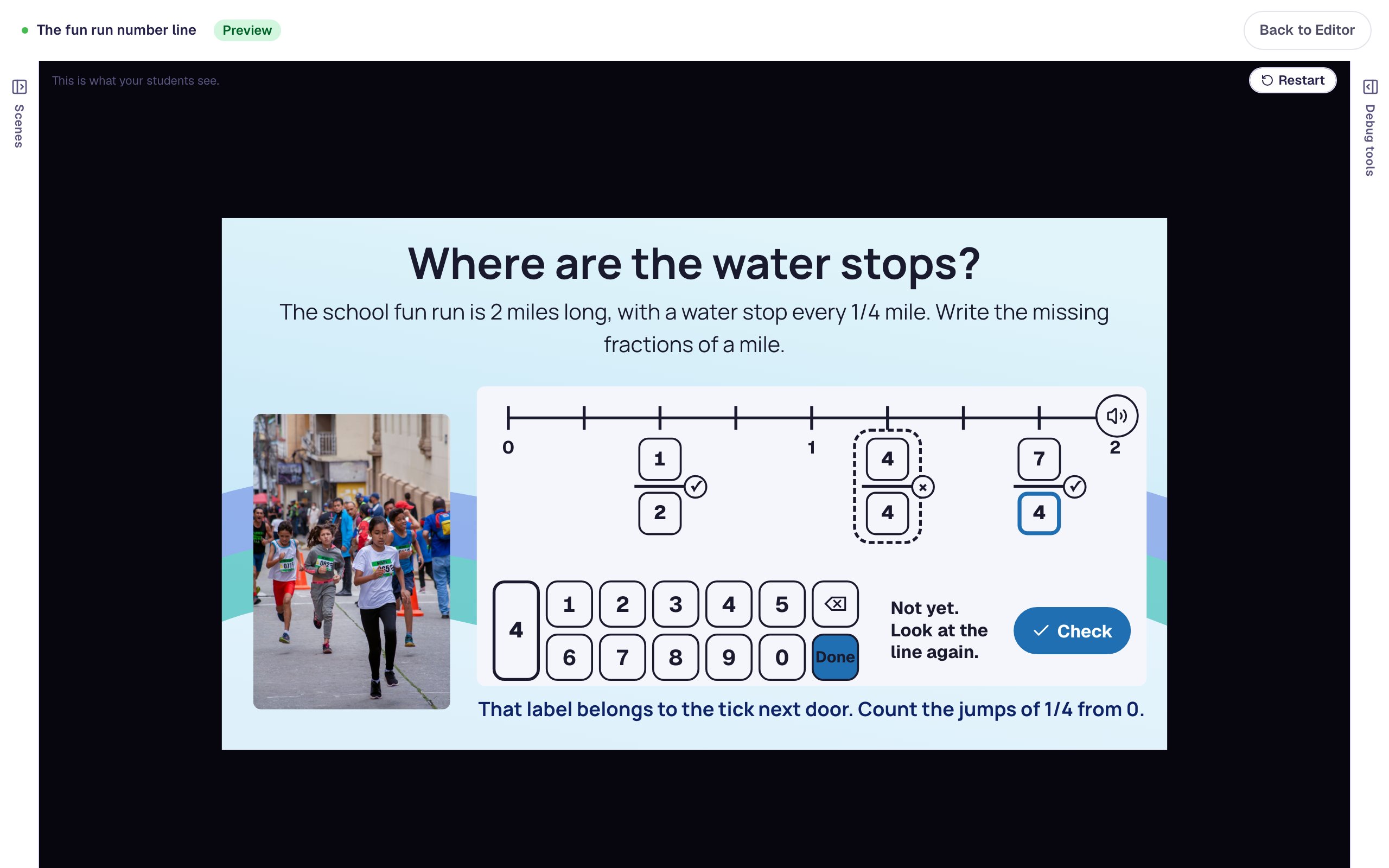
1/2 and 7/4 each get a ✓. 4/4 gets a dashed outline and an ×, stays where the student wrote it, and the hint appears. The student fixes only the box that's wrong.
Tap the second box, erase it with the ⌫ key, type 5/4, and tap Check again.
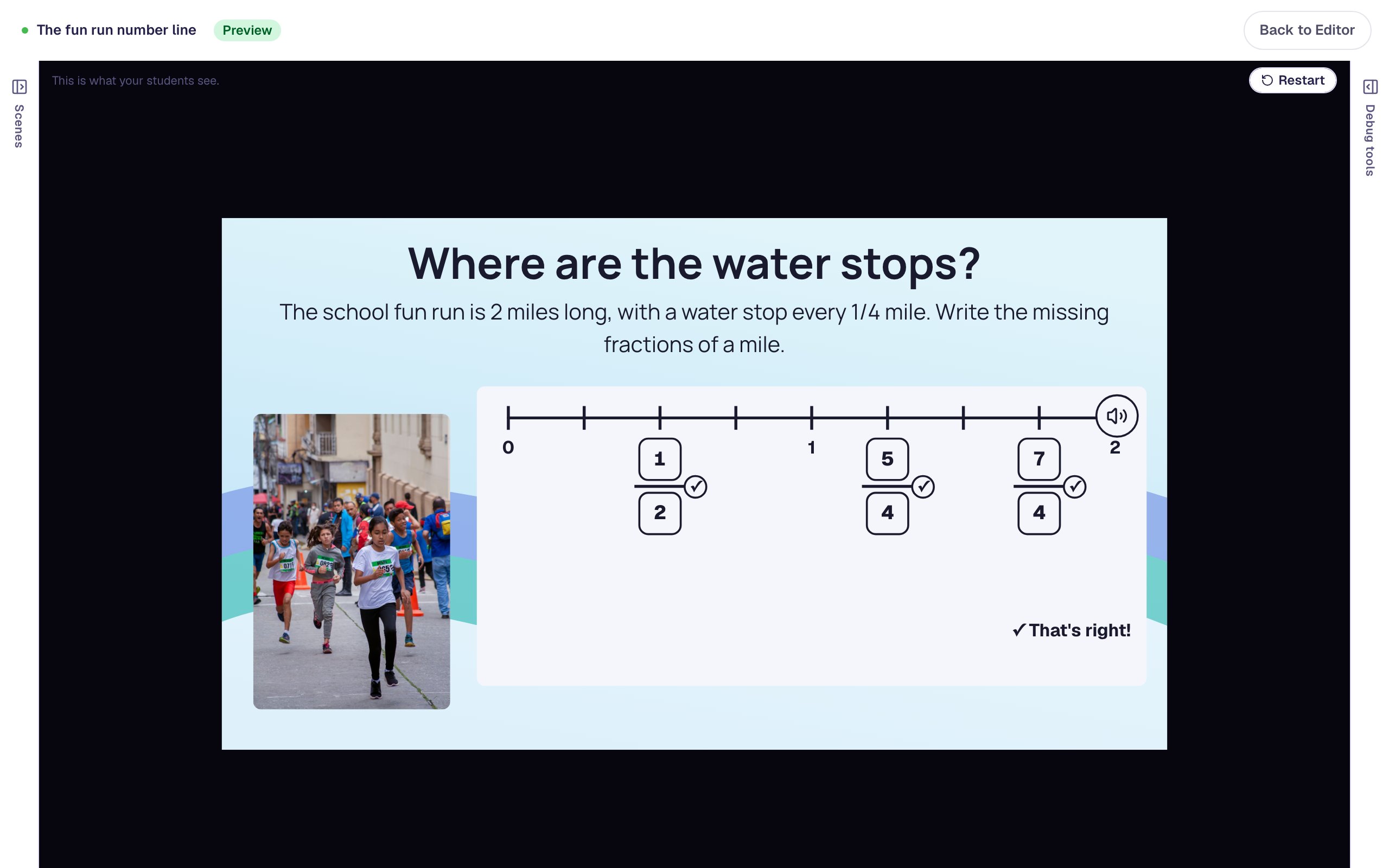
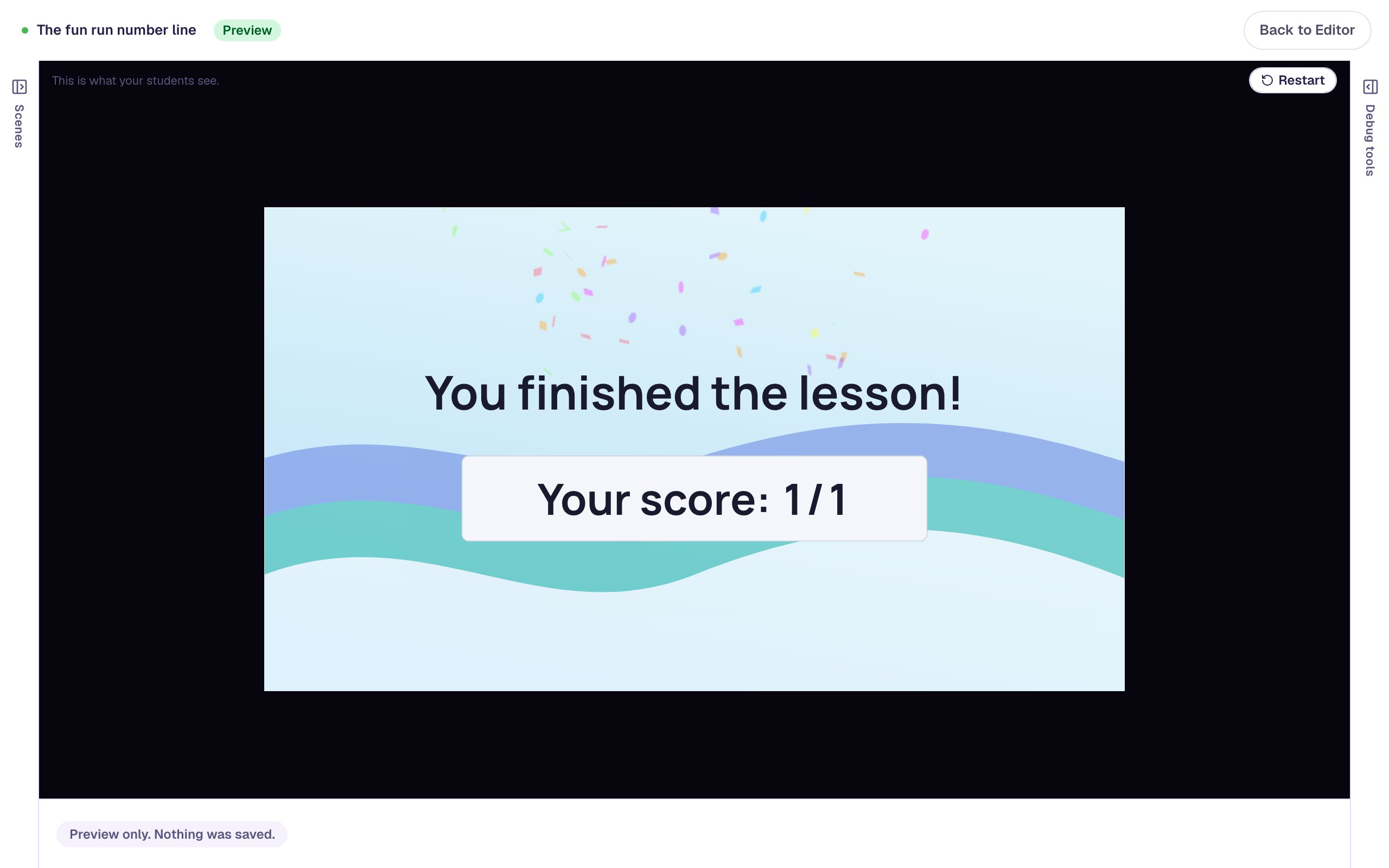
All three boxes get a ✓, the hint disappears, and after 3 seconds the activity moves on to the ending.
What you built
A one-question The fun run number line activity with:
- a story about a real distance and a photo of a race, described for screen readers,
- a Number Line from 0 to 2 in 8 equal parts, labelled only at 0, 1 and 2, in lowest terms,
- three blank ticks for students to label, on both sides of 1,
- answers that count any equal fraction, so
1/2is right for2/4, - a hint that shows only when Misconception equals
between_ticks, - a 3-second pause, so students see their ✓s before the ending.
To have students place a point instead of writing a label, try Place a fraction on a number line. To have them split the parts into smaller ones, try Split a number line to show an equal fraction.
Make this activity yours
Add the activity you just watched being built to your account, then change it for your class: your questions, your pictures, your colors.
Free to sign up, and you'll come straight back here. I have an account