Fraction manipulatives that check the answer.
Two tools for fractions. Younger students cut a circle, square or rectangle into equal shares and shade them. Older ones place, name and split fractions on a number line Berdee draws exactly, and any equal fraction counts as right.
Three steps to a fraction question.
Add the tool
Drag a Number Line or Equal Shares onto a scene. A new number line is ready to answer straight away, with a point to place at 3/4.
Set the question
Choose what students do, where the line starts and ends and how many equal parts it has, or which shape to cut and how much to shade.
Assign and read the attempts
Each student opens it with their own code. Their attempt page shows each try, such as “Placed at 4/5 · asked for 3/4 ✗ · then 6/8 ✓”.
Equal shares first, then fractions on a line.
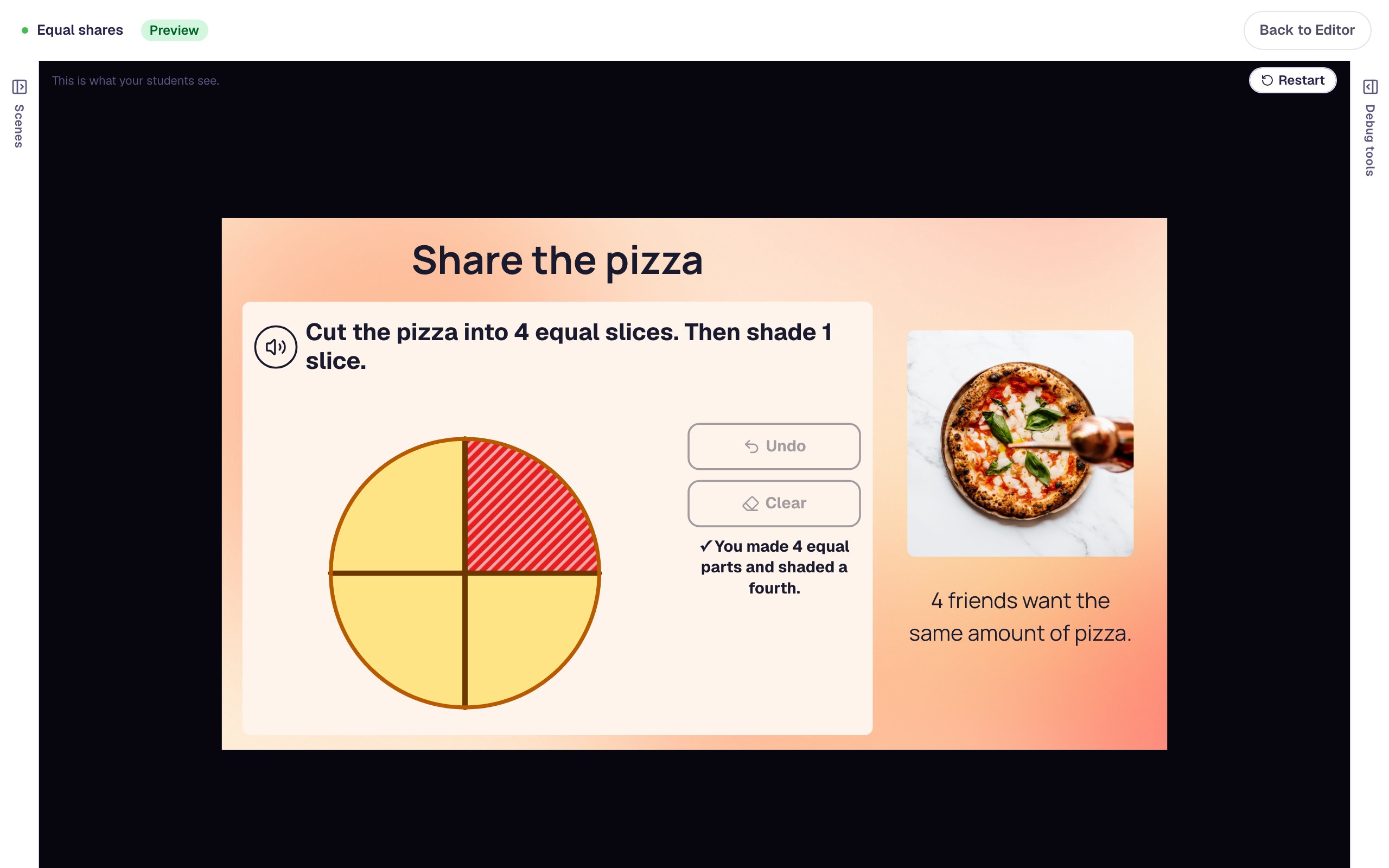
Equal Shares: a pizza cut into fourths, one shaded. 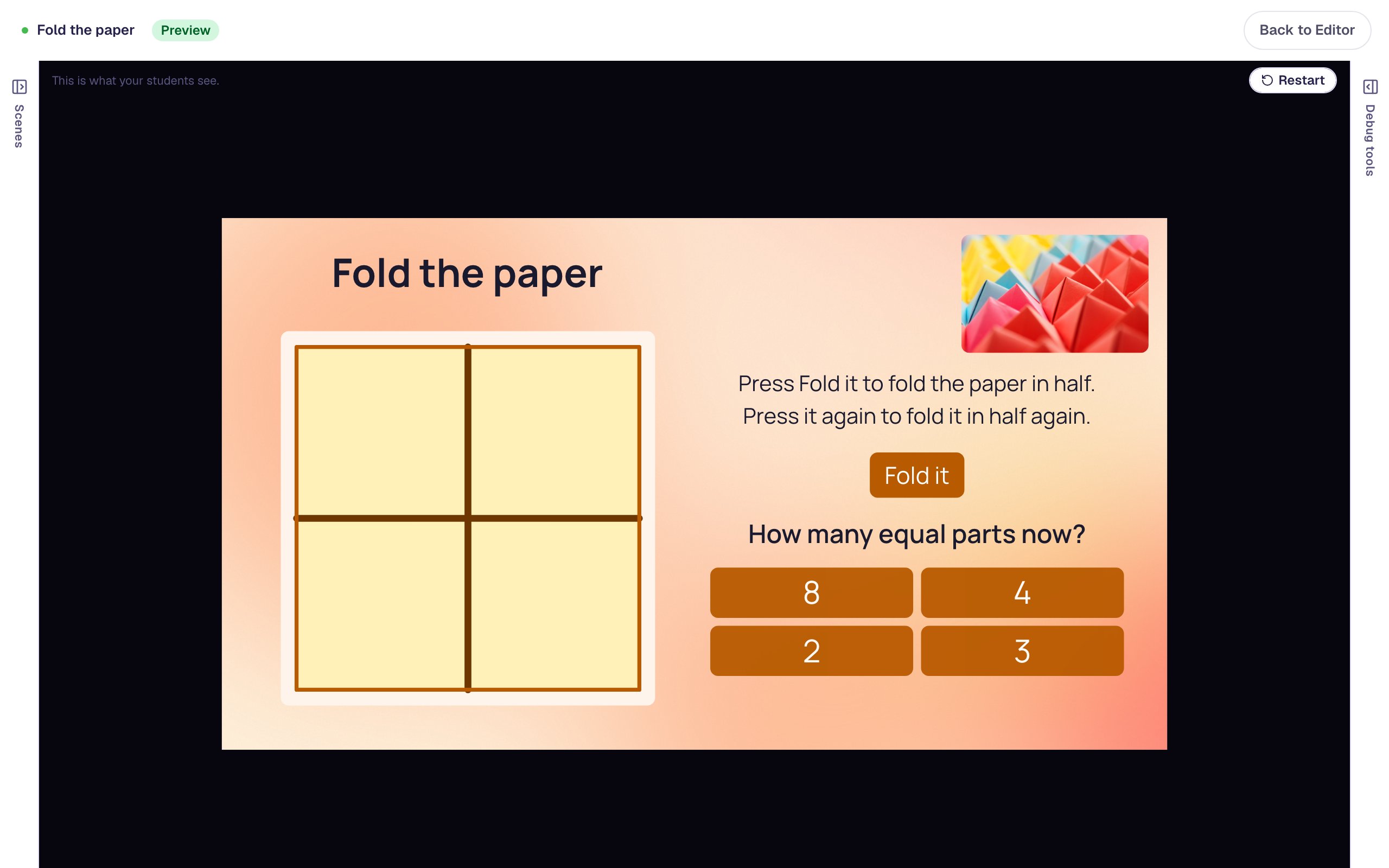
A square folded in half, then in half again. 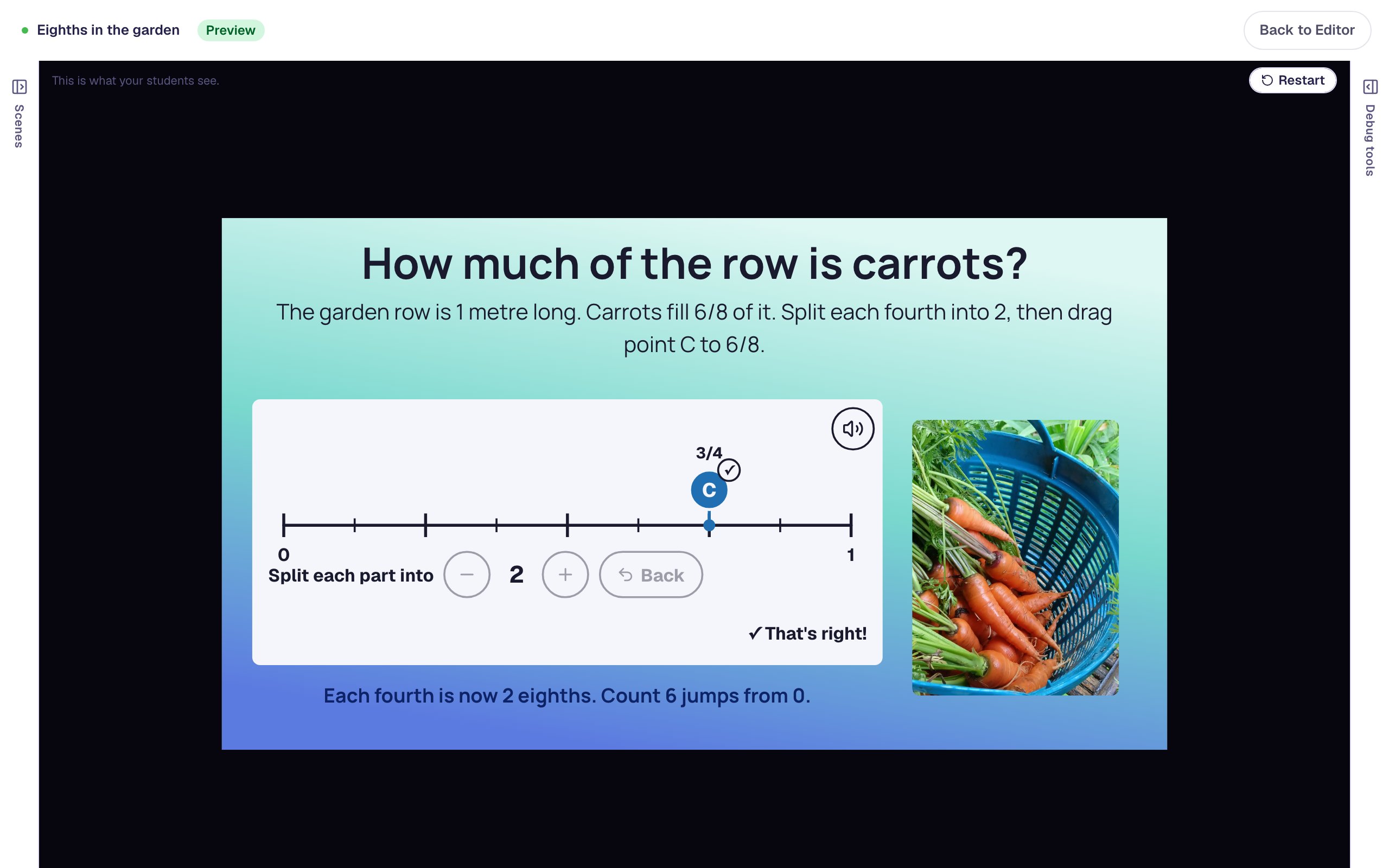
Fourths split into eighths: 6/8 lands on 3/4. 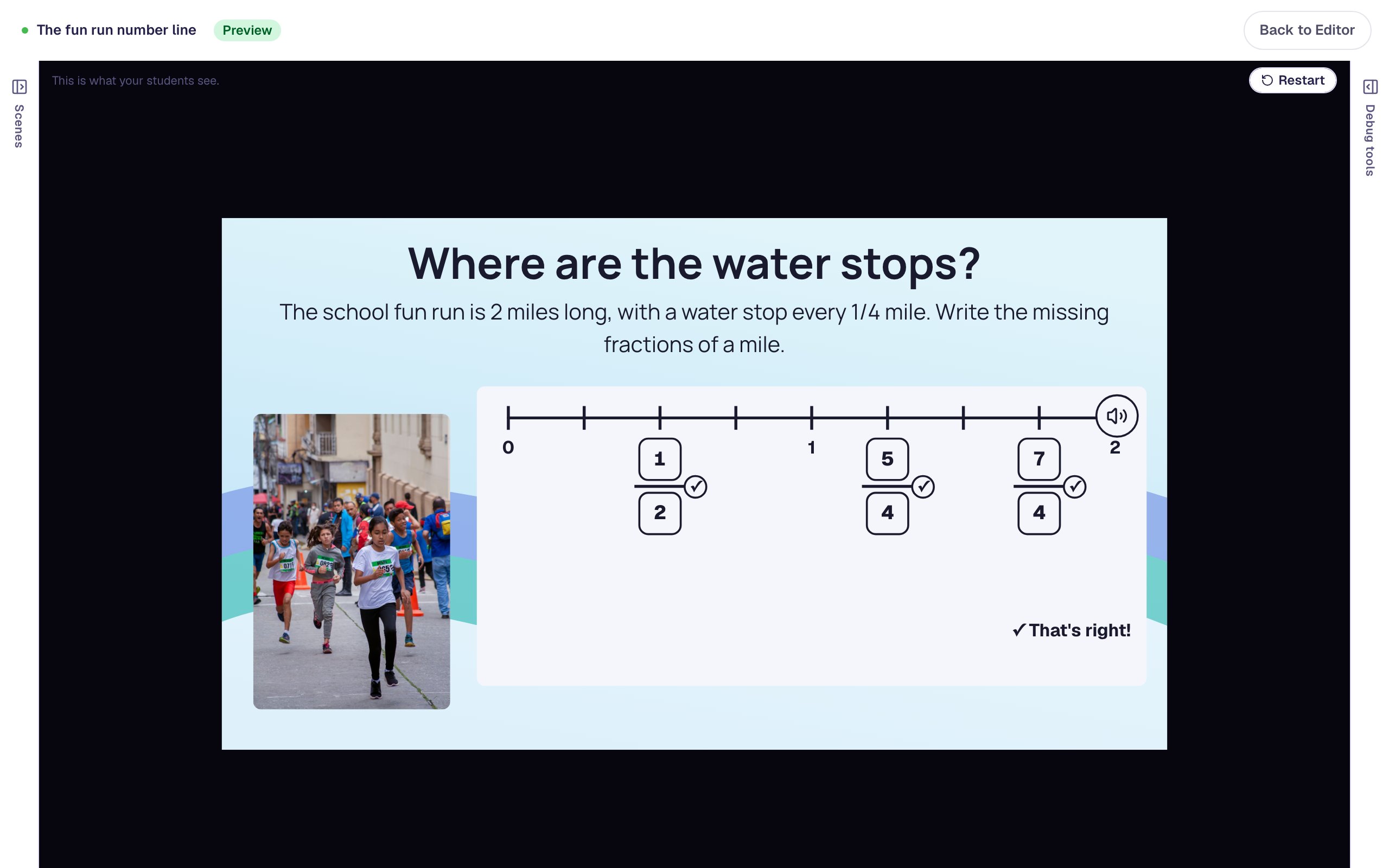
Blank labels filled in: 1/2 is right for 2/4.
Fraction questions to start with.
Cut a pizza into fourths
Students join dots to cut a circle into 4 equal parts, then shade 1. An off-center cross makes 4 parts that aren't equal, and Berdee asks them to look again.
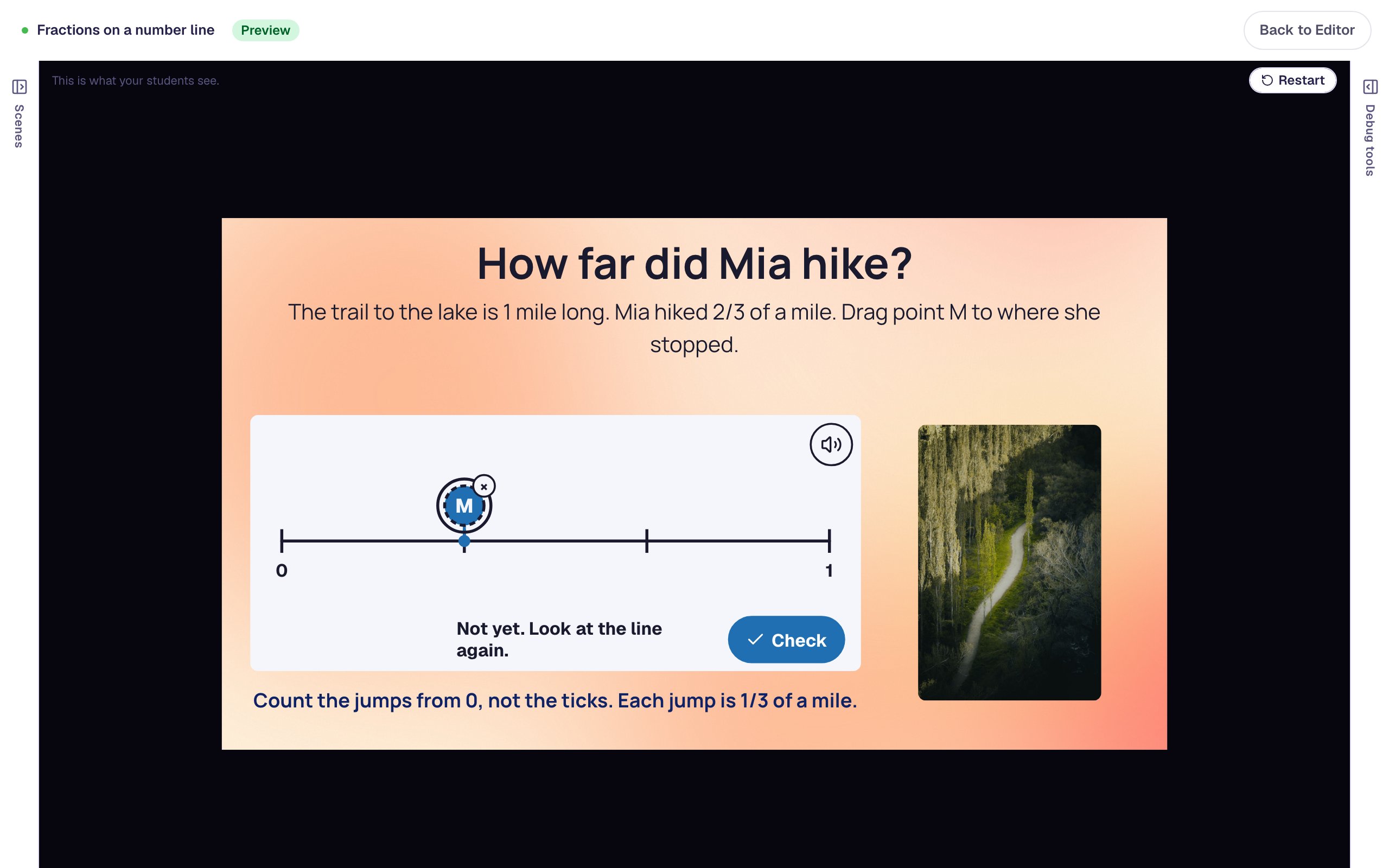
Place 2/3 on a trail
A 1-mile trail drawn in thirds, labelled only at 0 and 1. A student who counts the ticks instead of the jumps gets a hint you wrote for that mistake.
Split fourths into eighths
Students split each fourth into 2, place a point at 6/8, and watch it land where 3/4 is. A tip can appear once the line is in eighths.
What you can set.
Five things to do on a line
Place a point, name a point, fill in blank labels under ticks, split every part into smaller parts, or say how far a point is from 1/2 or 1.
Any equal fraction, or one form
By default 3/4, 6/8 and 9/12 are all right for the same point. Ask for one denominator, or for lowest terms, when that's the skill.
Lines past 1, and lines lined up
A line can run from 0 to 2 or to 10/4. Stack up to 4 lines on one scale, so 3/4, 6/8 and 9/12 sit at the same place.
Halves and fourths of a shape
Equal Shares cuts a circle, square or rectangle into 2 or 4 parts. Ask students to split, shade, split and shade, or say whether a cut is equal.
What counts as equal
Same size is the default: parts can be different shapes, as the standard allows. Or require the same size and the same shape.
The mistake behind a wrong answer
Berdee names common mistakes, such as counting ticks instead of spaces, on the attempt page. Add a hint that shows only for that mistake.
Every setting is explained in the help center: Number Line widget.
Build one with us, a screenshot for every step.
 Intermediate · 15 min · 7 steps · Updated
Place a fraction on a number line
Students drag a point to 2/3 on a number line cut into thirds, and a hint appears only when they count the ticks instead of the spaces between them.
Ready-made activity to add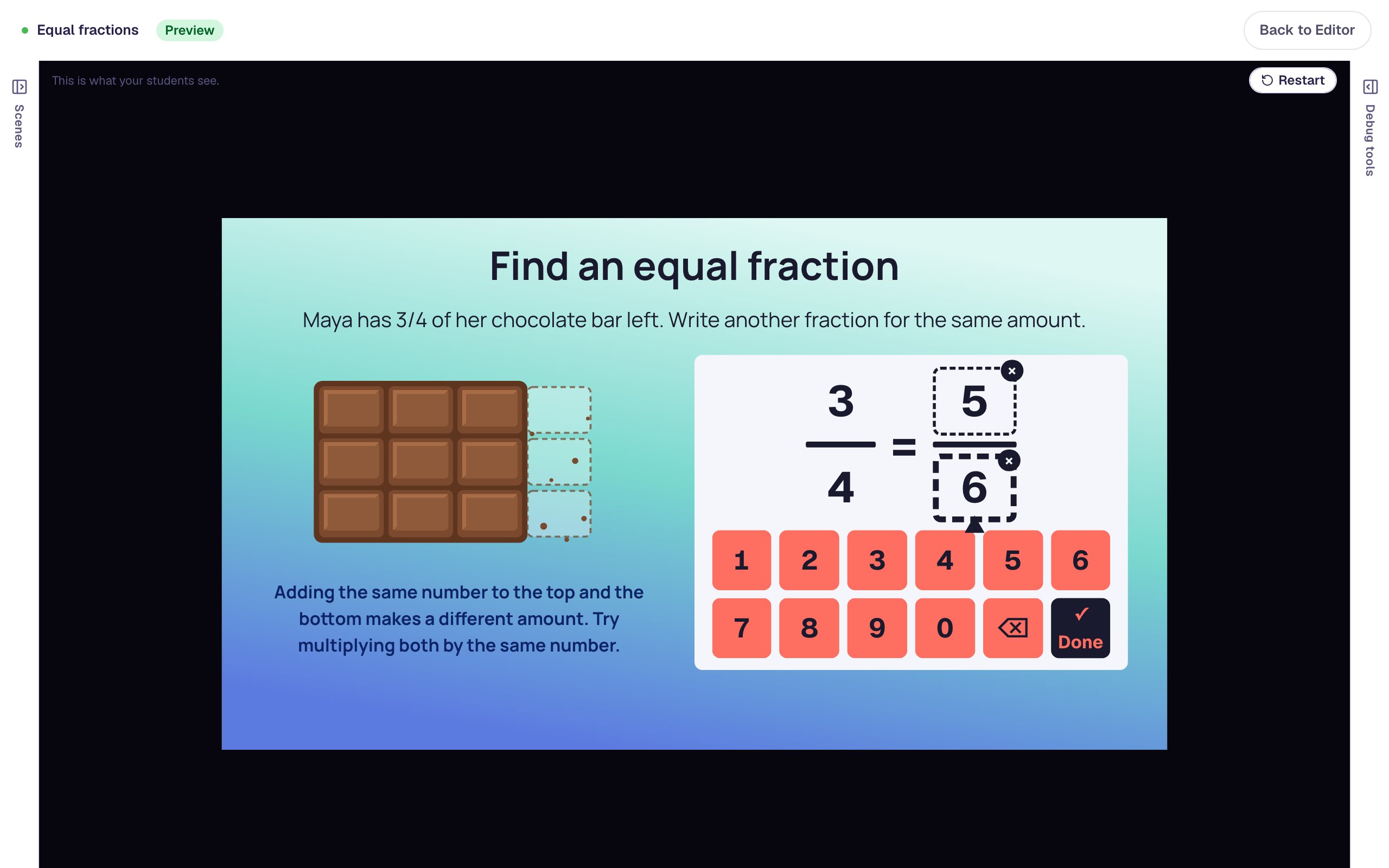 Intermediate · 15 min · 6 steps · Updated
Find an equal fraction with a number sentence
Ask students to write a fraction equal to 3/4 in a Number Sentence that accepts any right answer, like 6/8, 9/12 or 15/20, and show a hint only when they make the classic mistake of adding the same number to the top and the bottom.
Ready-made activity to add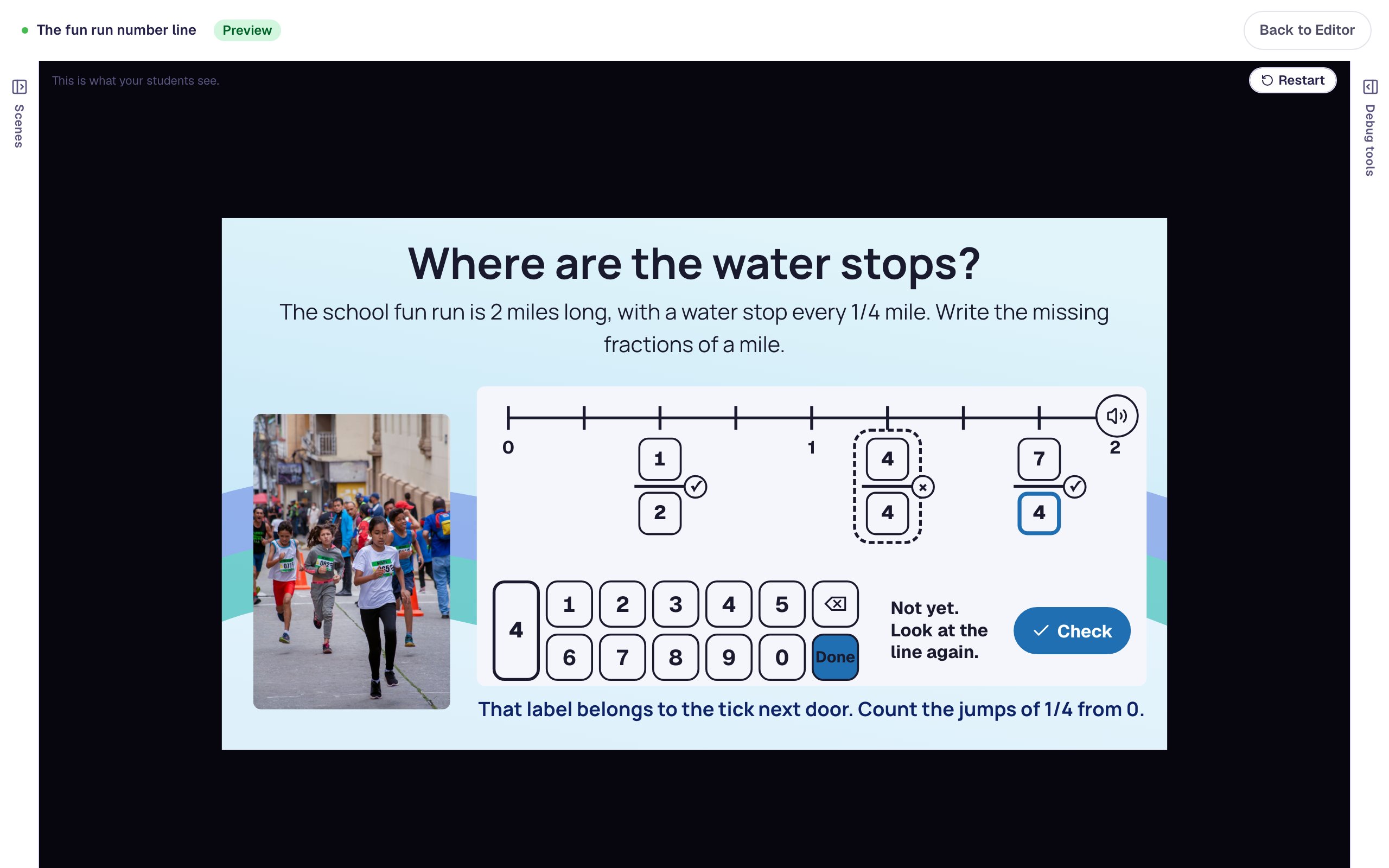 Intermediate · 15 min · 8 steps · Updated
Fill in the missing fractions on a number line
Students write the fractions that belong under blank ticks on a number line from 0 to 2 in fourths. Berdee accepts any equal fraction, so 1/2 is right for 2/4, and a hint appears when a label belongs to the tick next door.
Ready-made activity to add- Intermediate · 15 min · 7 steps · Updated
Split a number line to show an equal fraction
Students split each fourth of a number line into eighths, then place point C at 6/8, and see it land exactly where 3/4 is. A tip appears the moment the line is in eighths.
Ready-made activity to add - Intermediate · 12 min · 7 steps · Updated
Fold a square in half, then in half again
Draw two folds on an Equal Shares card and turn on Reveal the cut one line at a time, then add a Fold it button that shows one fold per press, so students watch a square become 4 equal parts before they say how many there are.
Ready-made activity to add - Beginner · 12 min · 8 steps · Updated
Cut a pizza into equal shares
Use the Equal Shares widget to have students cut a pizza into 4 equal slices and shade 1, then decide whether a sandwich is cut into 2 equal parts. Berdee works out every part exactly, so a lopsided cut never passes.
Ready-made activity to add
Common questions
More you can make
Students build numbers with two-color counters, and you see exactly what they built.
Children count a collection and say how many, and you see how they counted, not just the answer.
One question a card, checked as students go, with a record of how each one did.
Make your first fraction activity today.
Build and preview for free, with no credit card. When you assign it, students play in the browser on a Chromebook, tablet or phone.