Virtual base-ten blocks students build with.
Students tap flats, rods and small cubes onto a mat or a place-value chart to build 243, trade a ten for 10 ones, or read 1.25. Berdee checks what they built and keeps the mat on each student's attempt page.
A base-ten question in three steps.
Add Base-Ten Blocks
Choose how the pieces look: towers of connecting cubes, rods and flats, or a quick drawing. Then the largest piece: tens, hundreds or thousands.
Choose what students do
Build a number, read a model, group a pile of ones into tens, trade, add or take away, compare two numbers, or multiply and divide by 10.
Choose what counts
Ask for 243 in Standard form and only 2 flats, 4 rods and 3 small cubes are right. Any form also takes 24 rods and 3 cubes.
What you set up, and what students see.
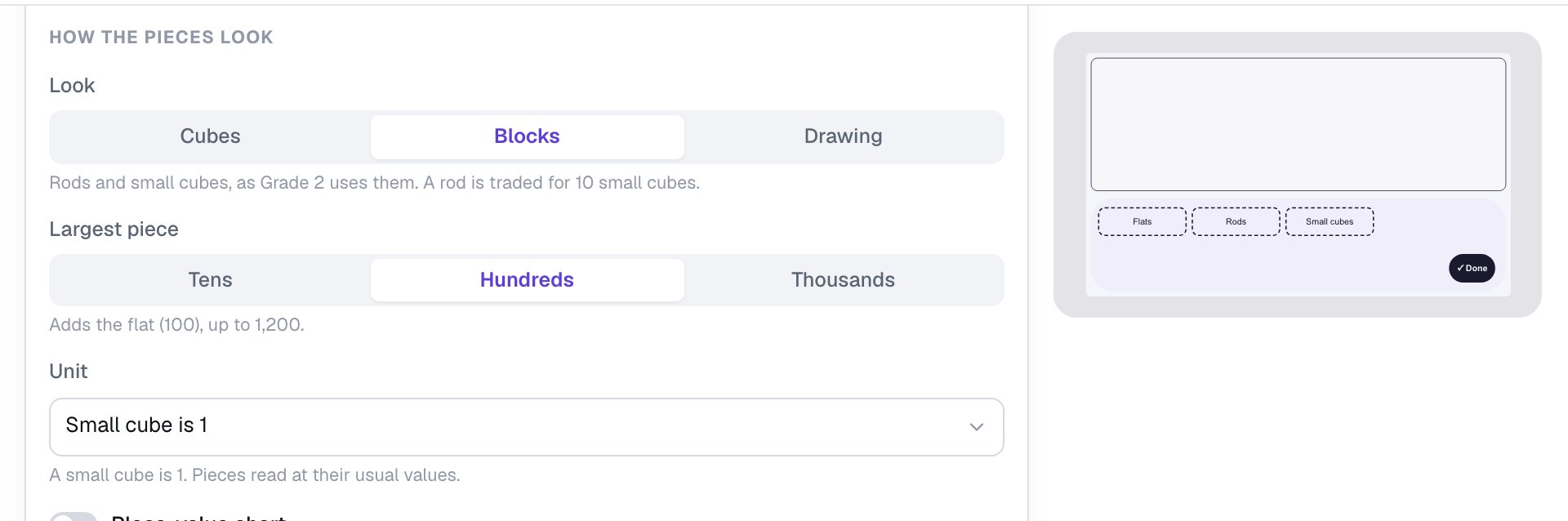
Blocks, with hundreds. The trays follow along. 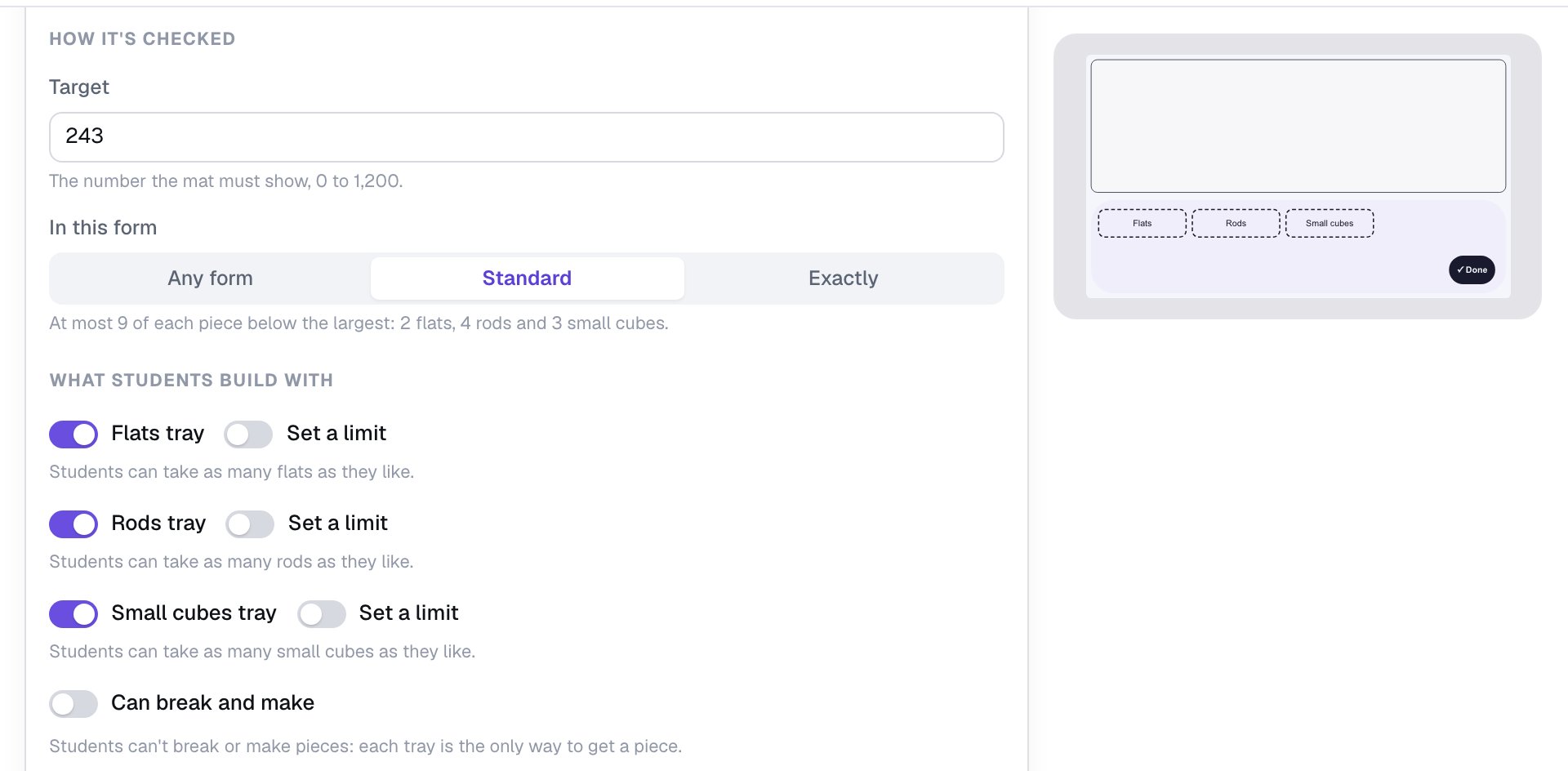
Standard form accepts only 2 hundreds, 4 tens and 3 ones. 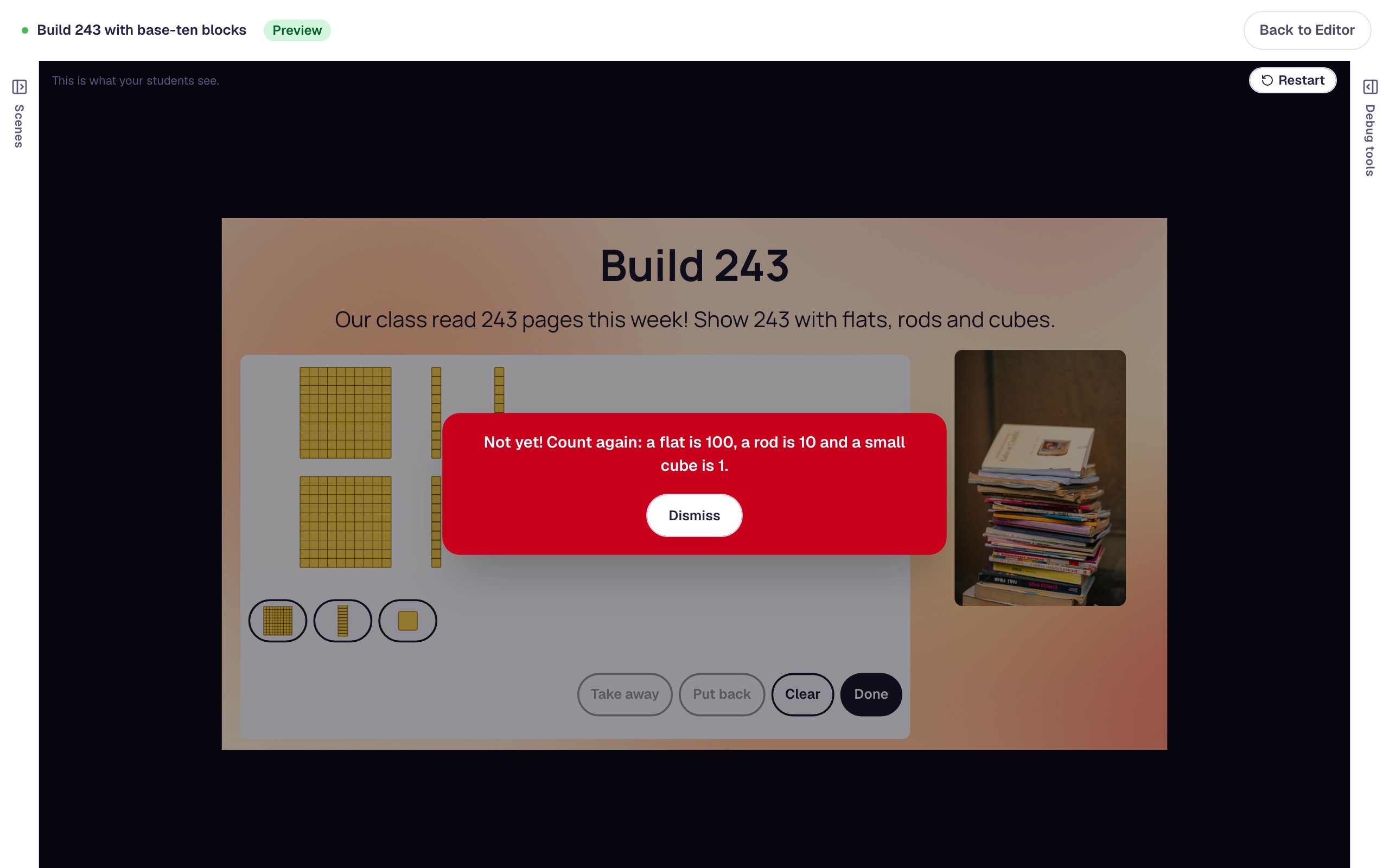
Your hint, on a wrong Done: 234 is not 243. 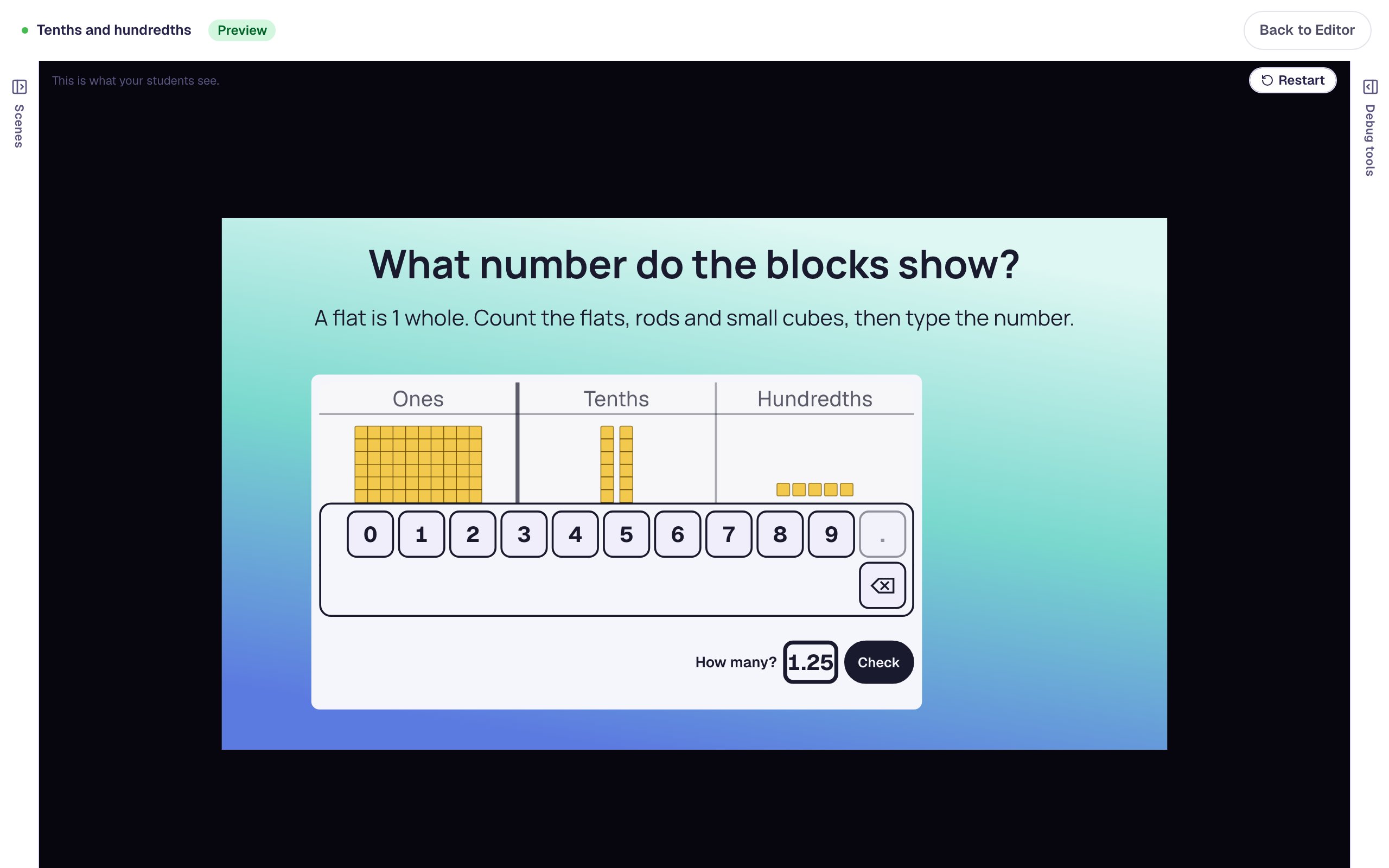
On a chart, with a flat as 1 whole: 1.25.
More ways to use base-ten blocks.
Grade 1
“Make tens from a pile of 52 ones, then say how many.”
Grade 1
“Build 65 with only 5 tens in the tray.”
Grade 2
“82 − 9: take away 9 ones, breaking a ten when you run out.”
Grade 2
“47 + 8: put the numbers together and make a new ten.”
Grade 2
“Which is greater: 5 tens 32 ones, or 7 tens 2 ones?”
Grade 3
“Show 355 as 3 hundreds, 4 tens and 15 ones.”
Grade 4
“Same blocks, a small cube worth 10: read 13,250.”
Grade 5
“Build 2.345 with a big cube as 1 whole.”
An interactive place value chart, too.
Each piece in its column
Turn on Place-value chart and the mat gets a column for each place, named at the top, with the digit under each column. A column holding 15 small cubes shows 15, so students see a trade is waiting.
Decimals on the chart
Make a flat 1 whole and the columns read Ones, Tenths and Hundredths, with a dot for the decimal point. 1 flat, 2 rods and 5 small cubes read 1.25, and 10 hundredths trade for 1 tenth.
× 10 and ÷ 10
Multiply or divide by 10 moves every piece one place: small cubes become rods and slide a column left. The digits move with them, so 3.4 becomes 34 in one tap.
The settings that shape the question.
Three looks
Cubes draws a ten as a tower of 10 connecting cubes, for Grade 1. Blocks draws rods and flats. Drawing is rectangles and squares, or lines and dots, the way students draw them on paper.
Largest piece
Tens works to 120, hundreds to 1,200 and thousands to 20,000. A ten is one piece, so 47 is 4 taps on the tens tray and 7 on the ones.
What the pieces are worth
A small cube is worth 1 by default, or 10, 100 or 1,000. Or make a flat or a big cube 1 whole for tenths, hundredths and thousandths.
Trays and limits
Choose which trays students get and how many pieces each one holds. Limit the tens to 5 and students build 65 with 15 ones.
Break and make
Let students break a ten into 10 ones and make a ten from 10 loose ones, or turn it off so the trays are the only way to get a piece.
Count aloud
A speaker button counts the mat biggest pieces first: 10, 20, 30, 40, 41, 42. It hides while the question asks how many.
Every setting is explained in the help center: Base-Ten Blocks widget.
Build one with us, a screenshot for every step.
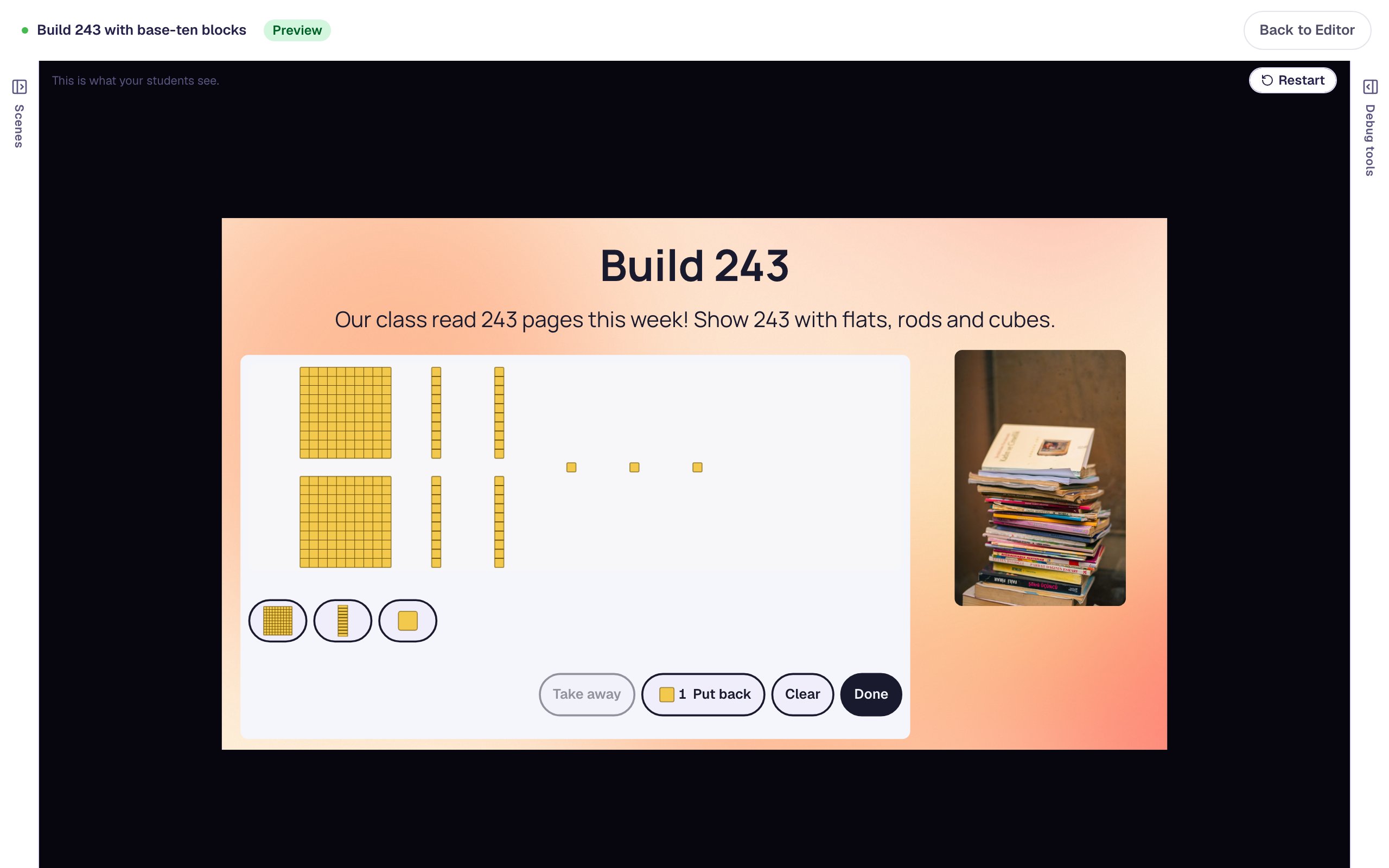 Beginner · 12 min · 7 steps · Updated
Build a three-digit number with base-ten blocks
Set up Base-Ten Blocks so second graders build 243 from flats, rods and small cubes, accept only 2 hundreds, 4 tens and 3 ones, and show a hint when a student swaps the tens and ones.
Ready-made activity to add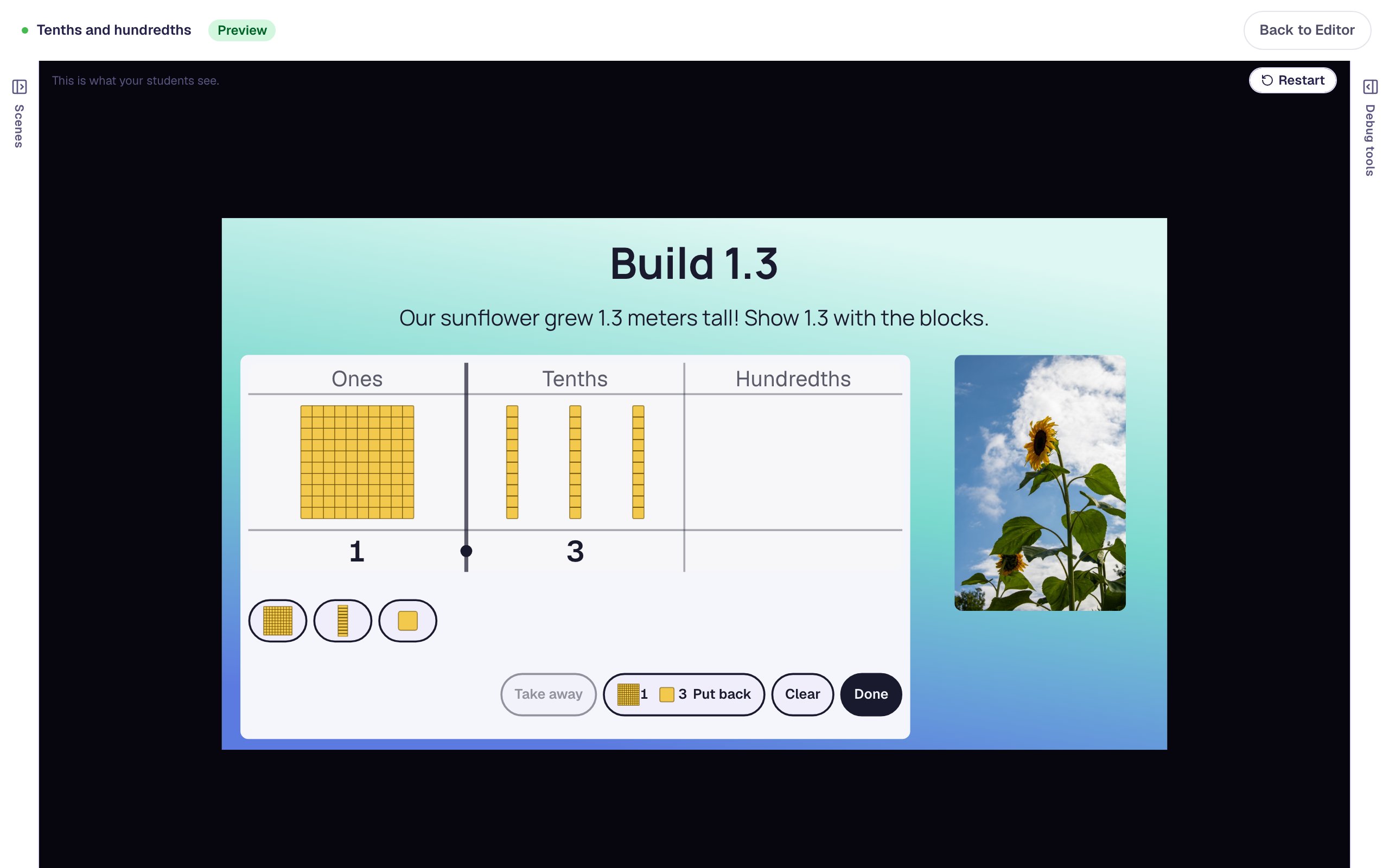 Intermediate · 15 min · 9 steps · Updated
Show tenths and hundredths with base-ten blocks
Make a flat worth 1 whole so the same base-ten blocks show decimals. Students read 1.25 from a model on a place-value chart, then build 1.3 themselves, with a hint for the classic 1.03 mix-up.
Ready-made activity to add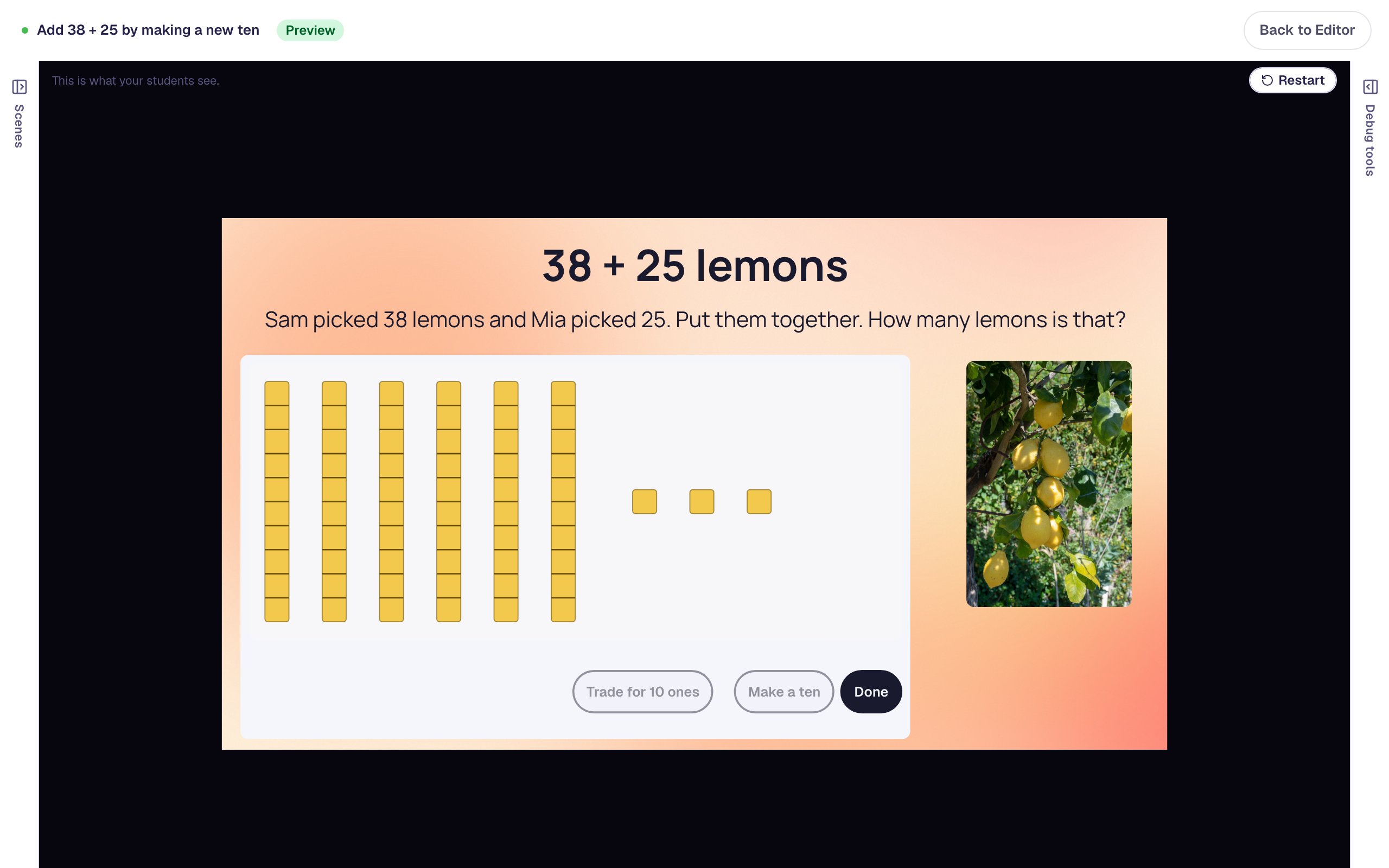 Intermediate · 15 min · 7 steps · Updated
Add two-digit numbers by making a new ten
Use Base-Ten Blocks' Add or take away mode so students put 38 and 25 together, see 13 small cubes, and trade 10 of them for a rod to reach 63, with a cheer when they make the ten and a hint if they stop too soon.
Ready-made activity to add
Common questions
More you can make
Students build numbers with two-color counters, and you see exactly what they built.
Children count a collection and say how many, and you see how they counted, not just the answer.
Multiple choice, dropdown, number and short-answer questions, scored your way.
Build your first base-ten blocks activity today.
Build and preview for free, with no credit card. When you assign it, students play in the browser on a Chromebook, tablet or phone.