Bring back a scene you deleted with History
Delete a question scene by mistake, then use History to find the moment just before, preview it, and restore it, even after you've closed the lesson and come back.
- Level
- Beginner
- Time
- About 8 min
- Steps
- 6
A three-question water cycle quiz whose deleted middle question is back in place, recovered from History and checked in Preview.
Get the finished lesson
Skip straight to the result, or keep it open beside the steps. Add this tutorial's lesson to your account and explore how it works in the studio.
Free to sign up, and you'll come straight back here. I have an account
Everyone deletes the wrong thing sooner or later. Right after it happens, Undo (⌘ Z on a Mac, Ctrl Z on Windows) puts it back. But Undo only covers the session you're in. Once you've closed the lesson, gone home, and opened it again the next day, there's nothing to undo.
That's what History is for. Every time your lesson saves, Berdee records what changed, and you can look at any of those moments and put your lesson back the way it was. In this tutorial you'll build a short quiz about The water cycle, delete one of its questions, close the lesson, and then get the question back with History.
Step 1: Start with a lesson that has a few scenes
You need a lesson with something worth losing. Ours has a title scene and three questions, one for each step of the water cycle:
- The Opening Scene has the Cloud pattern background (in Background → Choose a style → Playful), a Heading that says
The water cycle, a line of Body text, and a Let's go button set up with Make this a "Next" button. - A scene called Evaporation with the Lagoon gradient background, a heading (
The sun warms the sea), a line describing the step, and a Multi Choice question with four answers:Evaporation,Condensation,Precipitation, andCollection. - Two copies of that scene, made with Duplicate, renamed Condensation and Precipitation, each with its own heading, description, and correct answer. The last one also has a small I'm done button that submits the lesson.
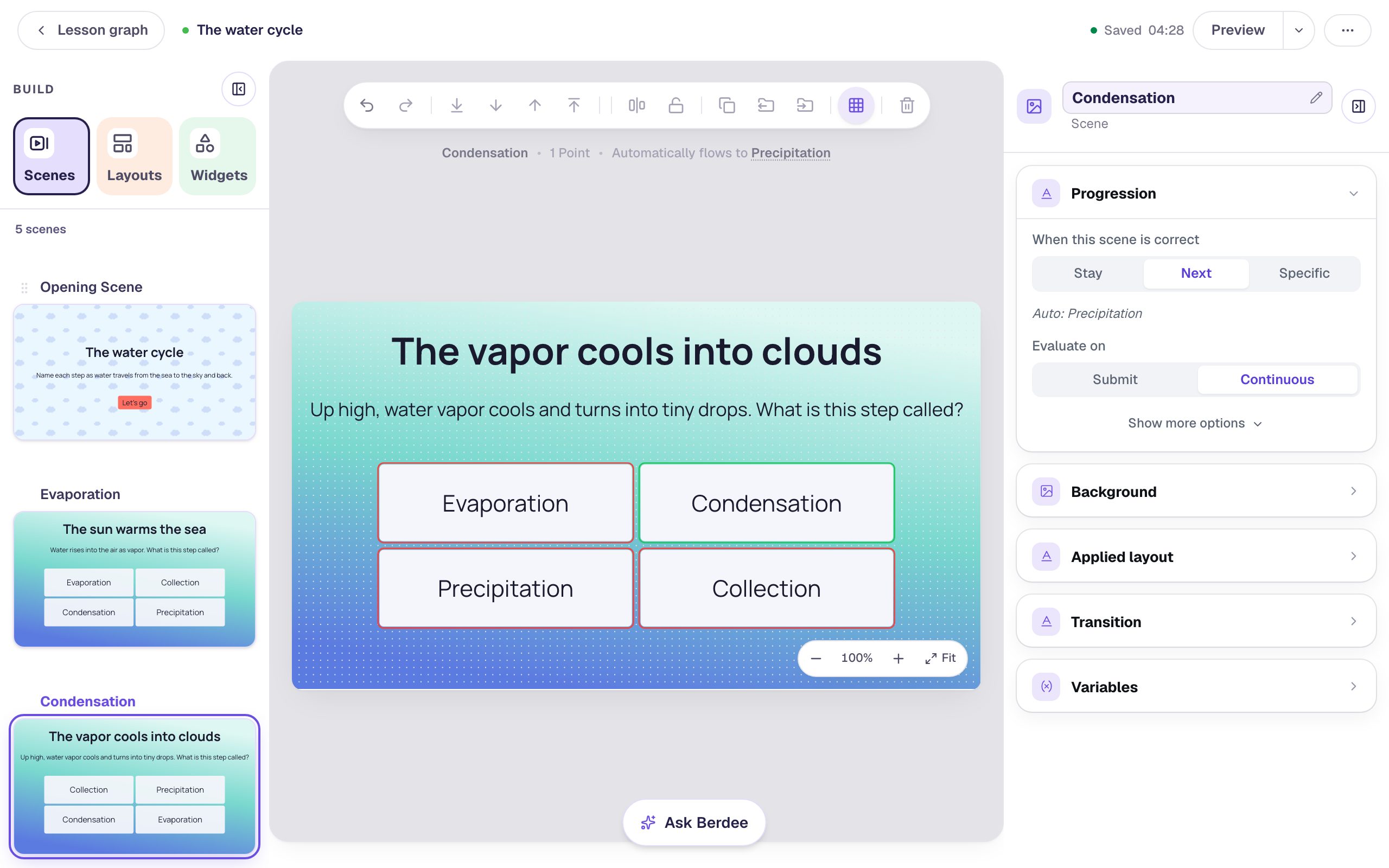
If you'd like the quickest way to build questions like these, Build a three-question quiz by duplicating a scene walks through it step by step. You can also follow along with any lesson of your own.
Step 2: Delete a scene (by accident)
In the Scenes tab, hover the Condensation thumbnail and click the ⋯ button in its bottom corner. Choose Delete.
The scene is gone straight away. There's no "Are you sure?" question when you delete from the Scenes tab, which is exactly how a scene goes missing by accident: you meant to click Duplicate one line up.
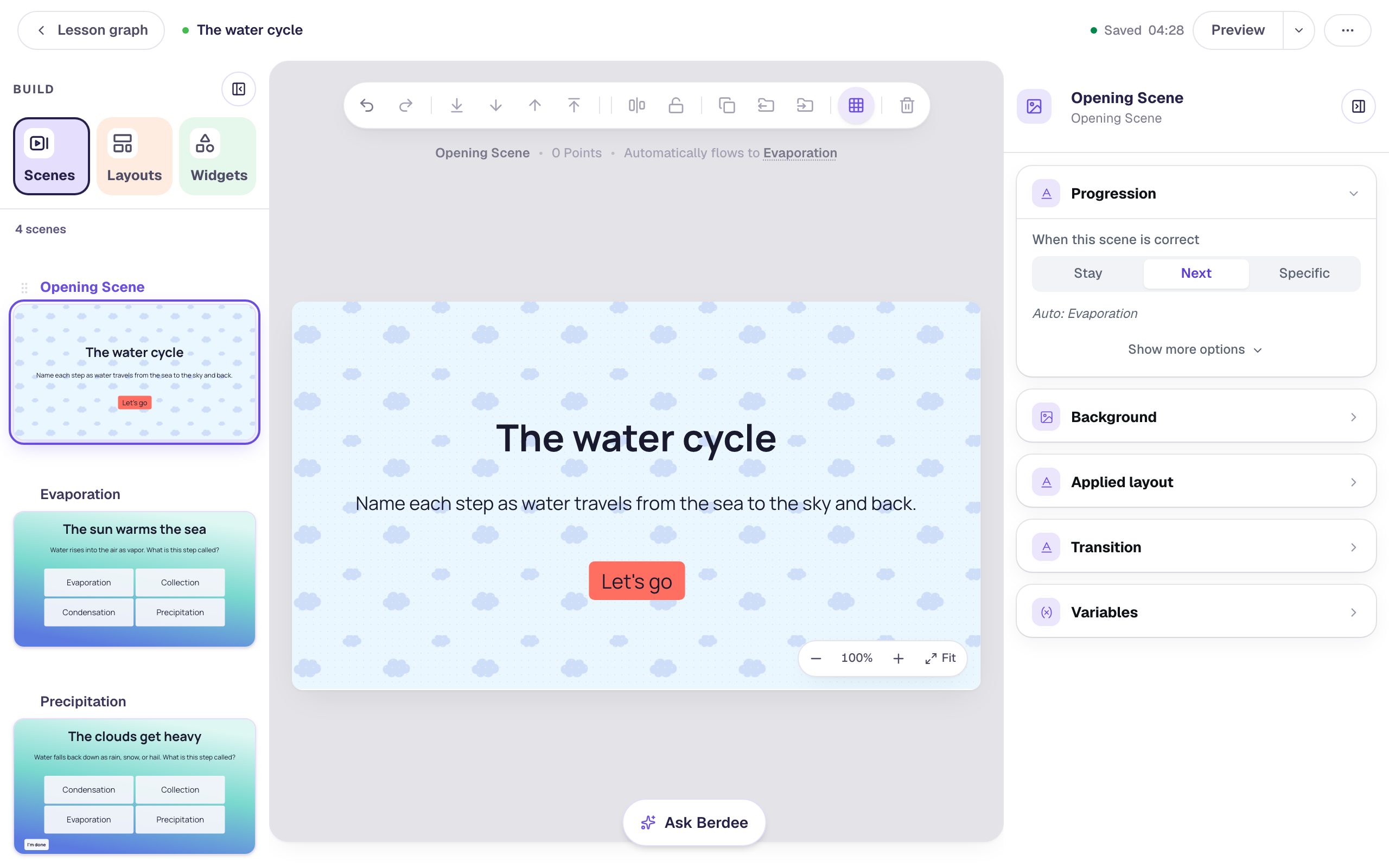
The lesson didn't break, either. Evaporation's Progression is Next, so it now flows straight to Precipitation, and a student would never know a question was missing. That's why it's easy not to notice until later.
If you notice at once, press ⌘ Z (Ctrl Z) and the scene comes back. For this tutorial, pretend you didn't: close the lesson, or reload the page, and open it again. Undo can't reach the deletion any more.
Step 3: Open History
Click the ⋯ button at the top right of the studio and choose History. (If the top bar shows Saved with a time, clicking that opens History too.)
History takes over the screen. On the right is the timeline: Current draft pinned at the top, then everything you did to the lesson, newest first, each with the time it happened. Near the top you'll find Deleted Condensation. Click it.
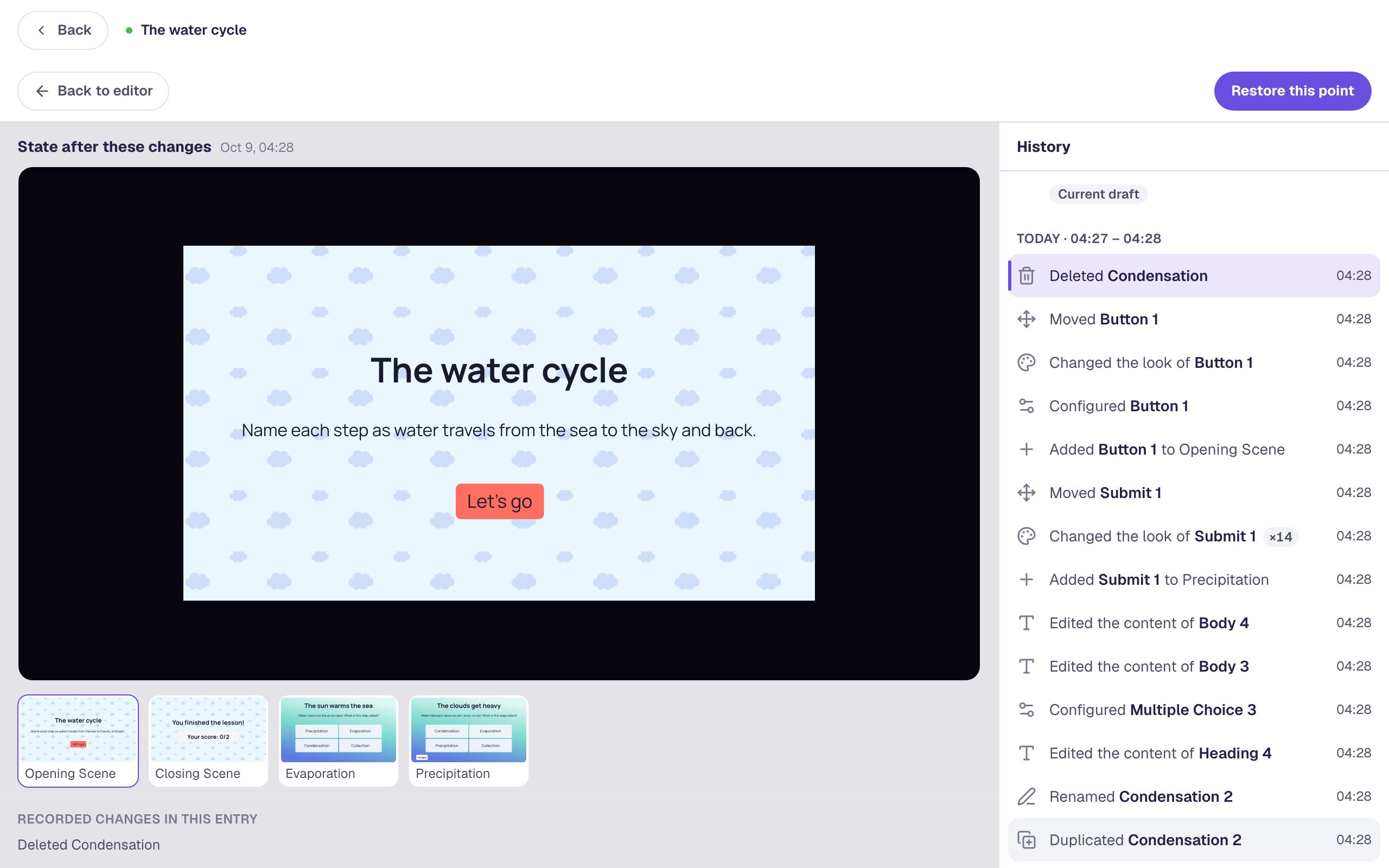
The preview on the left shows your lesson after that change, so Condensation is missing from the strip of scenes underneath. While History is open the editor is read-only, so nothing you click here can change your lesson by accident.
Step 4: Find the moment just before
You want the lesson as it was just before the deletion. Click the entry directly under Deleted Condensation. In our lesson it's Moved Button 1, the last thing we did before the accident. Yours will be whatever you did last.
Now Condensation is back in the strip under the preview. Click its thumbnail to open that scene in the preview and check it's the one you want. The preview is playable, so you can even try the question as a student would.
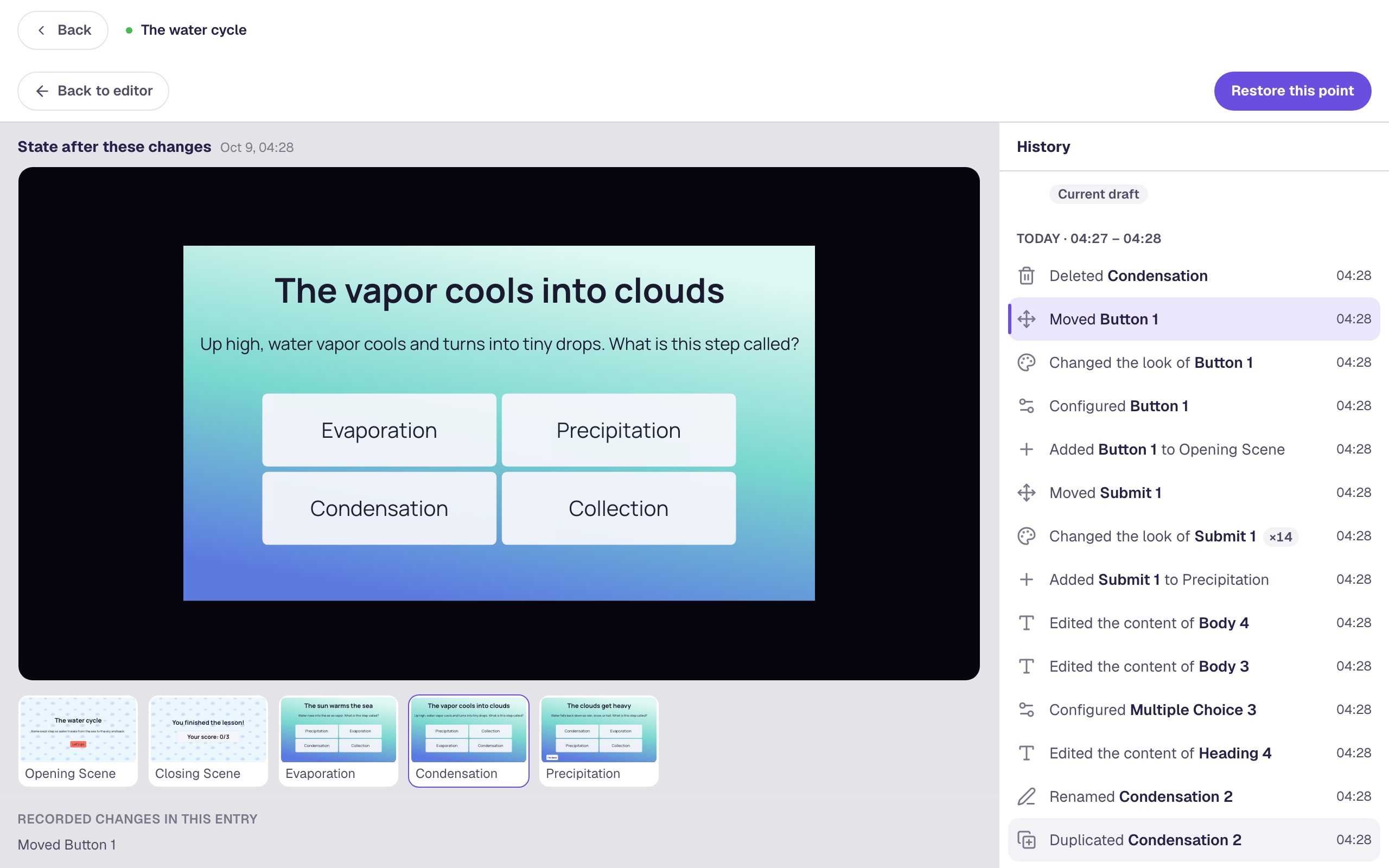
Look before you restore. If you've done more work since the accident, you'll find it in the entries above the deletion, and restoring to a point before them puts that work back to how it was too (see the note in Step 5).
Step 5: Restore it
Click Restore this point at the top right. A window asks you to confirm and names the exact moment you're going back to.
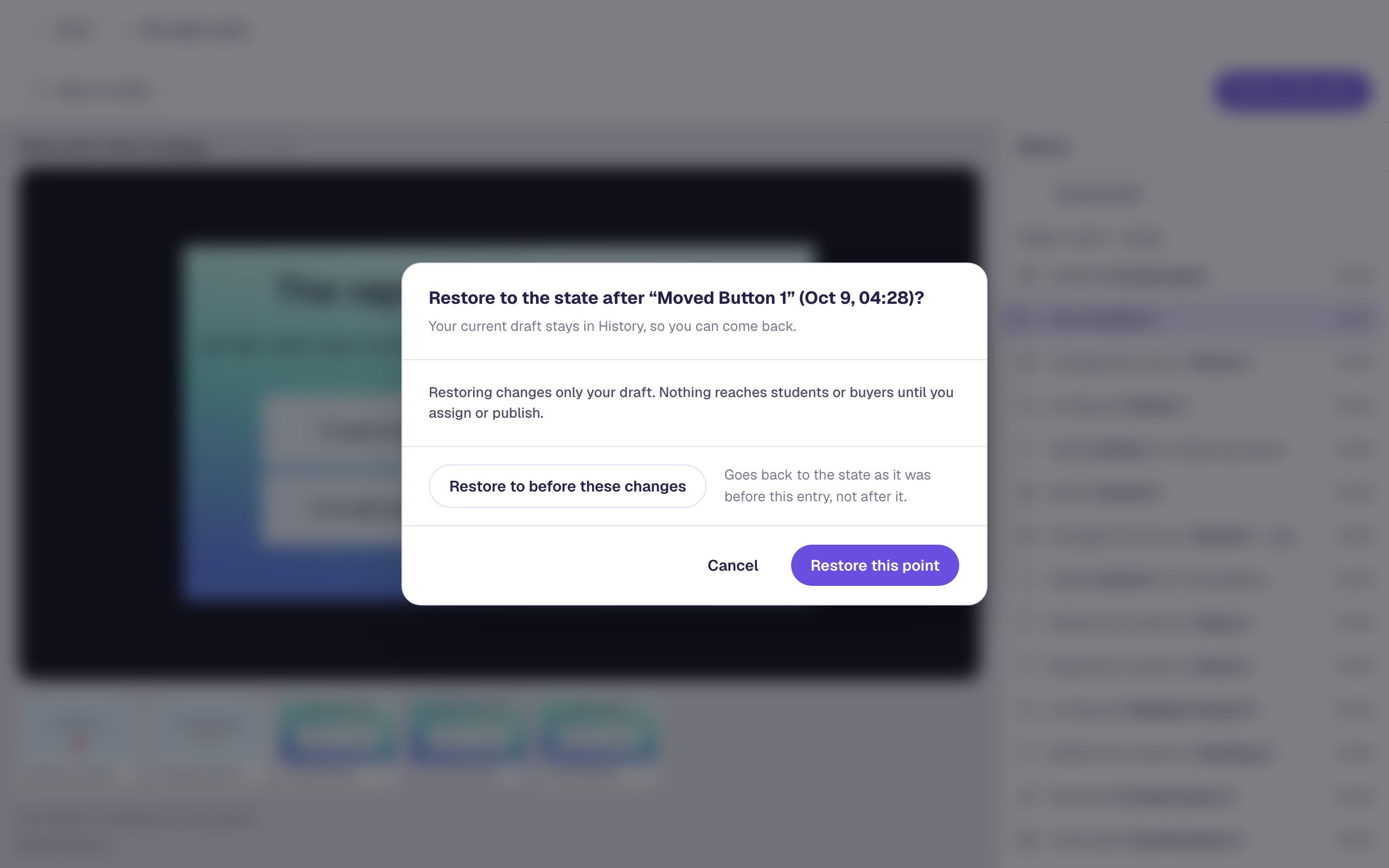
Two things it tells you are worth knowing:
- Your current draft stays in History. The version without Condensation becomes a restore point of its own, so you can always go back to it.
- Restoring changes only your draft. Students who already have the lesson keep the version they were assigned, and nothing reaches them until you assign it again.
Click Restore this point. History closes, and you're back in the editor on the Condensation scene, exactly as it was. The top bar says Restored to and the time, with an Undo link in case you picked the wrong moment.
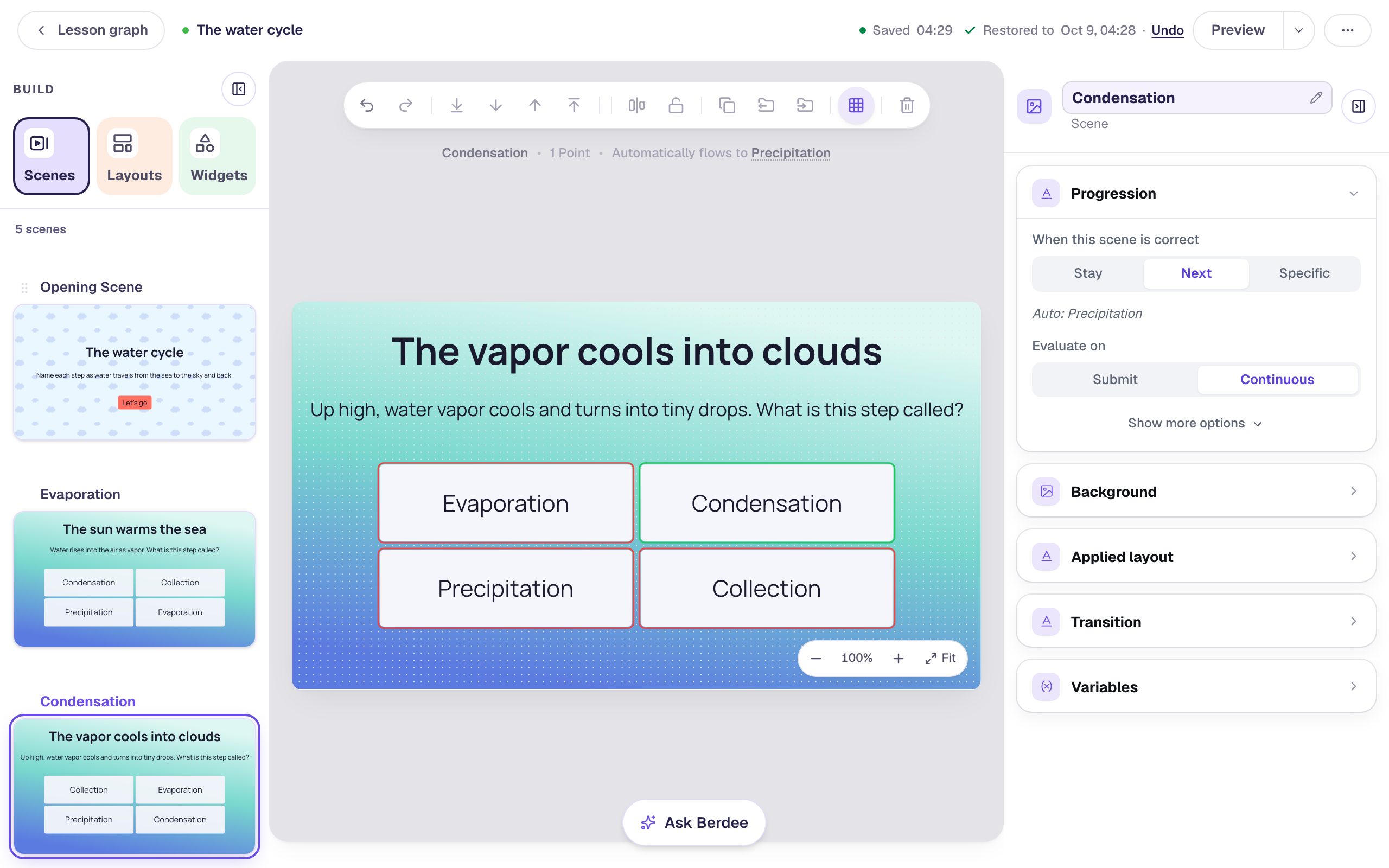
Restoring goes back for the whole lesson, not just one scene. Anything you changed _after_ the moment you pick is undone too. If you deleted a scene and then spent an hour on other scenes, restoring to before the deletion would roll back that hour as well. In that case it's often quicker to rebuild the one scene: the History preview shows you exactly what was on it.
The confirmation window also has Restore to before these changes. If you'd selected Deleted Condensation itself, that button goes back to the moment just before it, the same place you reached in Step 4. Clicking the entry underneath and checking the preview first is the safer habit, because you see what you're getting before you commit.
Step 6: Check it in Preview
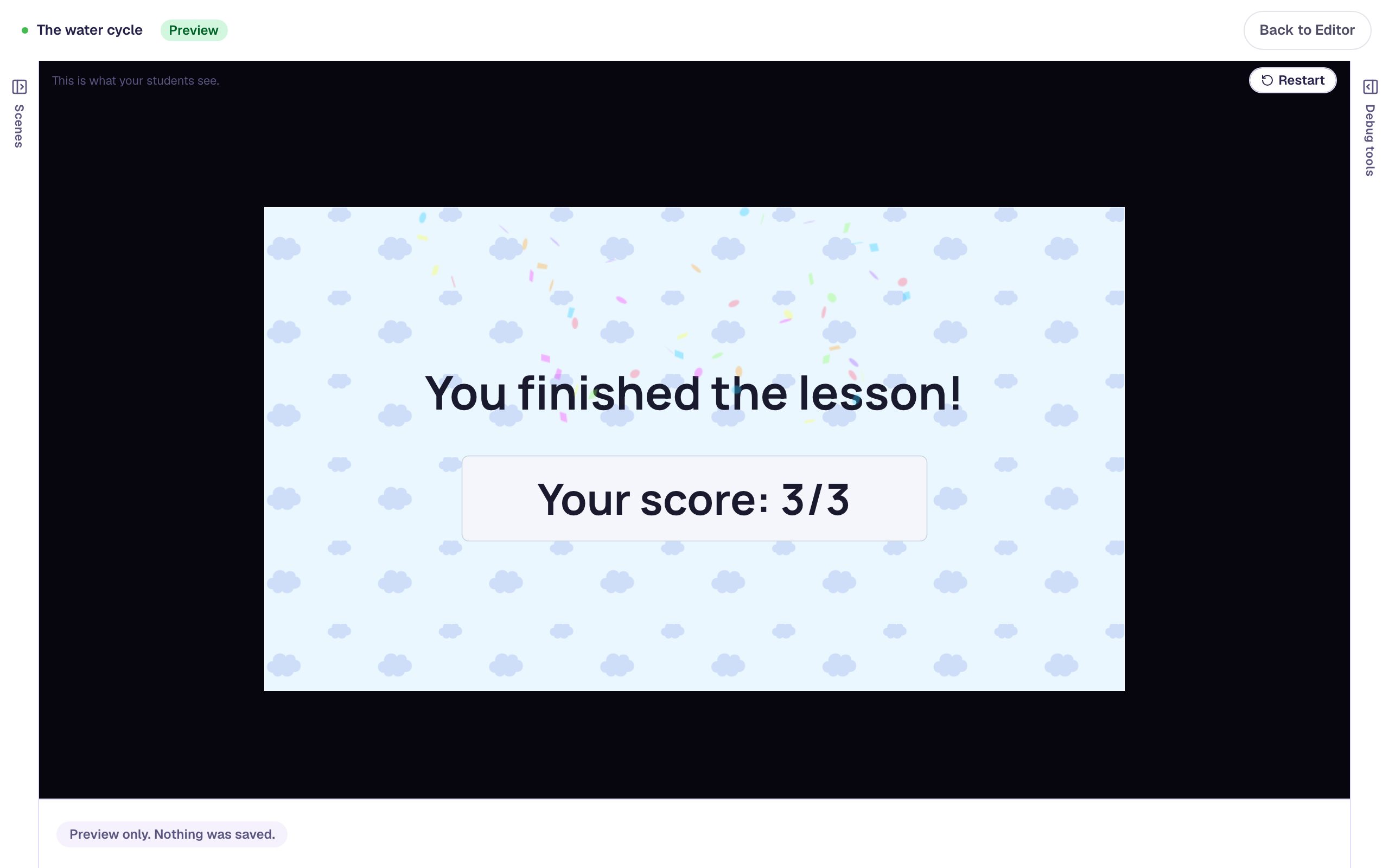
Open the Opening Scene and click Preview. Press Let's go and answer each question. On Condensation, try a wrong answer first:
The questions come in their original order again, Evaporation, Condensation, Precipitation, because each one's progression is Next and follows the order of the scene list. The restored scene came back with its correct answer still marked, so the lesson counts it.
What you built
A three-question water cycle quiz, and a way out of the most common mistake in the studio:
- you deleted a scene from the Scenes tab, which happens with no confirmation,
- closed the lesson, so Undo couldn't help,
- opened History from the ⋯ menu and found the Deleted entry,
- picked the entry just before it and previewed the missing scene,
- restored that point, with an Undo link and your newer draft kept in History in case you change your mind, and
- checked in Preview that the lesson works as it did before.
History works the same way for any change: a question you rewrote and liked better before, a background you replaced, or a widget you dragged off the scene. Your lesson is saved as you work, so there's no need to duplicate a lesson "just in case" before a big change: where you are now is already a restore point. For how saving works, see Saving and Auto-Save.
Make this lesson yours
Add the lesson you just watched being built to your account, then change it for your class: your questions, your pictures, your colors.
Free to sign up, and you'll come straight back here. I have an account