Ask how far a fraction is from 1/2
Students type how far 5/8 is from 1/2 on a number line in eighths, and a hint appears only when they measure from 0 or 1 instead.
- Level
- Intermediate
- Time
- About 15 min
- Steps
- 7
- Updated
- Nov 22, 2026
A one-question activity where students work out how much longer than 1/2 yard a 5/8-yard ribbon is, on a number line with 1/2 ringed, with a hint for measuring from the wrong place.
Get the finished activity
Skip straight to the result, or keep it open beside the steps. Add this tutorial's activity to your account and explore how it works in the studio.
Free to sign up, and you'll come straight back here. I have an account
Fourth graders compare fractions by thinking about benchmarks: is 5/8 more or less than 1/2, and by how much? A number line makes the answer something you can see, as the gap between two points. It also shows the most common slip: a student who measures from 0 or from 1 instead of from 1/2 writes 5/8 or 3/8, when the gap is 1/8.
In this tutorial you'll build a one-question activity called How far from 1/2?:
- a ribbon story: a bow takes 1/2 yard, and Leo's ribbon is 5/8 of a yard,
- a Number Line from 0 to 1 in eighths, with a point at 5/8 and 1/2 ringed,
- a fraction box where students type how far the point is from 1/2,
- a hint that appears only when a student measures from 0 or 1 instead.
Step 1: Set the scene
Start from scratch: click New activity, name it How far from 1/2?, then choose A blank activity and Build the first scene.
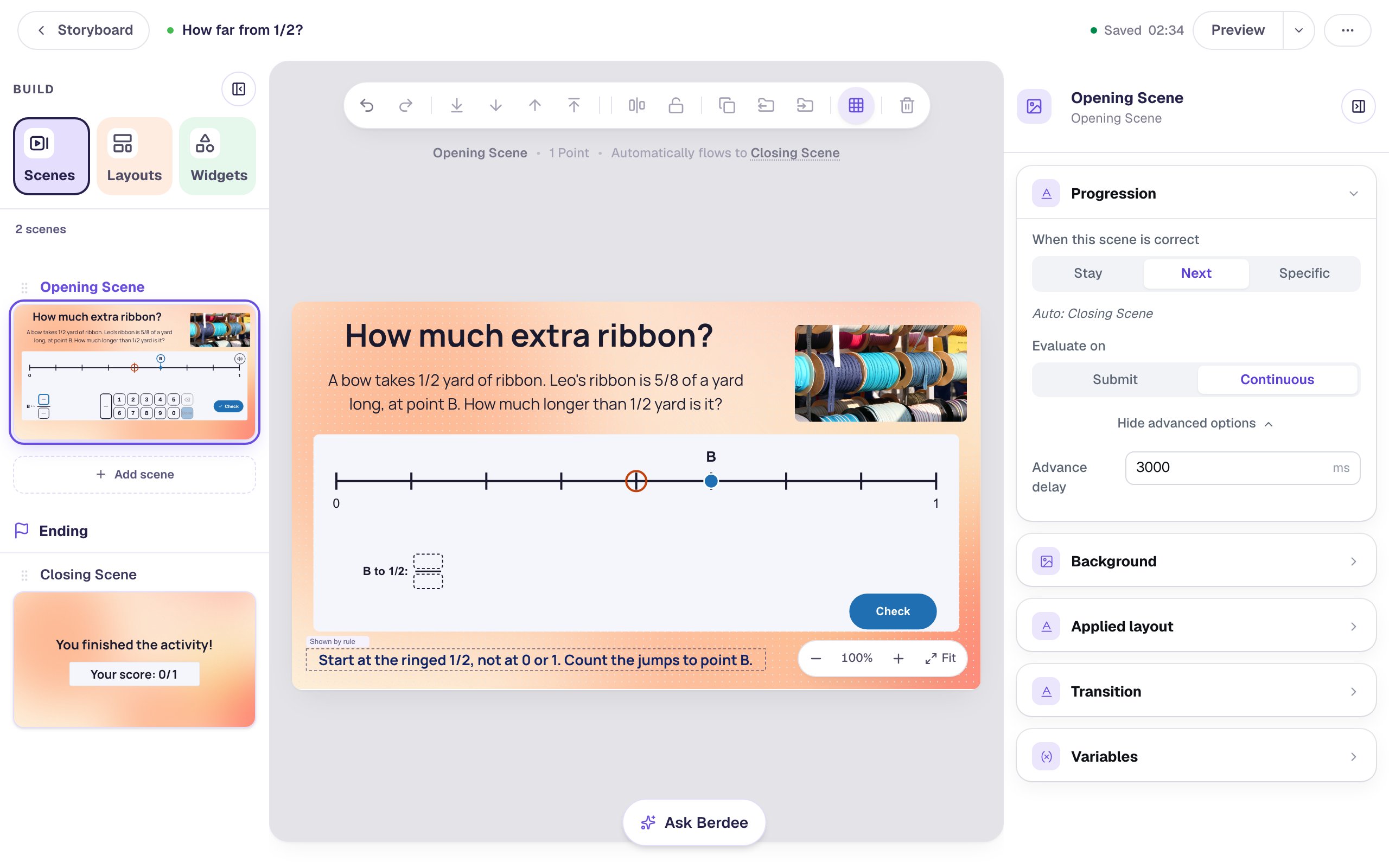
Give the scene a warm background. Click an empty spot on the scene, open Background, click Choose a style, and pick Mesh sunrise. Give the Closing Scene the same background so the ending matches.
The number line will take the whole width of the scene, so keep the story at the top:
- A Heading at the top left:
How much extra ribbon?. Set its Font Size to44. - A Body under it:
A bow takes 1/2 yard of ribbon. Leo's ribbon is 5/8 of a yard long, at point B. How much longer than 1/2 yard is it?Set it to Fixed width,620wide, and its Font Size to22. - An Image in the top-right corner,
240wide and170tall. Click Choose image, search the stock photos forribbon spools, and pick a wide photo.
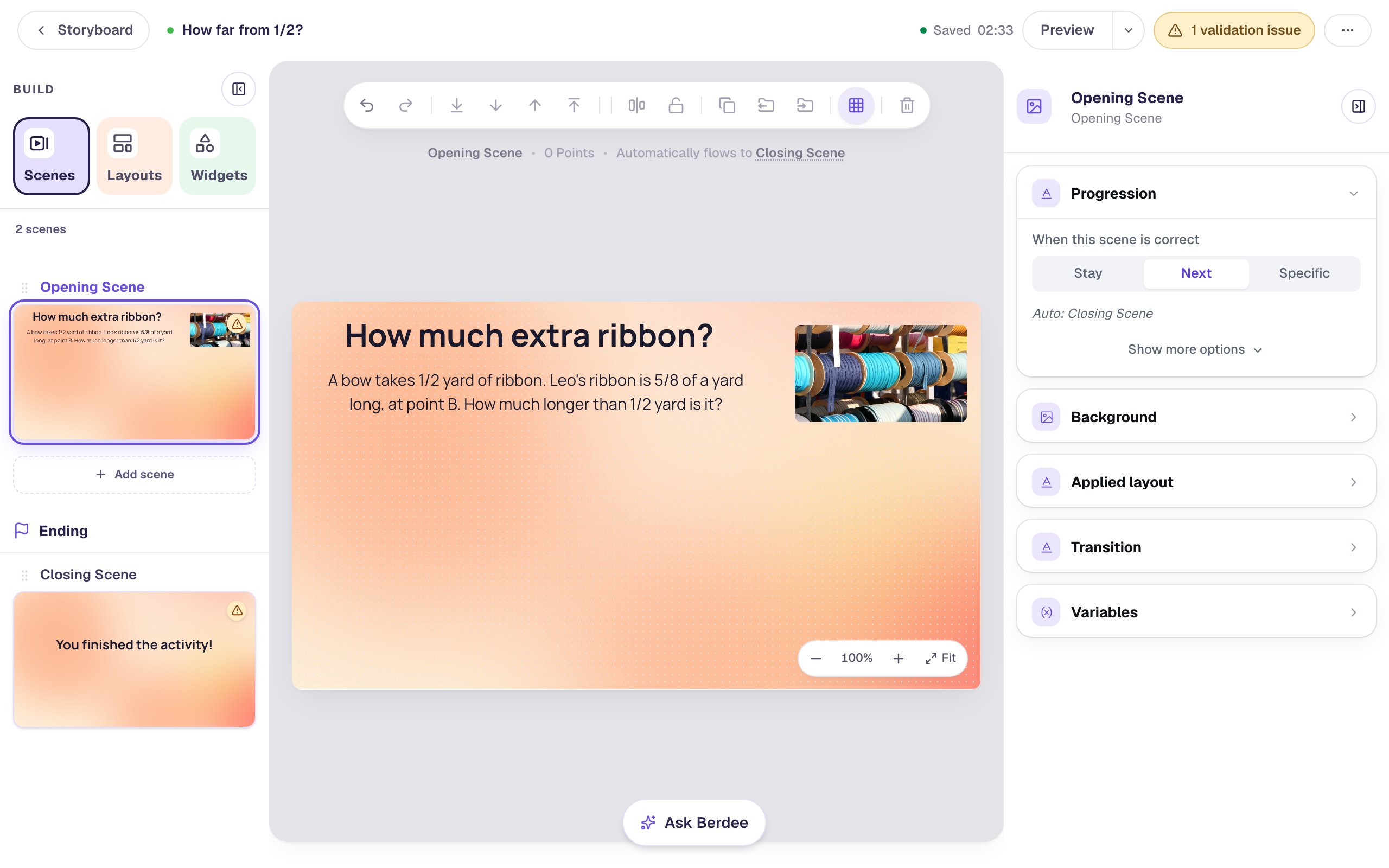
The story says point B, not A. Step 3 explains why.
Describe the photo for students who use a screen reader. With the image selected, open Accessibility and type its Alt Text: Rows of ribbon spools in turquoise, navy blue and pink on a market stall. The studio fills that field with the photo's file name, which a screen reader would read out word by word.
Step 2: Add a wide Number Line
Search the Widgets tab for Number Line and click it. Rename it Leo's ribbon with the pencil at the top of the properties panel: you'll pick it by that name in Step 5. Under Style & Layout, set Width to 900 and Height to 275, and drag it under the story.
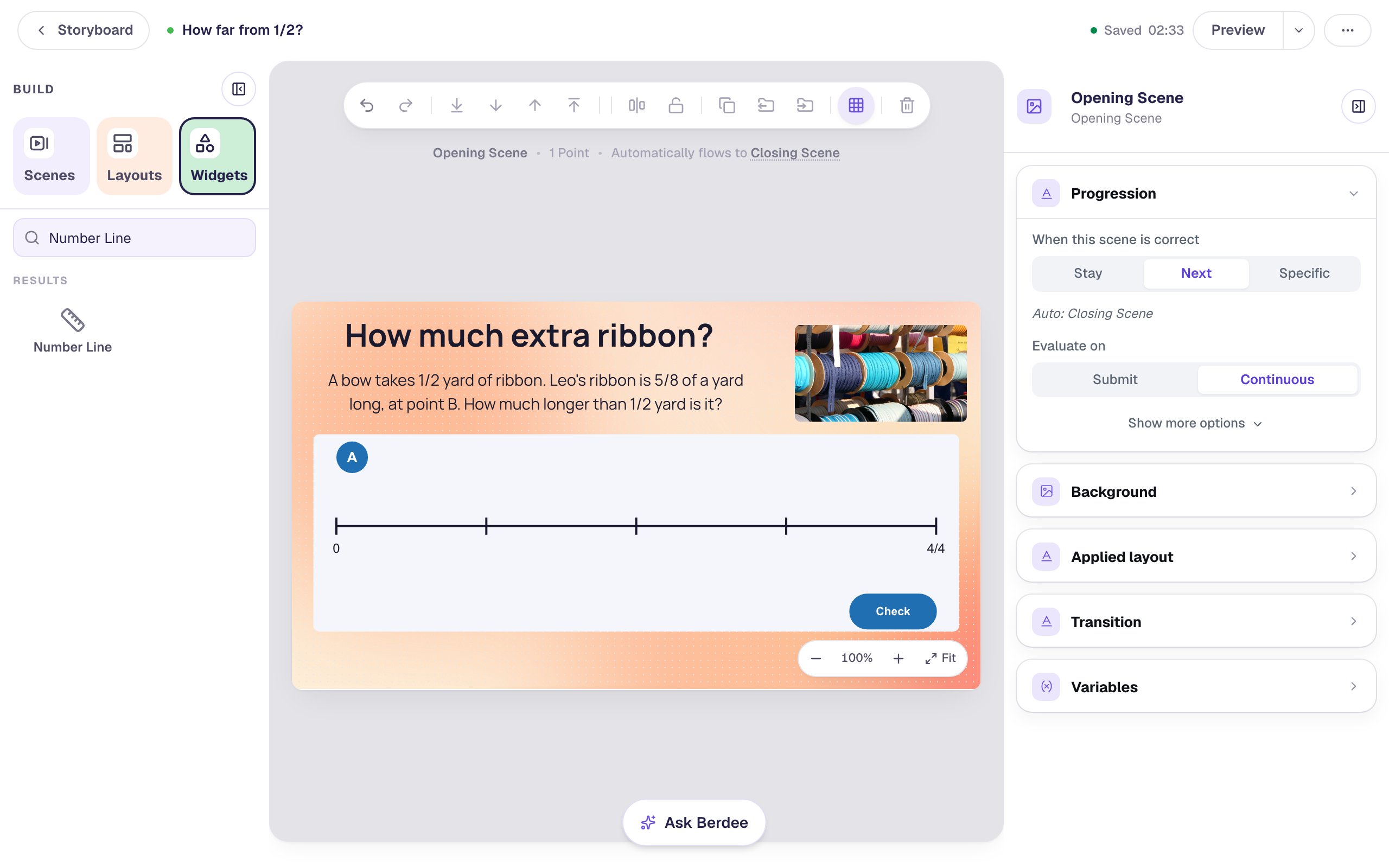
Make it wide on purpose. In a How far question, students type their answer in a fraction box on a keypad, and the box, the keypad and the Check button share one row along the bottom of the widget. At 900 wide they all fit side by side; on a narrow widget the answer box gets squeezed.
Step 3: Ask how far from 1/2
Select the number line and click the floating ⚙ Configure button. Under What students do, click How far. Berdee puts a point on the line for students to measure, and lists it under How far from. Click from 1/2.
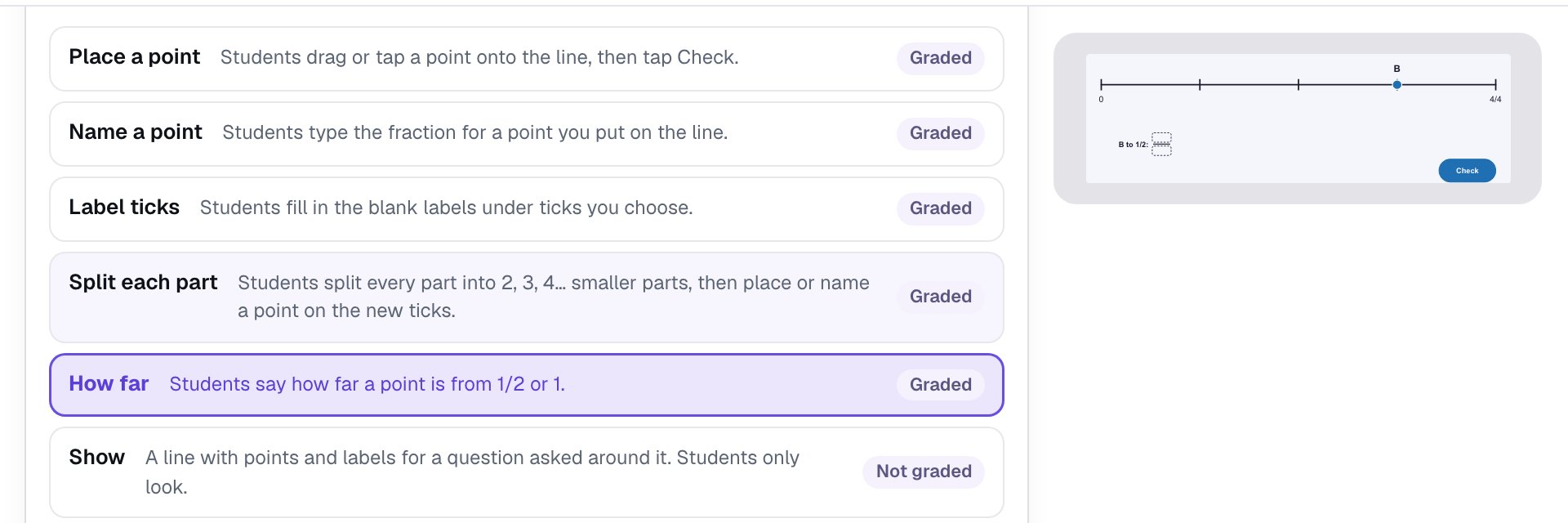
The new point is called B, because the line's starting question already used A for the point students would have placed. The letter can't be changed here, which is why the story says point B.
Step 4: Cut the line into eighths and move B to 5/8
Scroll up to The lines. Change Equal parts to 8, and under Write labels as, click Lowest terms, so the end of the line reads 1 instead of 8/8.
Then scroll to On the line. Point B is at 3/4, where Berdee put it. Drag it one tick to the left, to 5/8. You can also click it and press the left arrow key. The row under How far from now reads at 5/8.
Last, under Ring these numbers, tick 1/2. Students will see 1/2 ringed and named on the line, so they know where to measure from.
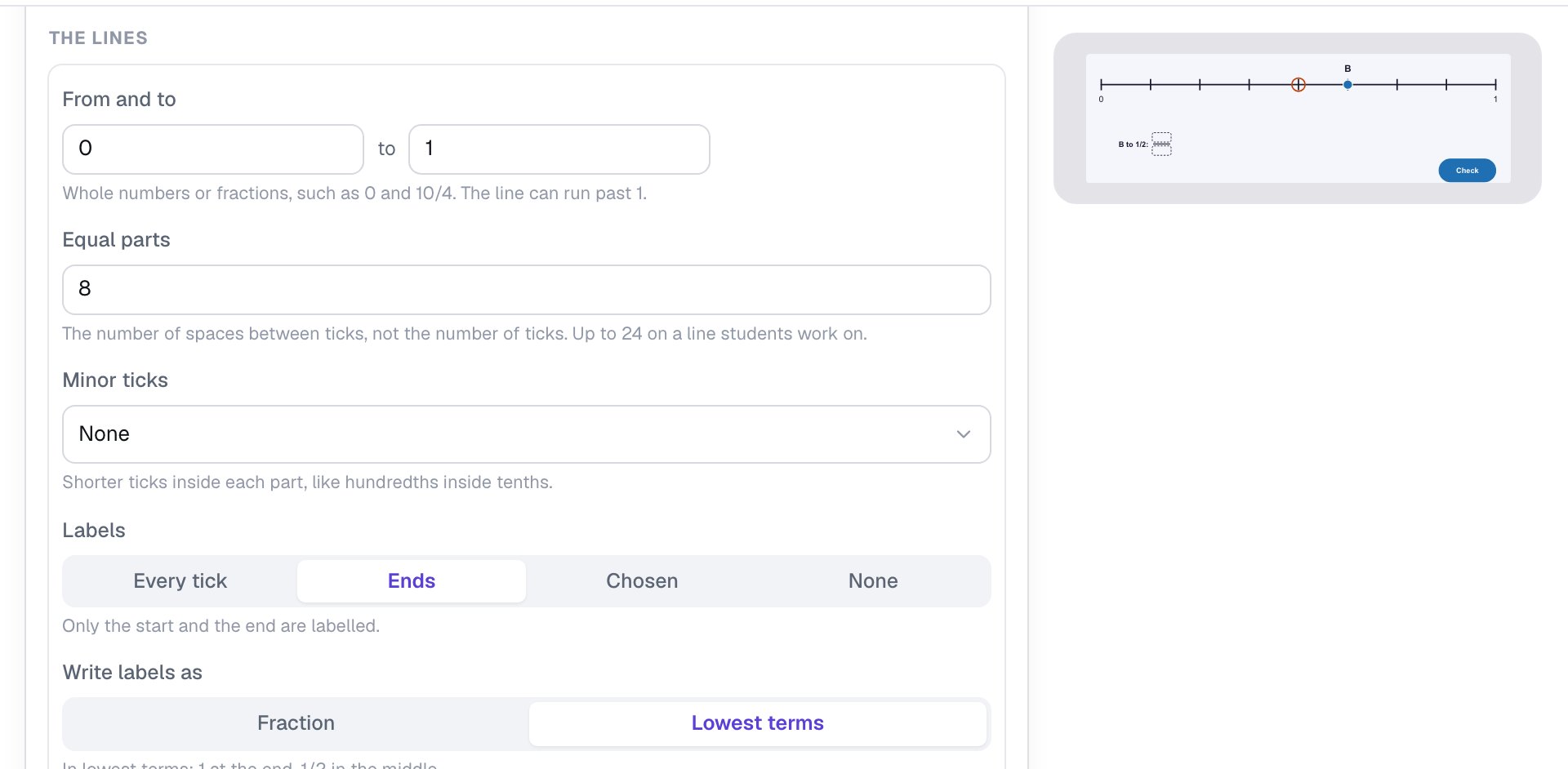
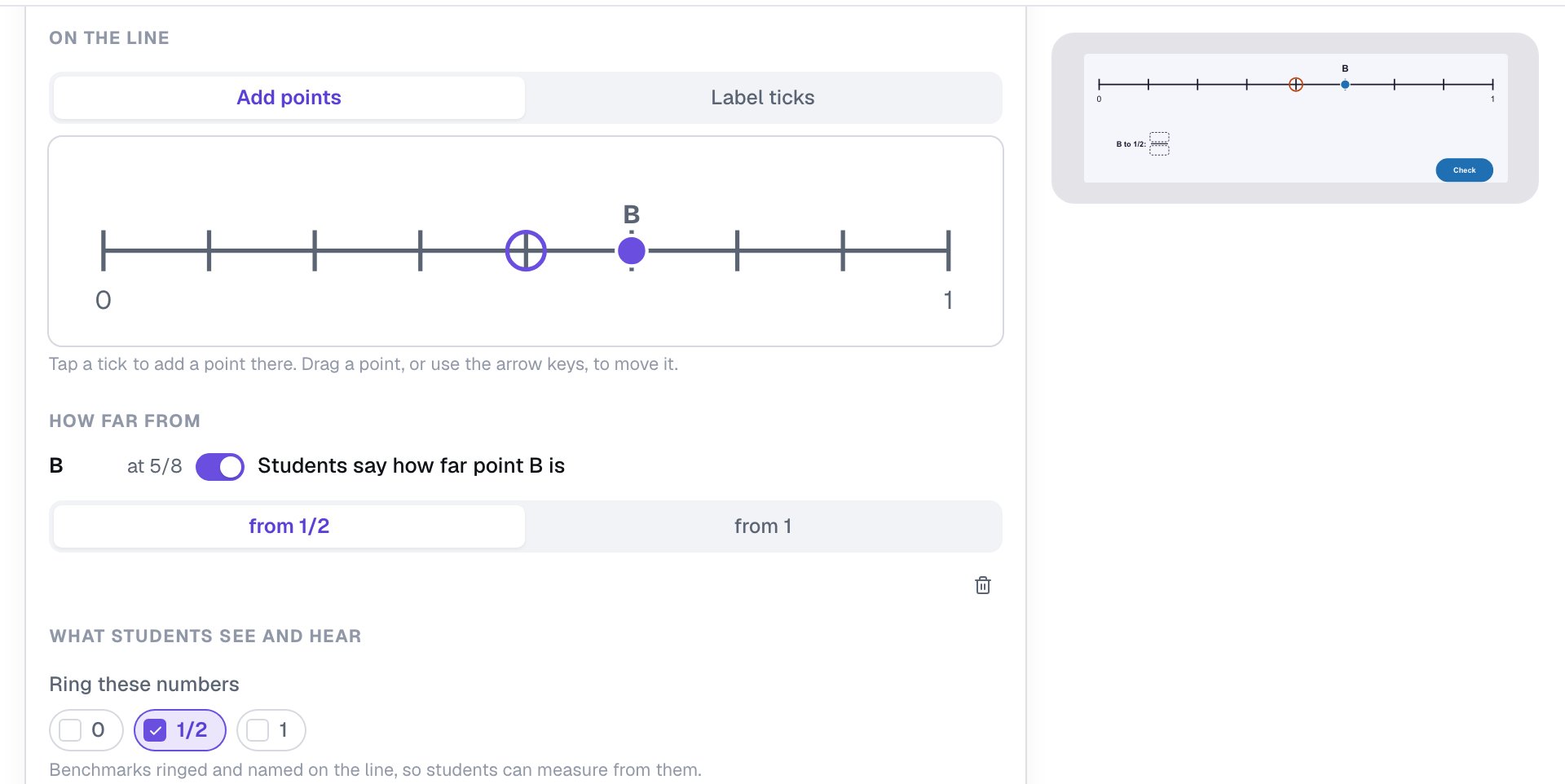
Only the ends are labelled. Students see 0, the ringed 1/2, 1, and point B, and work out that each jump is 1/8. Berdee grades by value, so 1/8 is right, and so is an equal fraction such as 2/16. Click Save.
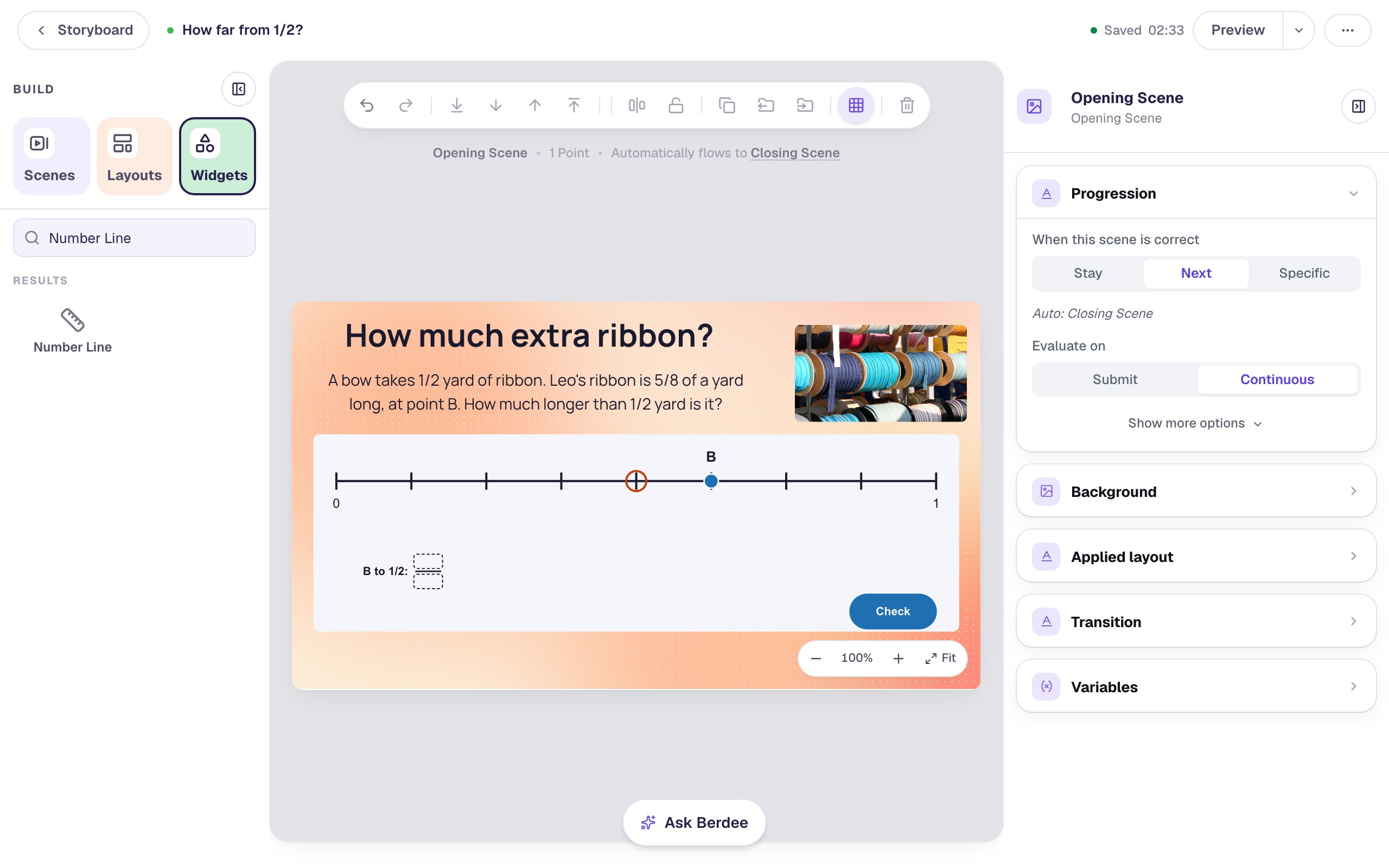
Step 5: Show a hint for measuring from the wrong place
Every time a student taps Check, Berdee looks at a wrong answer and names the mistake behind it, if it's a common one, in the number line's Misconception property. For a How far question, wrong_benchmark means the student measured from a different benchmark: they typed 5/8 (the distance from 0) or 3/8 (the distance from 1). A right answer clears it.
Add a hint that shows only for that mistake:
- Add a Body with the text
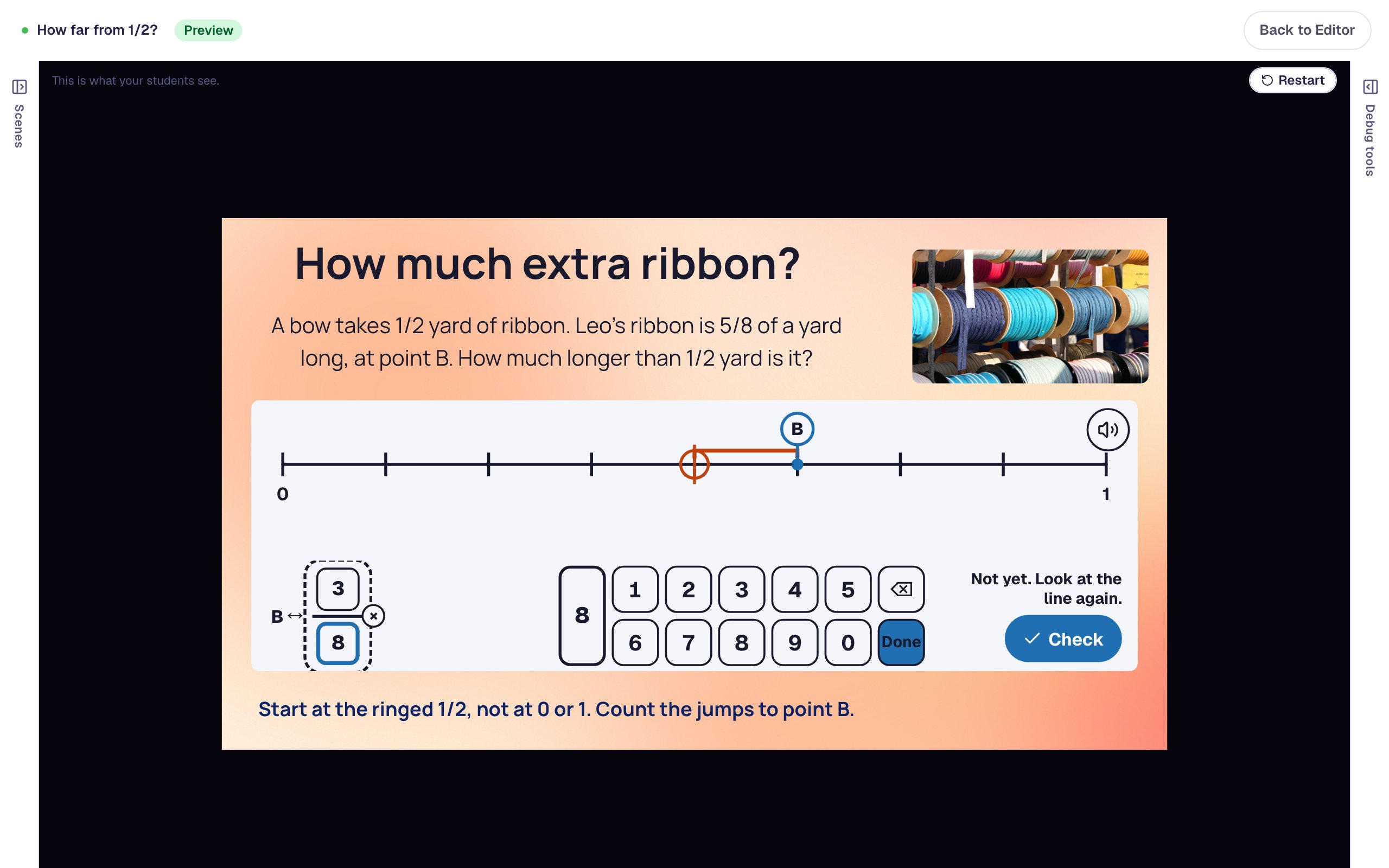
Start at the ringed 1/2, not at 0 or 1. Count the jumps to point B.Rename itHint. - Make it Fixed width,
640wide, Font Size20, bold, with a dark navy Text Color, and put it under the number line, on the left. - Open its Visibility section and set Mode to Conditional. Leave Behavior on Show.
- Set the condition to Number Line: Leo's ribbon, then Misconception, then equals, and type
wrong_benchmarkin the value box.
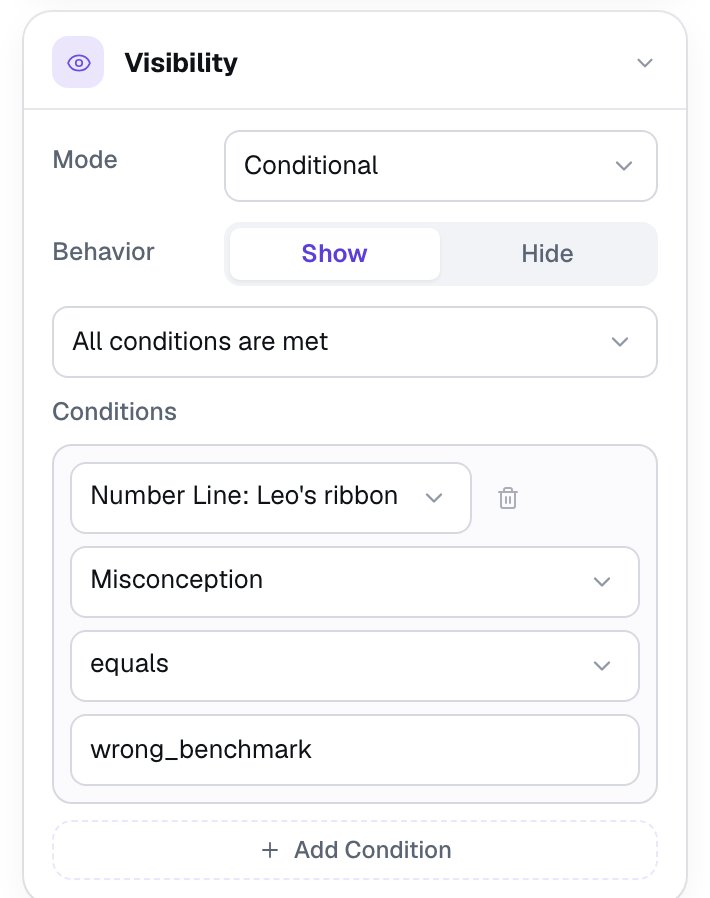
The hint stays hidden for any other wrong answer, such as 2/8, which is a counting slip rather than the wrong starting point.
Step 6: Give students a moment before the ending
When the answer is right, the scene moves on by itself. Click an empty spot on the scene, and in Progression click Show more options and set Advance delay to 3000 ms, so students have time to see their ✓.
Step 7: Try it as a student
Click Preview. Make the classic mistake first: measure from 1 instead of 1/2. Tap the top of the fraction box, tap 3, tap the bottom, tap 8, and tap Check. The box gets a gentle ✗, a line shows the gap from 1/2 to B, and the hint appears.
Now change the top number to 1 and tap Check again.
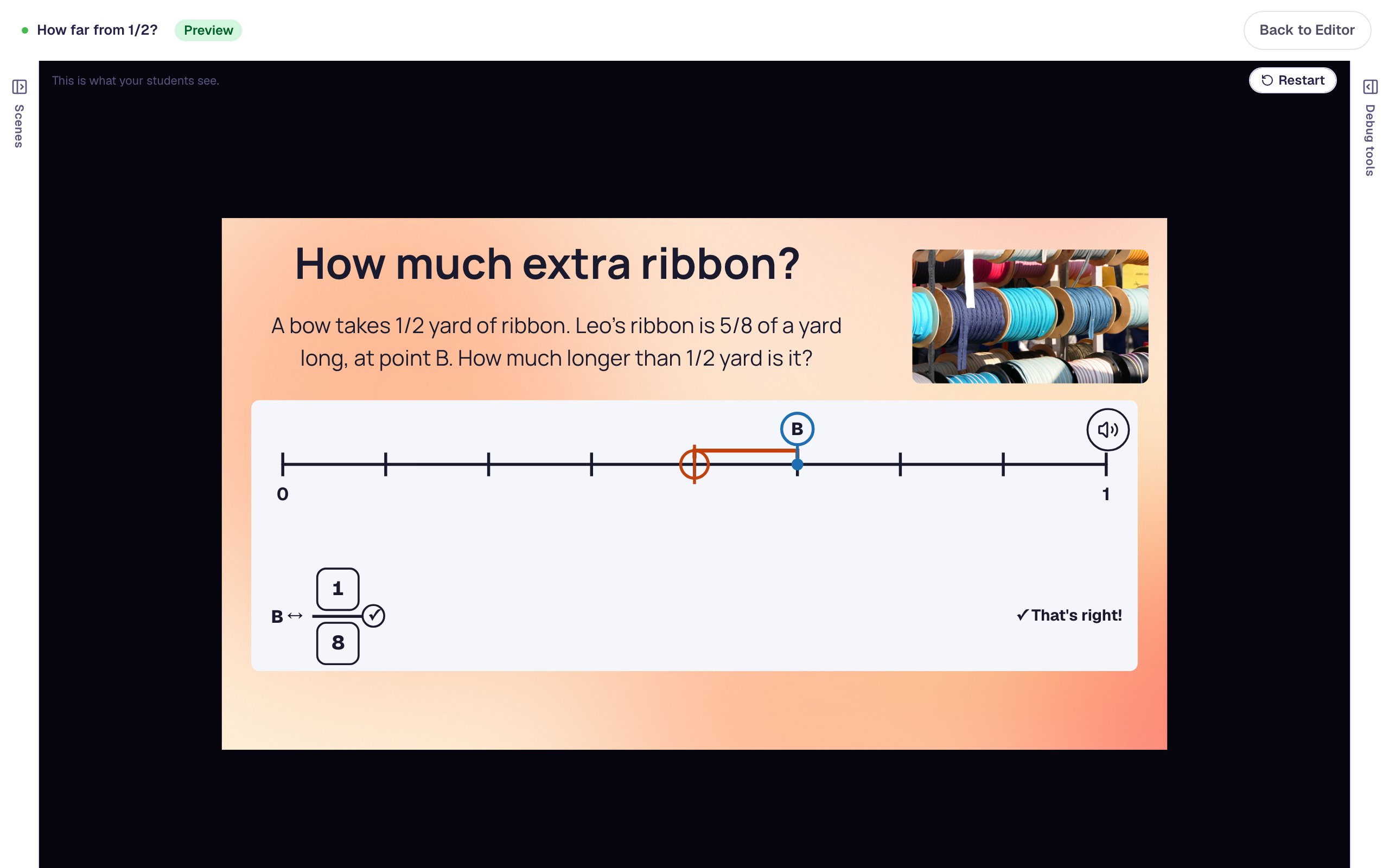
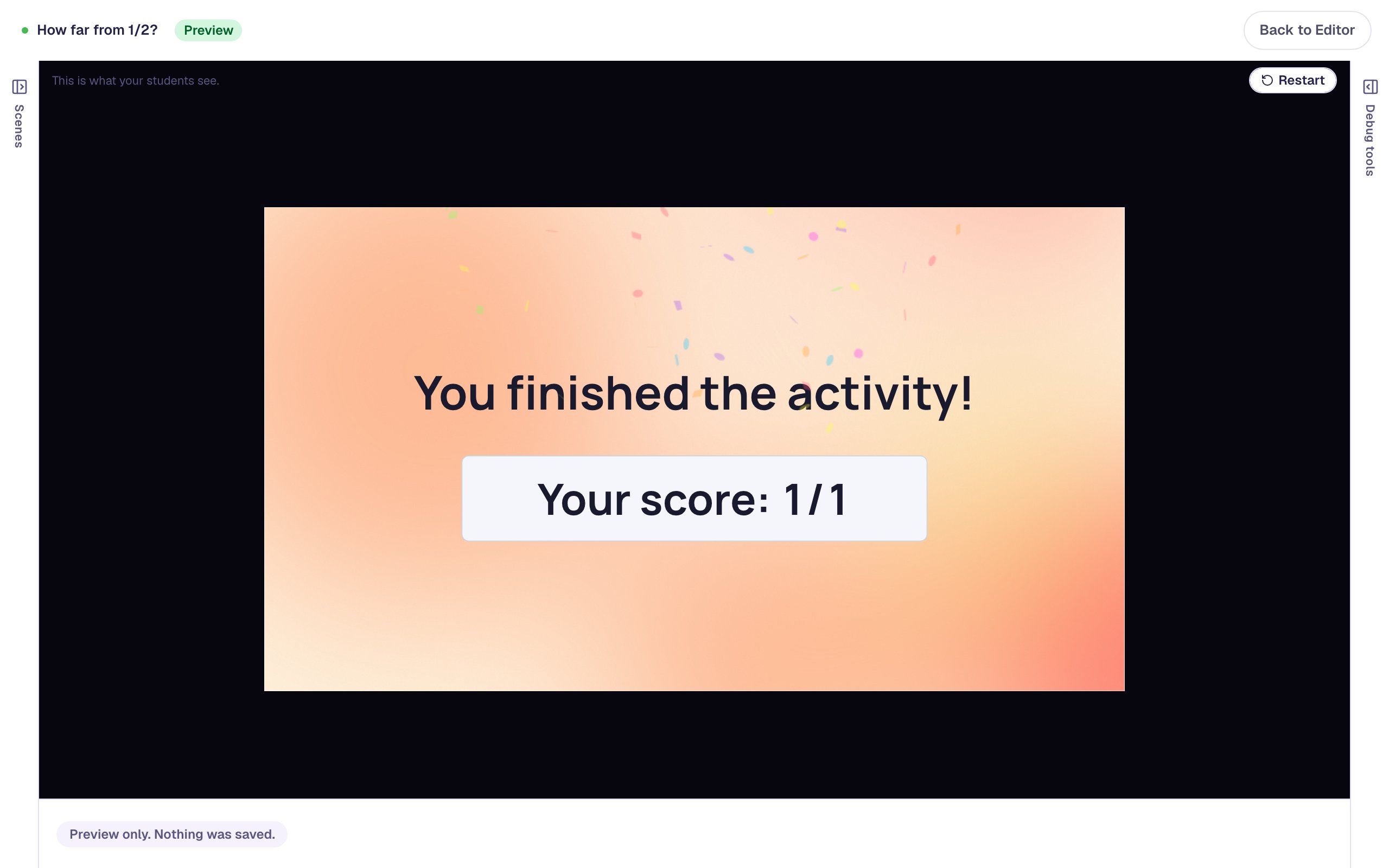
The box gets a ✓, the hint disappears, and after 3 seconds the activity moves on to the ending.
On a student's attempt page you'll see each try, with the first one marked as measuring from the wrong benchmark.
What you built
A one-question How far from 1/2? activity with:
- a ribbon story and a photo of ribbon spools, described for screen readers,
- a wide Number Line from 0 to 1 in 8 equal parts, labelled only at its ends, with 1/2 ringed,
- point B at 5/8, and a How far question measured from 1/2,
- a hint that shows only when Misconception equals
wrong_benchmark, - a 3-second pause, so students see their ✓ before the ending.
To ask about the other benchmark, add a second point and choose from 1 for it: is 7/8 closer to 1/2 or to 1? For more with the same widget, have students drag a point to a fraction in Place a fraction on a number line, or write the labels under blank ticks in Fill in the missing fractions on a number line.
Make this activity yours
Add the activity you just watched being built to your account, then change it for your class: your questions, your pictures, your colors.
Free to sign up, and you'll come straight back here. I have an account